Display basics 3 Getting started
Item Name Explanation
c
8" Touch-sensitive screen
To interact with the system, tap the screen with
your finger.
Also see:
l Clean the touchscreen, 42
l Recalibrate touchscreen, 198
d
Speaker
You can adjust the speaker volume, or turn it off.
Also see: Display settings, 189
e
Integrated lightbar with 27 LEDs
When lit, the LEDs show the position of your vehicle
relative to your intended guidance line.
Also see: Lightbar patterns, 227
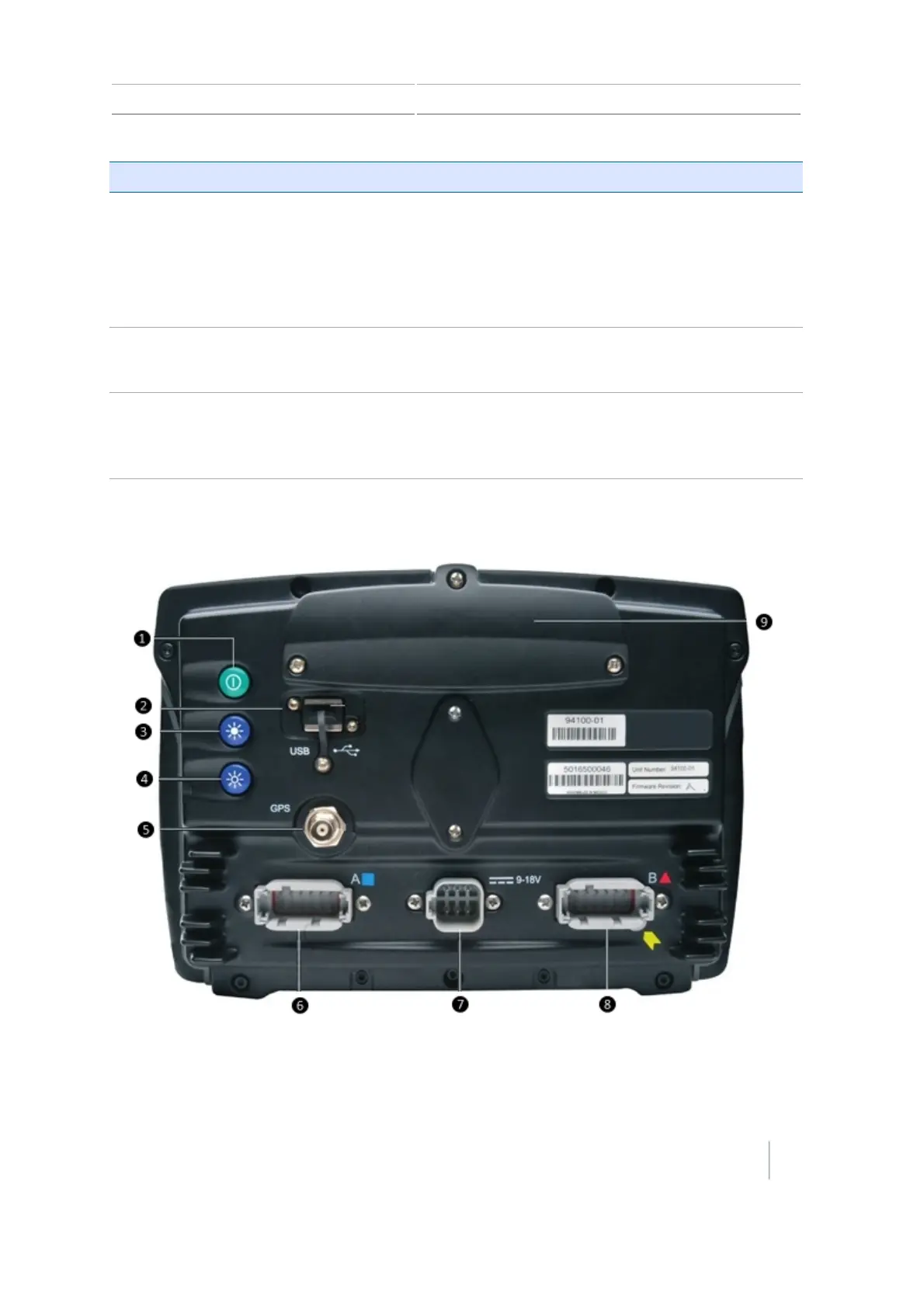
Back view of display
Version 7.0, Revision A CFX-750 Display User Guide 37



 To Next Page