Connect the CFX-750 display 2 Installation
Connect the CFX-750 display
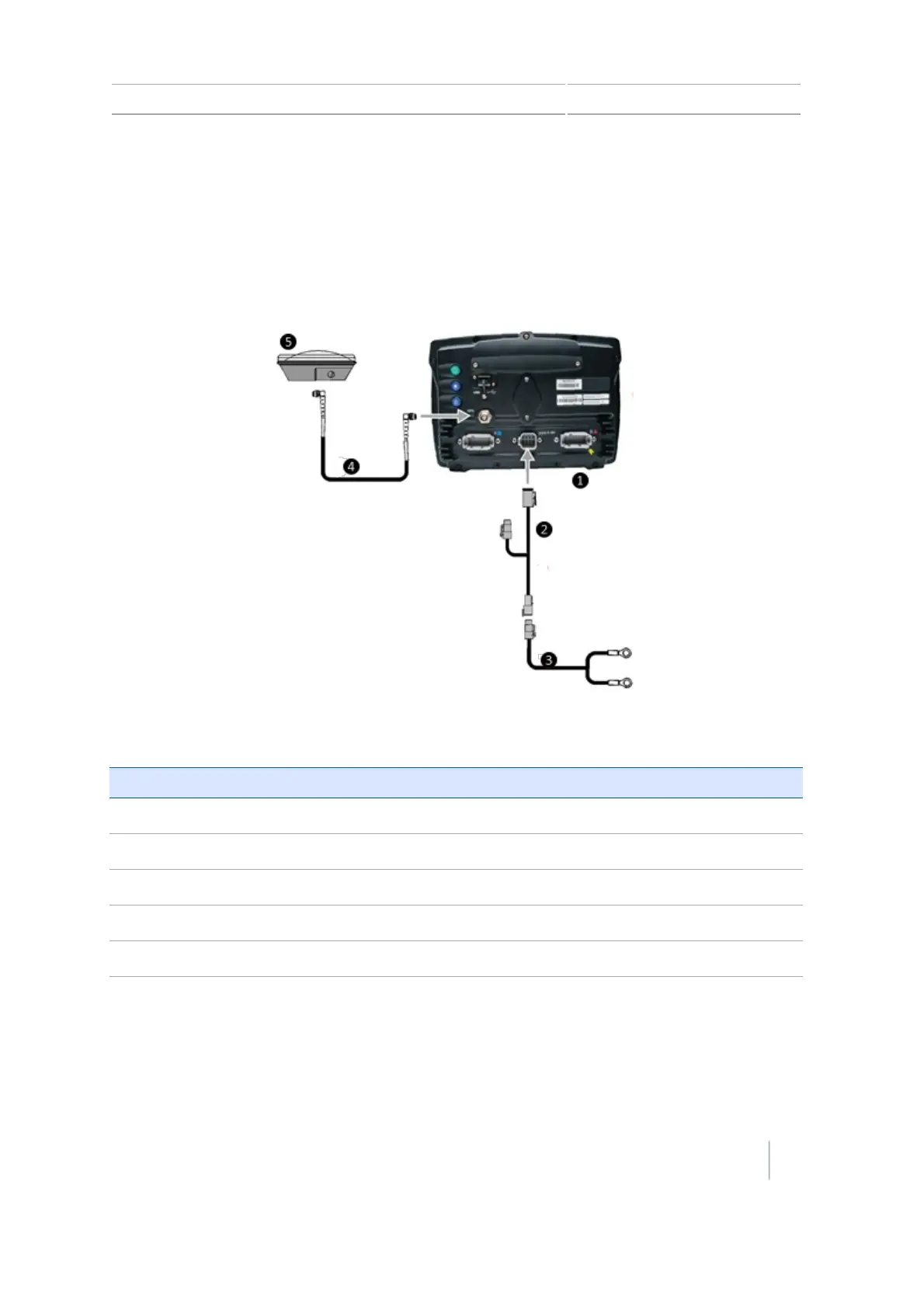
This section covers connecting the display as a standalone system. For information on connecting
the CFX-750 display to other the system components, see the CFX-750 Display Cabling Guide.
For WAAS/EGNOS/OmniSTAR® XP/HP corrections
All these corrections require the AG-25 GNSSantenna.
Item Description Trimble Part Number
c
CFX-750 display 94110-00
d
CFX-750 display power cable 77282
e
CFX-750 display basic power cable 67258-01
f
8 m GNSS TNC/TNC RTangle cable 50449
g
AG-25 GNSS antenna 77038
Also see:Correction services setup, 168.
Version 7.0, Revision A CFX-750 Display User Guide 29



 To Next Page