FuelsManager Defense
84 Administrator Manual
Introduction to databases
Note! The FuelsManager
Configuration application contains
most of the configuration
processes you use to configure a
FuelsManager database.
The FuelsManager database is an arrangement of data files that work together to
retain real-time and calculated data. This data is represented by elements called
Points, and are arranged in a tree-like structure with up to four levels. The levels
are arranged from broad (Level X) to specific (Level 0) - the default is three levels.
On each execution cycle, the controlling system called the DataManager performs
tank calculations, database calculations, and alarm detection, data conversion
and/or reporting based on a points value change.
Configuring a database involves creating points. Alarms and events can be
assigned to these points. Once the point is defined, it becomes available to the
FuelsManager subprograms and subsystems.
The database is mainly accessed through the FuelsManager Configuration
application, but depending upon your user privileges the database can also be
edited from several other areas of the application.
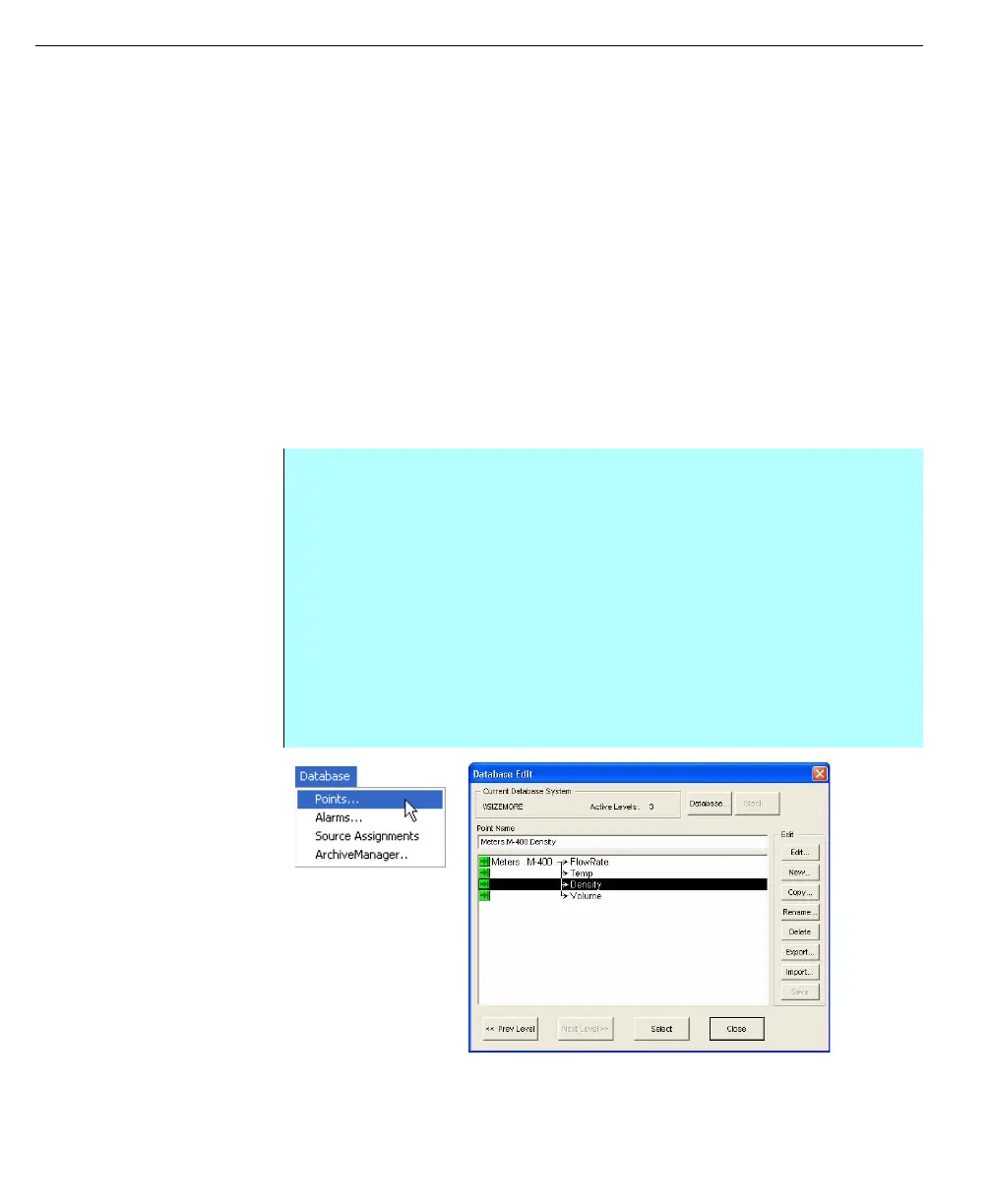
Database menu Points
Command
Database Edit dialog
box
Step-by-Step
• To access the database, start the FuelsManager Configuration application
and from the Database menu select the Points command
• The Database Edit dialog box appears
• In order to edit a local or remote database, confirm the following:
•User has permission to access the target machine
•Machine is currently running FuelsManager
•DataManager on target machine is active
•Also, if database resides on a remote system, confirm Network connection
exists between the user’s machine and remote machine
• Follow the instructions later in this chapter for creating and editing database
points



 To Next Page