FuelsManager Defense
88 Administrator Manual
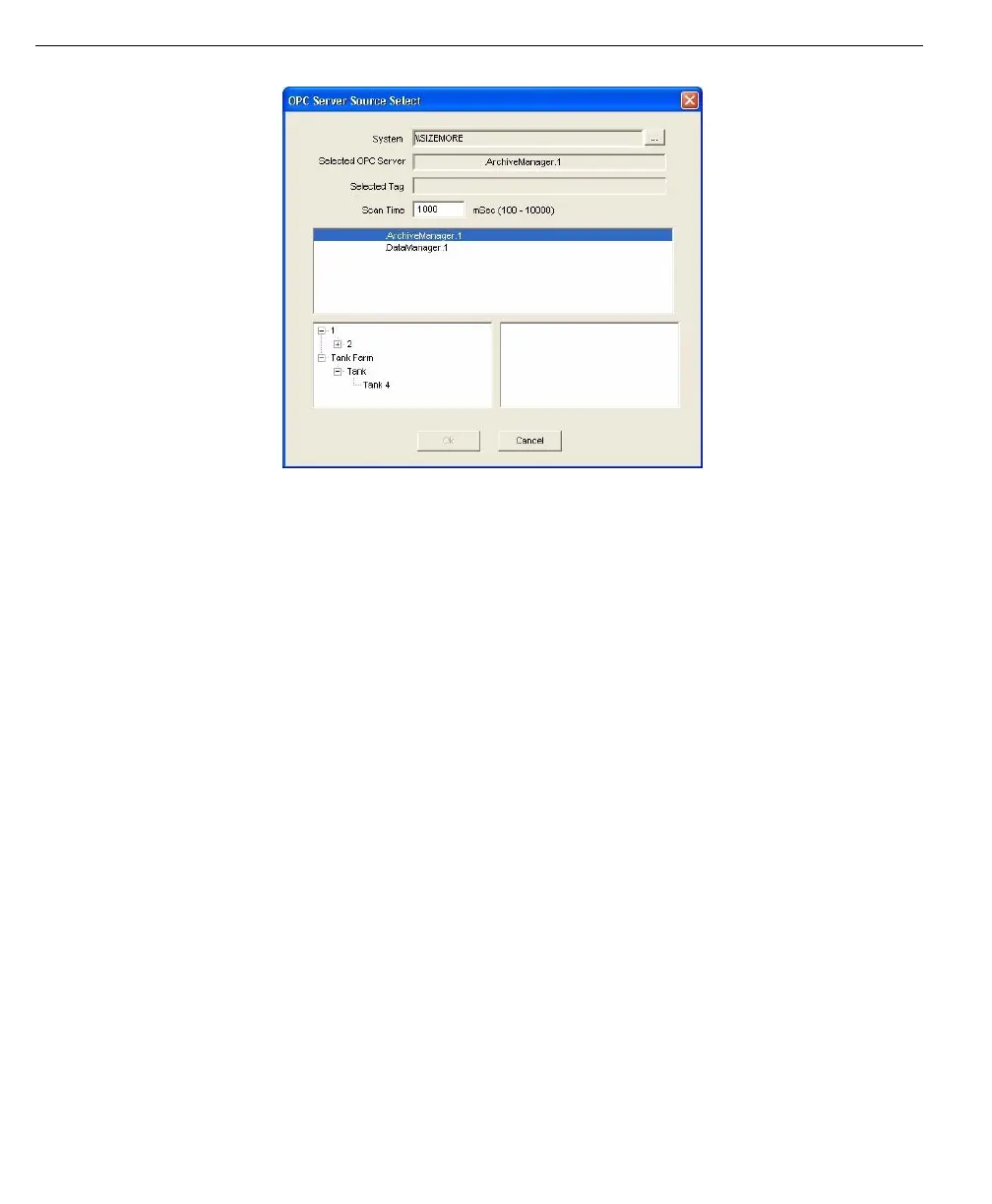
OPC Server Source
Select dialog
Within this dialog box, the System and Selected Servers are displayed in non-
editable fields. Below these, the Scan Time may be entered to set the update rate
and the version of OPC can be selected. Below these, a list containing available
OPC servers is displayed. When a server is selected from this list, the system
displays a tree view of the different OPC tags associated with the OPC server
selected. For step-by-step instructions on how to Select an OPC server data
source refer to ‘Process Data Information’.
Data format
Note! You must configure the data
format correctly for the range of
data expected. Attempting to write
a value that it too large for the data
format defined will result in
truncation of and possible
misinterpretation of the data.
FuelsManager supports several data formats for storage of data. Selecting a data
format only applies to Input and Output points. Tank points have a predefined
formats.
Each numerical data format has a default minimum and maximum value as listed
in the Glossary. These values become the limits used for bar graphs, trends, and
Operator Command entries. Refer to the Scale Limits section for more
information.
If the data format is Coded Variable, a command modifier may be assigned to the
point. For more information on Modifiers, refer to the Modifier Assignment section.
Note! For a list of the available
formats, refer to the Glossary
Modifier assignment
If the Coded Variable type is selected during configuration, the user is able to
assign modifiers to the point. Modifiers are sets of coded variables grouped
together to be used as commands issued by the operator. The On/Off and Open/
Close modifiers are examples. The FuelsManager System contains a list of
predefined modifiers, a list of these modifiers can be found in the Glossary.
Alarms and events
An Alarm Process defines the alarm limits of a point’s value. If the value exceeds
or falls below these defined alarm limits, an alarm occurs in the database. The
alarm is then displayed in the Operate program.



 To Next Page