Creating and editing tank points
ADM003GVAE1005 125
Polynomial sphere information
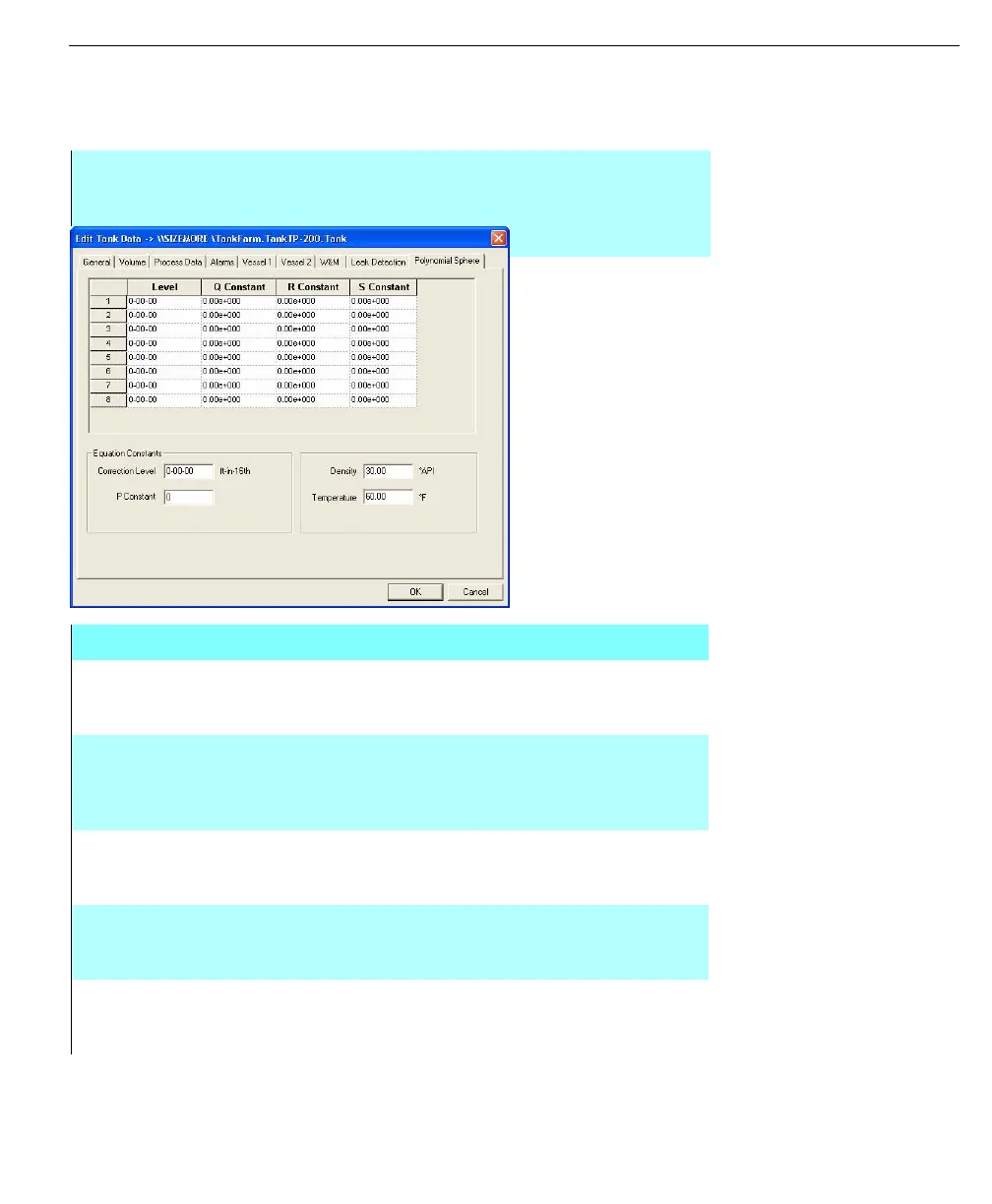
The Polynomial Sphere tab replaces the Strapping table tab when the user selects
the Tank Geometry option - Polynomial Sphere.
Note! For detailed calculation
method used, see the Polynomial
Sphere section of the Tank
Calculations section
Edit Tank Data dialog
box - Polynomial
Sphere tab
Step-by-Step
• Review the Level/Constant grid values
• Enter the required Correction Level and P Constant
• Review the values for Density and Temperature
Edit Tank Data dialog box - Polynomial Sphere tab
LEVEL &
CONSTANT
COLUMNS
These columns display the volumetric constants to be
applied between the specified level ranges. The level
column reflects the current engineering units for the tank.
CORRECTION
LEVEL
This field allows the user to enter the level offset to be used
to correct the level process variable for the measurement
error due to the low temperatures in tanks containing liquid
hydrocarbons
P CONSTANT This field allows the user to enter the volumetric constant to
be applied to all level gauge values, for more details please
refer to the Tank Calculations chapter
DENSITY This field allows the user to edit the density at which
polynomial sphere constants apply. This value is used in
FuelsManager volume calculations.
TEMPERATURE This field allows the user to edit the temperature at which
polynomial sphere constants apply. This value is used in
FuelsManager volume calculations.



 To Next Page