FuelsManager Defense
112 Administrator Manual
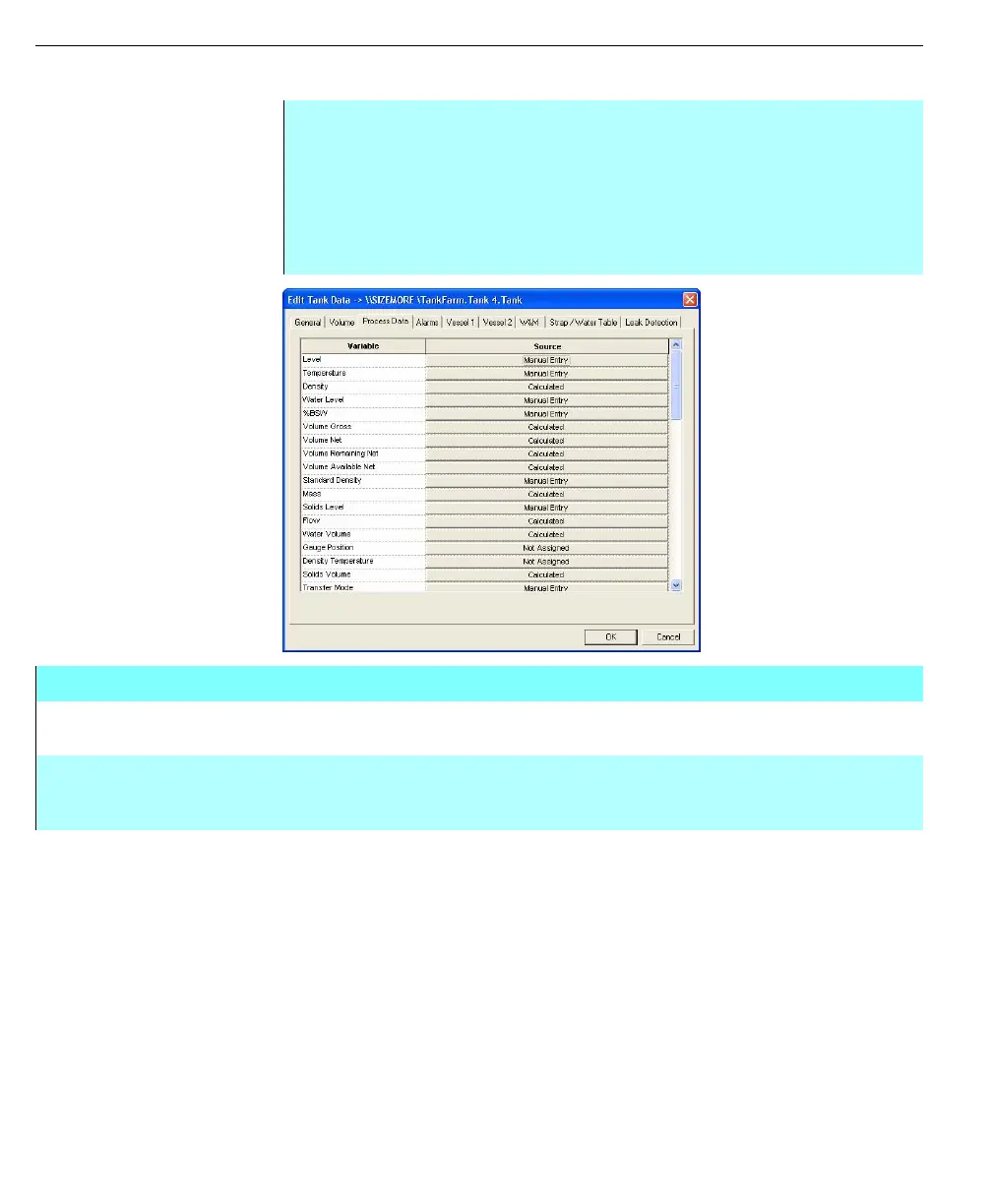
Process data information
Edit Tank Data dialog
box - Process Data tab
Step-by-Step
• Click on the appropriate button under the Source column to select the Data
Source as required
• The Select Data Source dialog box appears
• Click one of the buttons, Clear, Manual, Comm, Calc, Local or OPC in order
to set the required data source
• Repeat to change the source for any other variable as required
Edit Tank Data dialog box - Process Data tab
VARIABLE COLUMN This column displays the tank point process variable name. This column is for
display only.
SOURCE COLUMN This column displays the current Data Source for the particular tank process
variable. Clicking on a particular Source opens the Select Data Source dialog box,
where the source can be changed.



 To Next Page