Sealing the Point in 8130 RTU
ADM003GVAE1005 327
Applying the Software Seal
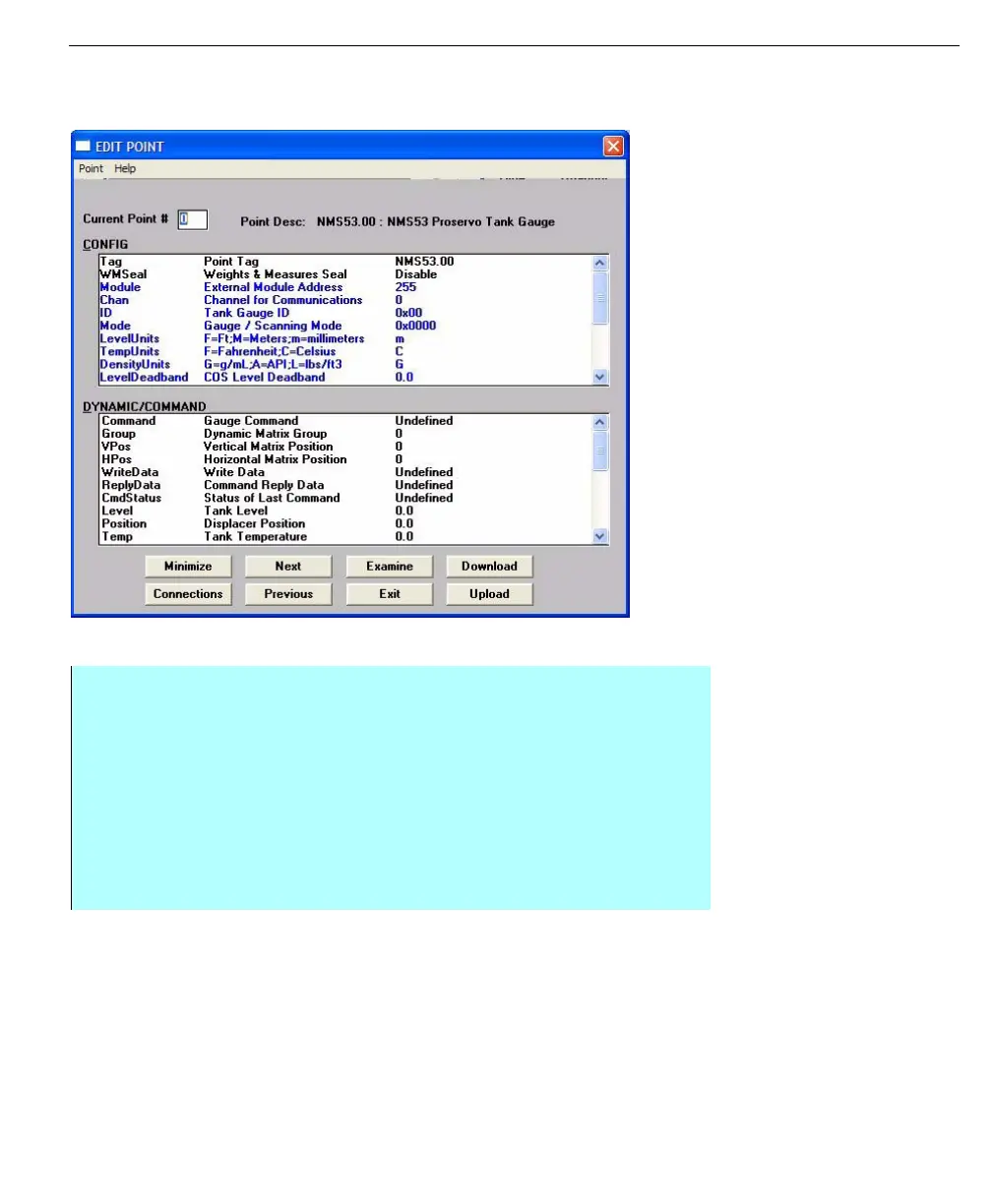
Parameters that will be
effected by the
application of a
software seal are
shown in an alternate
color
Step-by-step
• Double-click the WMSeal parameter in the CONFIG section of the Edit Point
dialog
• If prompted for a password, then the WMSeal value is currently Disabled.
Enter the W&M password
• If prompted with an Update Seal dialog asking for confirmation, then the
WMSeal value is currently Enabled. Click Yes to confirm
• After entering the W&M password or clearing the seal, a Modify Value dialog
is appears
• Change the value of the WMSeal parameter



 To Next Page