Defining system resources
ADM003GVAE1005 65
Operate. The user has the option of creating a graphic button as well as a help file
button.
Text help file
This type of help utilizes a user defined text file with the HTX extension. These
files may be created with any text editor such as DOS EDIT or Window Notepad.
These files should not be created with a word processor, since embedded
formatting is not supported. The text file should consist of no more than 80
characters on each line. The length of the file should not exceed 64,000
characters, including spaces.
When the Help Append is selected in Operate, a Help Window will be displayed
with the designated *.HTX file. If the complete file is too large for the window,
scroll bars are provided.
Windows help format
If the Windows Help Format check box in the Select Help File dialog box is
selected, all files with the HLP extension are shown in the File list box.
These files must be created with tools supplied with the Microsoft Software
Development Kit (SDK) or from other vendors. Operate displays these files by
calling the Windows Help program (Winhelp.exe). All features of the Windows
Help system may be included in the user defined *.HLP file.
If you enter a number in the Context text box, the help file will be called with the
designated context number. This context number must be defined in the [MAPS]
section of the project file for the HLP file. Using context numbers allows a single
help (HLP) file for an entire project with different topics assigned unique context
numbers. If the context number is zero, the help file will be called to display the
top-level “Contents” page of the help file. (Refer to your help development system
documentation for details on creating a Windows Help file)
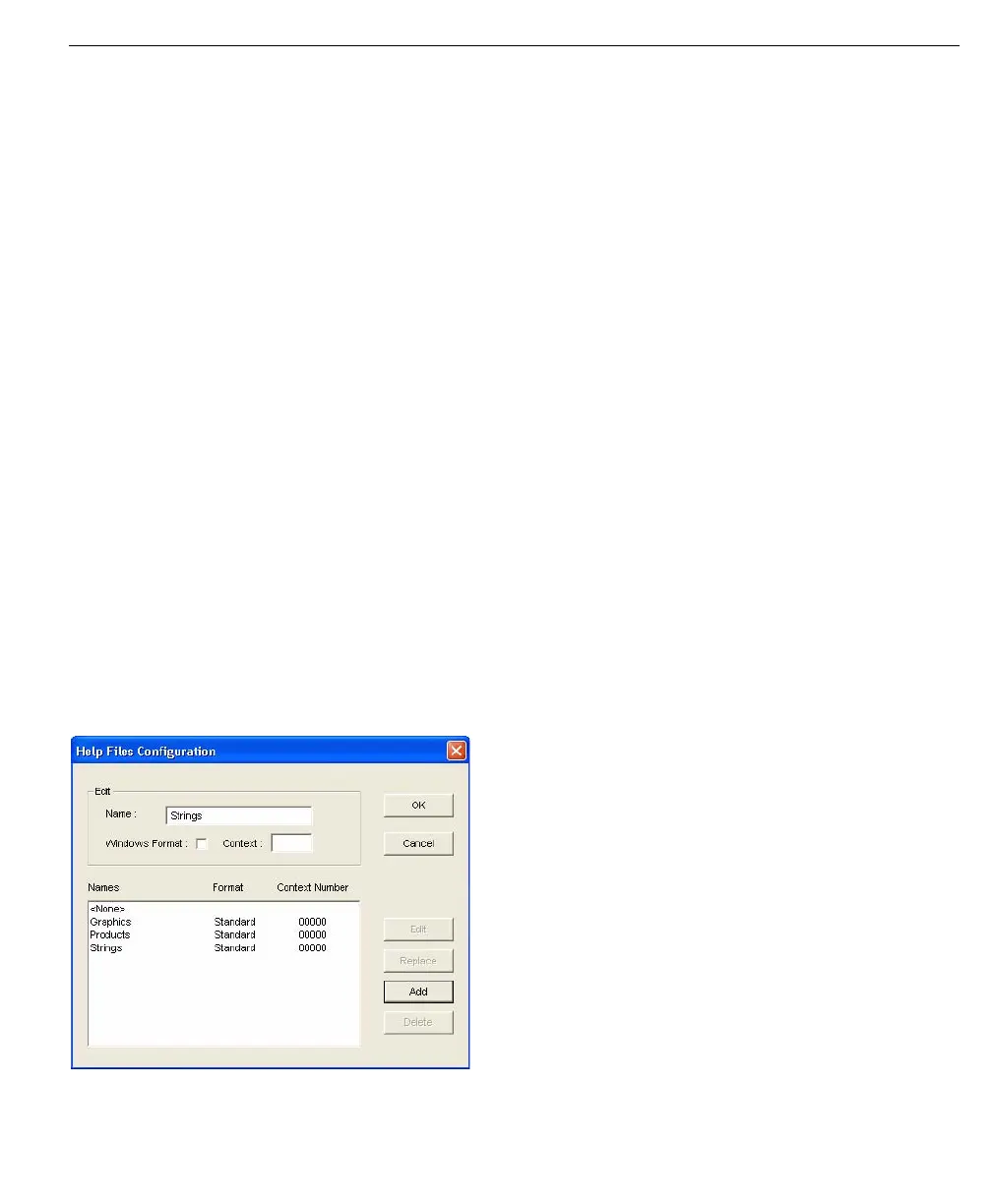
Help Files Configuration dialog box
Graphic Files can be added, edited, deleted or replaced using the action buttons
in the Help Files Configuration dialog box.
Help Files
Configuration dialog
box



 To Next Page