FuelsManager Defense
158 Administrator Manual
ArchiveManager
ArchiveManager is a FuelsManager subsystem that extracts information from
FMDataManager and stores it to an alternate data source, which is usually a third
party ODBC compliant relational database.
This section describes how to configure ArchiveManager to archive points and
associated variables to a relational database management system (RDMS) with
an ODBC interface (MS SQL, Access, etc.). This chapter also explains how to
start and shutdown ArchiveManager.
Opening ArchiveManager
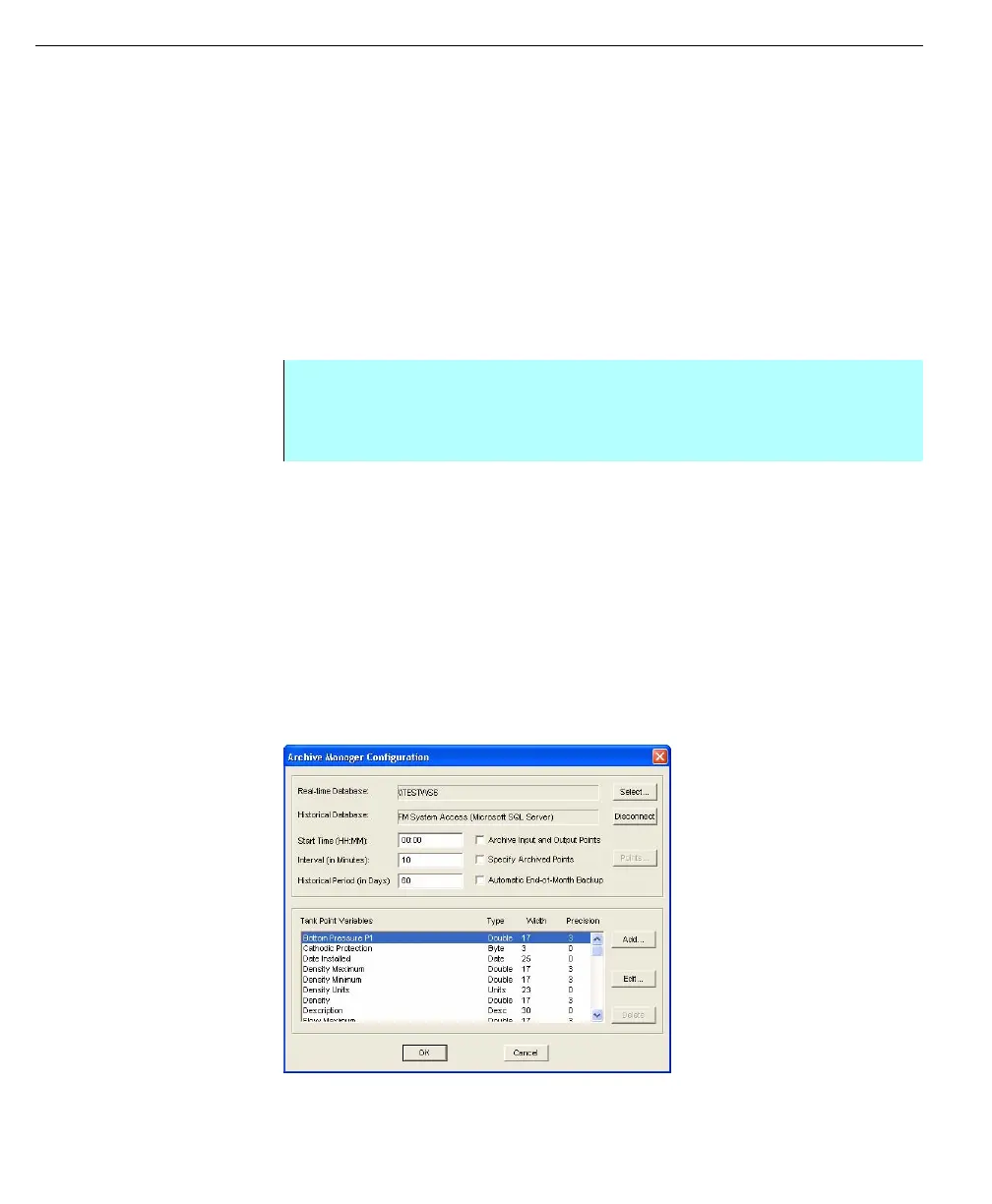
You can access the ArchiveManager Configuration dialog box from the Database
menu in the FuelsManager Configuration application.
ArchiveManager configuration
Before ArchiveManager can begin transferring data, you must first configure the
system to archive the correct data, in the correct format, on your planned
schedule.This includes:
• Selecting a real-time Database(s)--the DataManager from which
ArchiveManager will extract data
• Connecting to a data source (ODBC-compliant RDBMS)
• Entering the Start Time, Interval, and Historical Period
• Selecting FMDataManager variables to be stored
When you finish configuring ArchiveManager, you must click OK to enable the
new settings.
ArchiveManager
Configuration dialog
box
Step-by-Step
• Click Database from the Configuration dialog box menu bar
• Select ArchiveManager. The Archive Manager Configuration dialog box
appears



 To Next Page