Sealing FuelsManager Modules
ADM003GVAE1005 335
Sealing FuelsManager Modules
FuelsManager includes a Seals database. This database exists on each computer
in a FuelsManager network and is stored in the FMSecurity.dat file under the
FMProject directory. For each module in the database, the system stores the
Path, a CRC16 Checksum (determined at the time the module is sealed), and a
Seal State that indicates whether the module is or is not sealed. Access to the
Module Seals Database is provided through the FMSecurityServer interface of
FMSystemServer.exe.
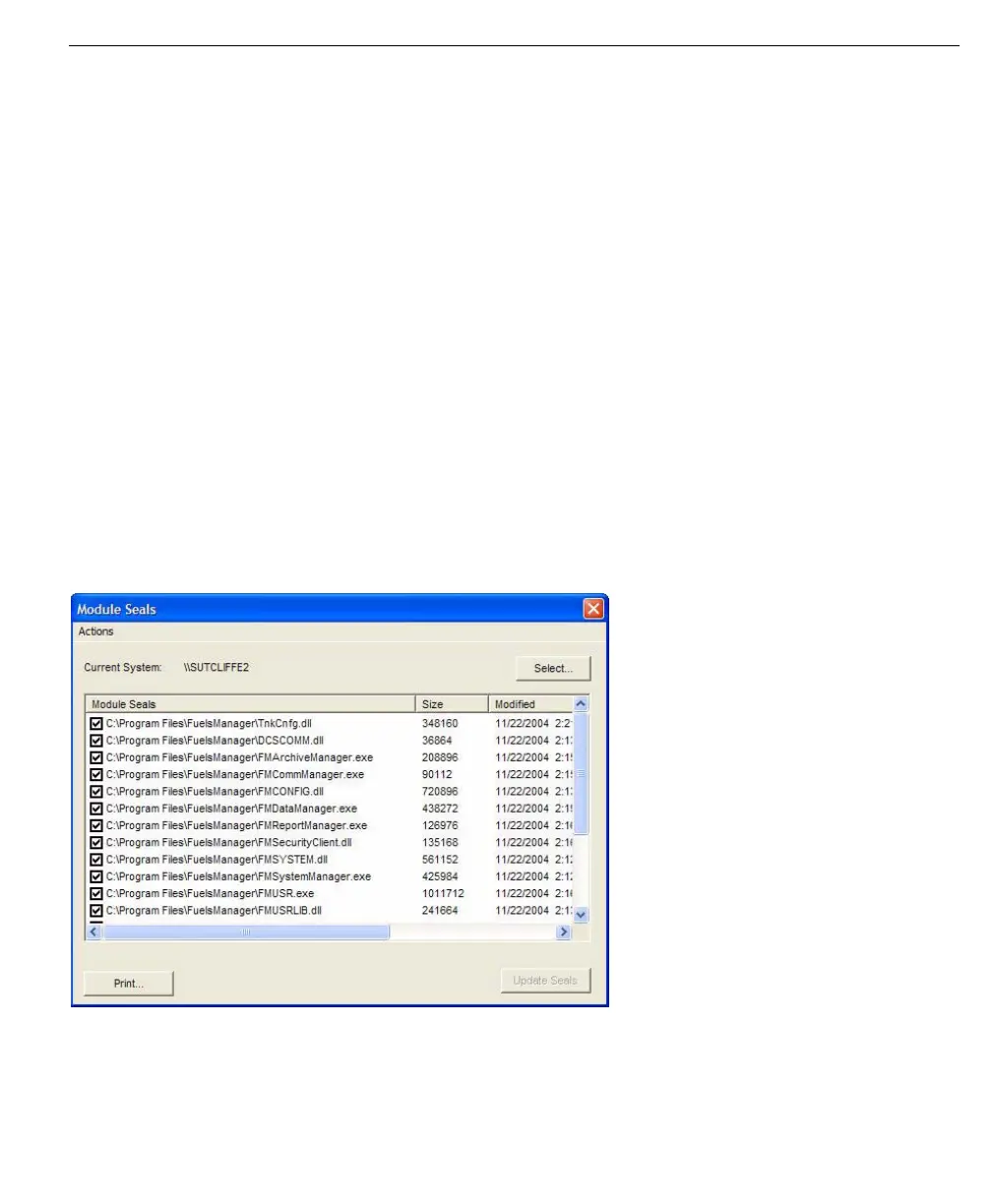
W&M officials can administer Module Seals in FuelsManager from Security. The
Module Seals dialog shows all the modules contained in the Module Seals
database for the Current System. Modules can be added and removed.
The dialog shows the following for each module:
Items under the Actions menu provide for the addition and deletion of modules
from the database.
Module Seals dialog—
available in Security
A checkbox shows the Seal State for each module. A check indicates the module
is sealed, while an unchecked box indicates no current seal is applied.
• Seal State • Path
• File Size • Time of Last Modification
• Version (if applicable) • Current Checksum
• Stored Checksum



 To Next Page