FuelsManager Defense
170 Administrator Manual
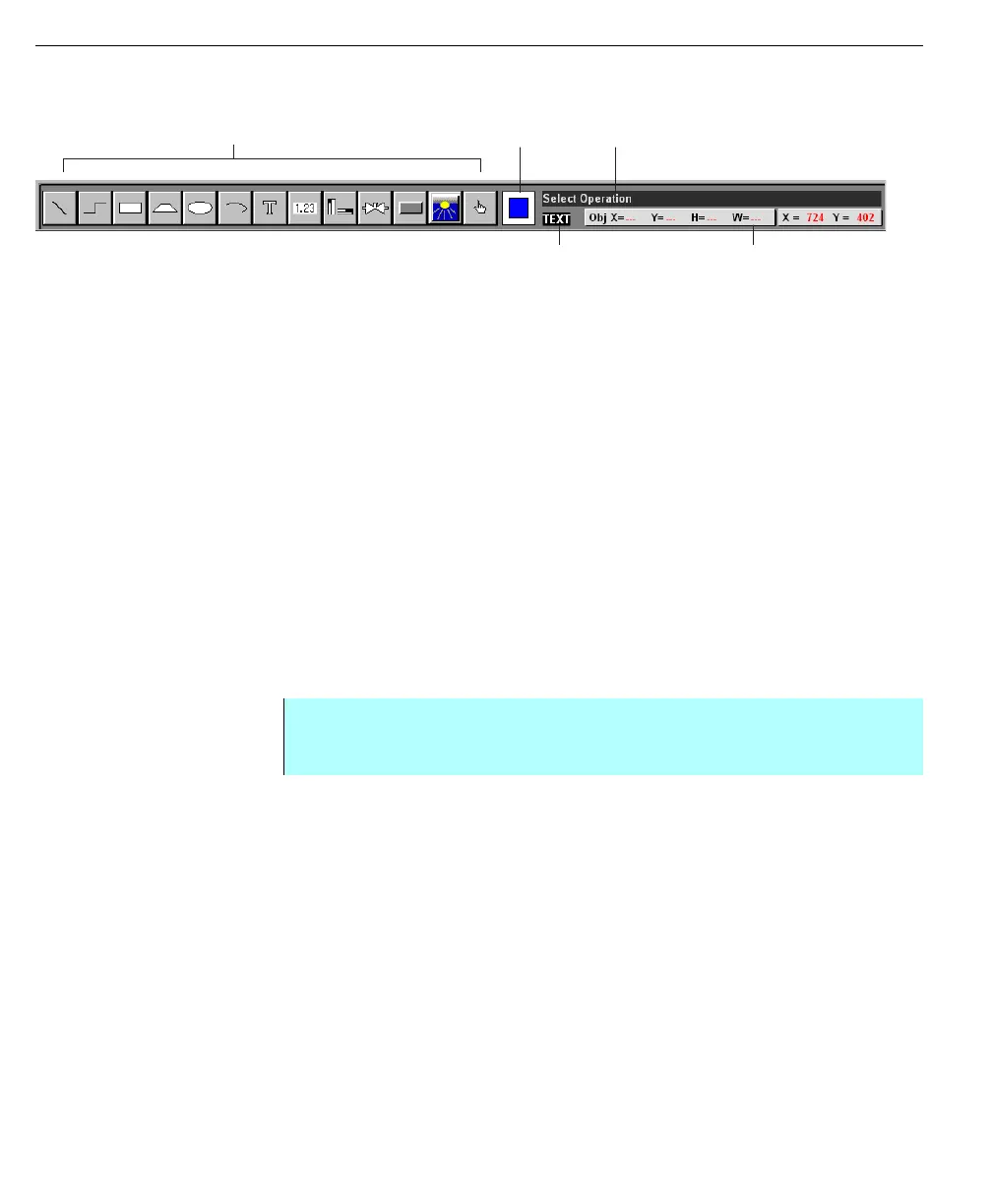
and background/text color, as well as a message box describing the function of
the selected tool.
Drawing tool icons
These tools are also displayed as menu options in the Add menu. The
functionality and procedures of each tool are described in Using the Draw Tools.
Pen & brush box
This box displays the default or current choice of pen (line) and brush (fill).
Message window
Whenever a tool is selected, the Message Window provides a brief description of
the selected task. When no action is in progress (no tool has been selected), the
Message Window displays “Select Operation.”
Text & background box
This box displays your current text and text background color as well as the bar
graph color. The background refers to an opaque box and appears behind the
text.
Defaults settings
Draw allows you to set or change various default settings of any object. These
defaults apply to text font, size and color; text background mode and color; pen
color, thickness and appearance; and brush style and color. These defaults can be
set in the Attributes menu.
Pen and Brush Message
Text and Background
Drawing Tools
Coordinate Displays
Step-by-Step
• From the Attributes menu select the appropriate command to change the
default setting



 To Next Page