FuelsManager Defense
252 Administrator Manual
Leak Detection
Note! The Leak Detection page
will not appear if the Leak
Detection feature is not installed or
the user does not have the
Configure Leak Detection security
permission
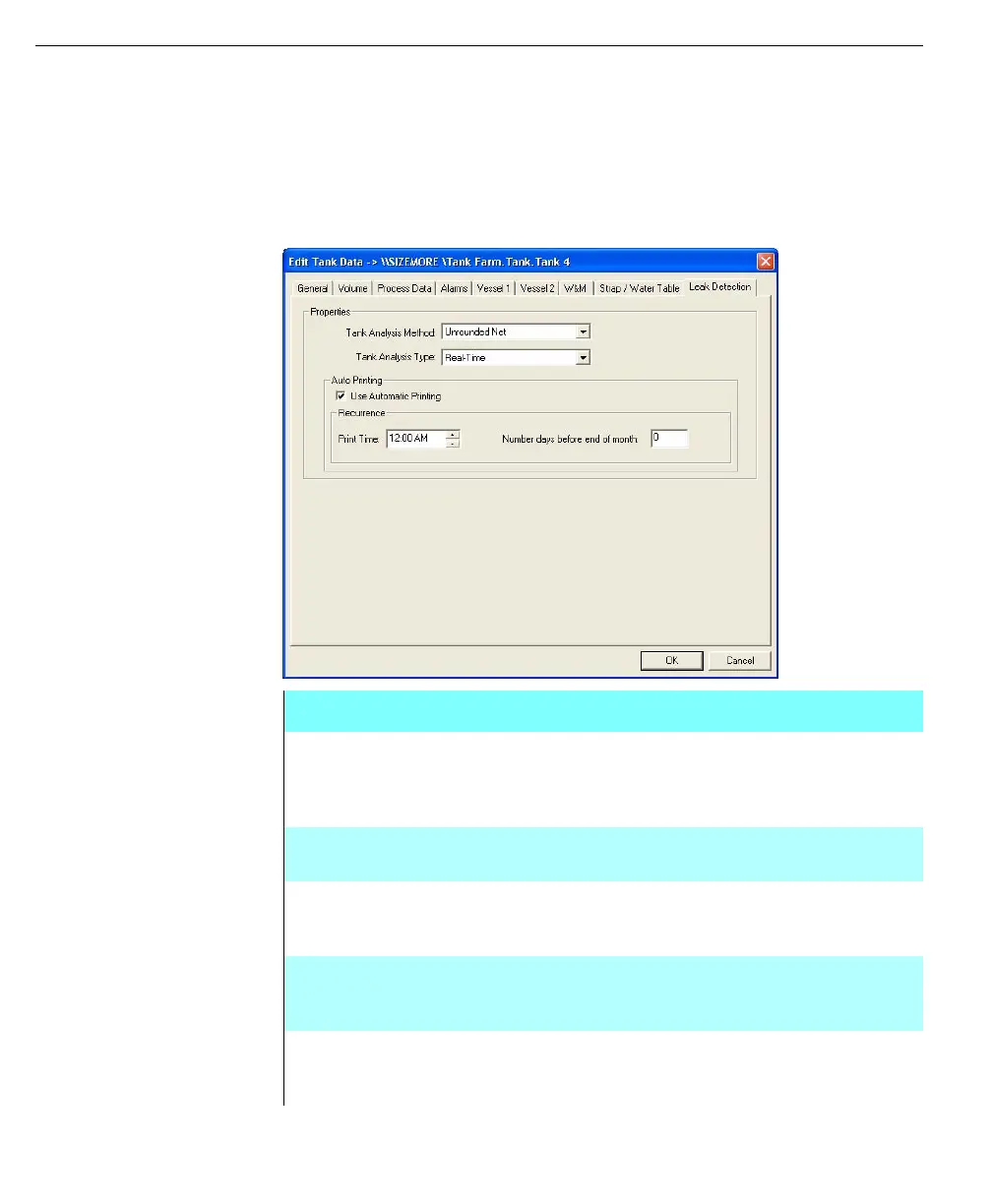
The Leak Detection page allows the user to configure Real-Time analysis on
configured tanks. Also, automatic printing of a Real-Time Leak Test Report at the
defined print time and day before end of the month can be configured.
Edit Tank Data dialog -
Leak Detection page
Field Description
Tank Analysis
Method
Drop-list of leak analysis methods that are valid for the tank
gauge selected from the Vessel 2 page. The methods
include: Net Volume, Unrounded Net Volume, and Barton
Series
Tank Analysis
Type
This field is typically for real-time tank analysis. The types
supported include Static, Continuous, and Real-Time
Use Automatic
Printing
Allows the user to enable and disable automatic printing. This
field is only functional if Real-Time is the current selection in
the Tank Analysis Type drop-list
Print Time Allows the selection for the time of day the Real-Time Leak
Test Report will be printed. This field is only functional if Use
Automatic Printing is selected
Number of days
before end-of-
month
Allows the setting of the printing interval for the Real-Time
Leak Test Report in relation to the last day of the month. This
field is only functional if Use Automatic Printing is selected



 To Next Page