FuelsManager Defense
172 Administrator Manual
Setting the default brush attributes
Display grid
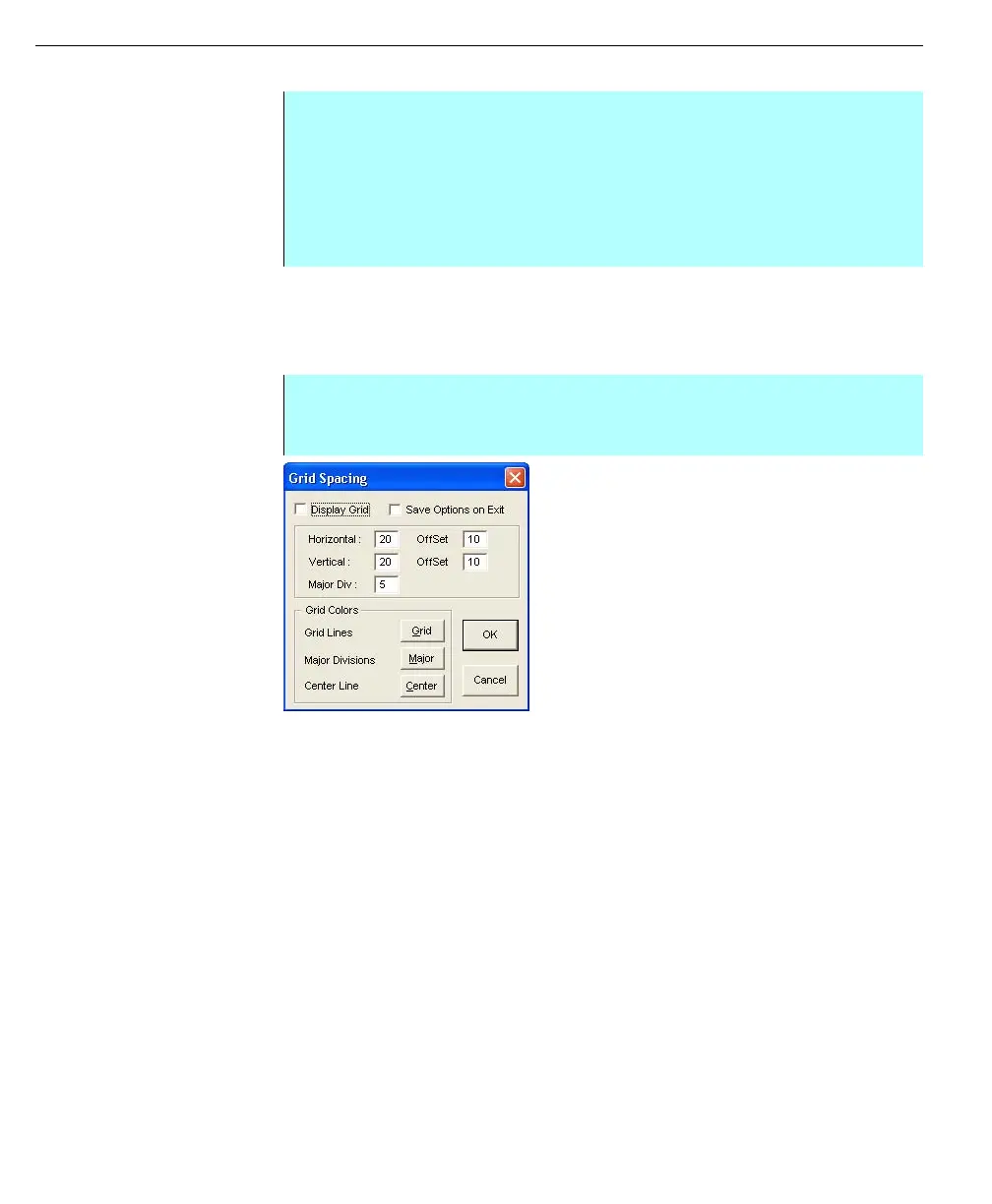
The Display Grid enables the user to display a grid to position objects on the
display screen. The appearance of the grid is controlled from the Grid Spacing
dialog box.
Grid Spacing dialog
box
Display grid check box
Selecting the Display Grid option turns on the display of grid lines on the Draw
main screen. When selected, a check mark appears next to the Display Grid menu
option under the View menu. Clearing the check box removes the grid lines from
the Draw main screen and removes the check from the Display Grid menu option.
Save options on exit checkbox
Selecting the Save Options on Exit option sets the current options as the Draw
default settings. When you close Draw, the system will keep the Grid Spacing
settings and use them when you open the program again. Clearing the Save
Options on Exit option sets the system to revert to the original default Grid Spacing
settings when you close Draw.
Horizontal and vertical
Enter the number of points you want between the horizontal/Vertical grid lines.
Horizontal and vertical offset
Enter the number of pixels you want to move the entire grid. You can only enter a
number less than the current Horizontal/vertical setting. To move the grid to the left
or up, enter a negative number in the field.
Step-by-Step
• From the Attributes menu select Brush Attributes
• The brush may be any available palette color or may be hollow to allow
objects with just a border
• In addition, the brush may be hatched (horizontal, vertical or diagonal) or
patterned
• The change is displayed in the Pen & Brush Box
Step-by-Step
• From the Options menu select the Display Grid command
• The Grid Spacing dialog box appears



 To Next Page