Editing Movement Paths
ADM003GVAE1005 237
Deleting Sources and Destinations
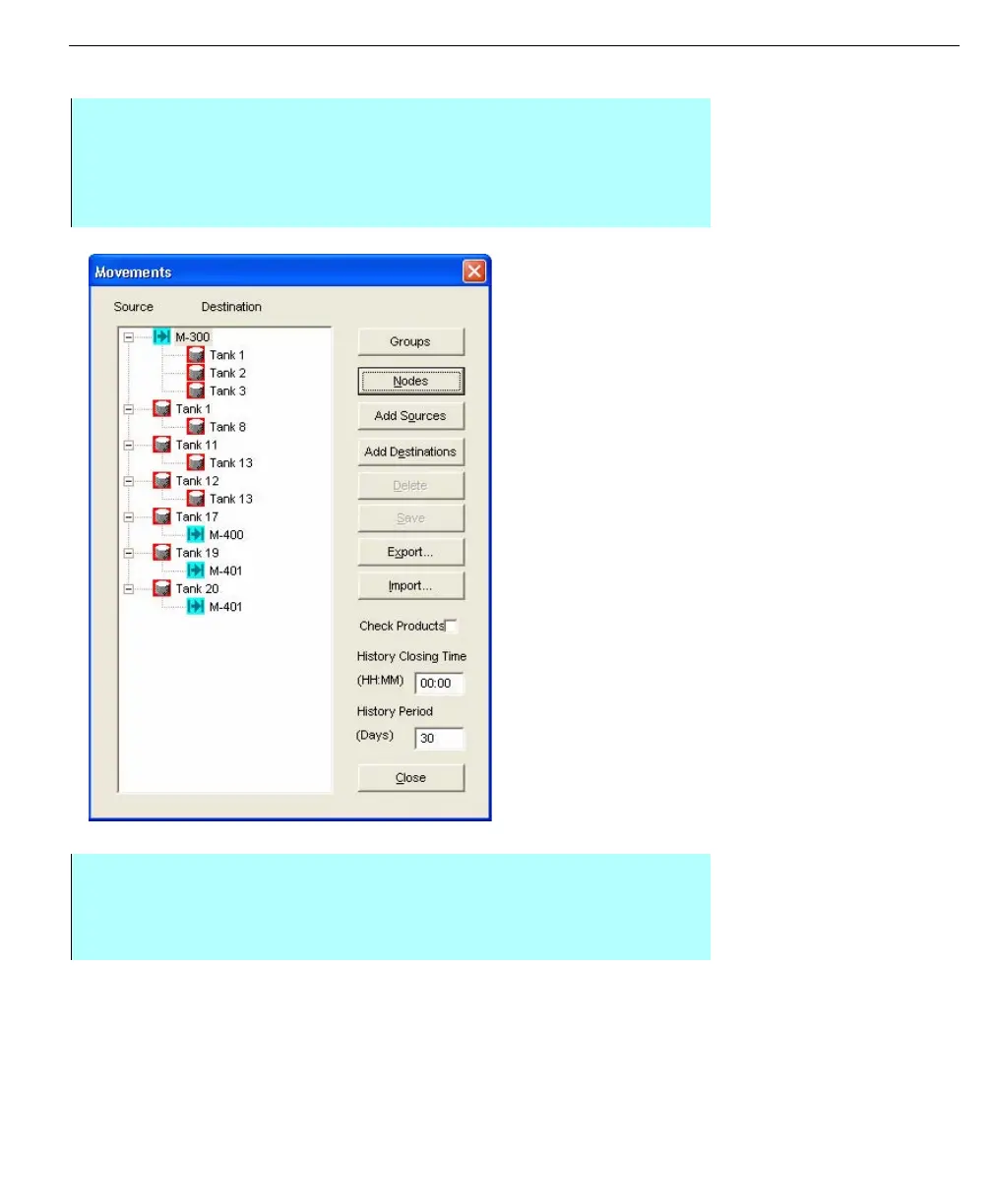
Movements dialog,
showing sources and
destinations
Note! A Source can not be deleted
until its corresponding Destinations
are deleted.
Step by Step
• Select Movements from the Configuration menu bar. The Movements dialog
box appears. This dialog box lists the defined Sources and associated
Destinations. Each Source and corresponding Destinations constitutes
possible movement line-ups. The contents are arranged in a tree-like format
• Select the desired Source or Destination. The Delete button becomes
enabled
• Click Delete. The system deletes the selection from the list
• Click Save to save changes



 To Next Page