Creating and editing tank points
ADM003GVAE1005 107
Creating and editing tank points
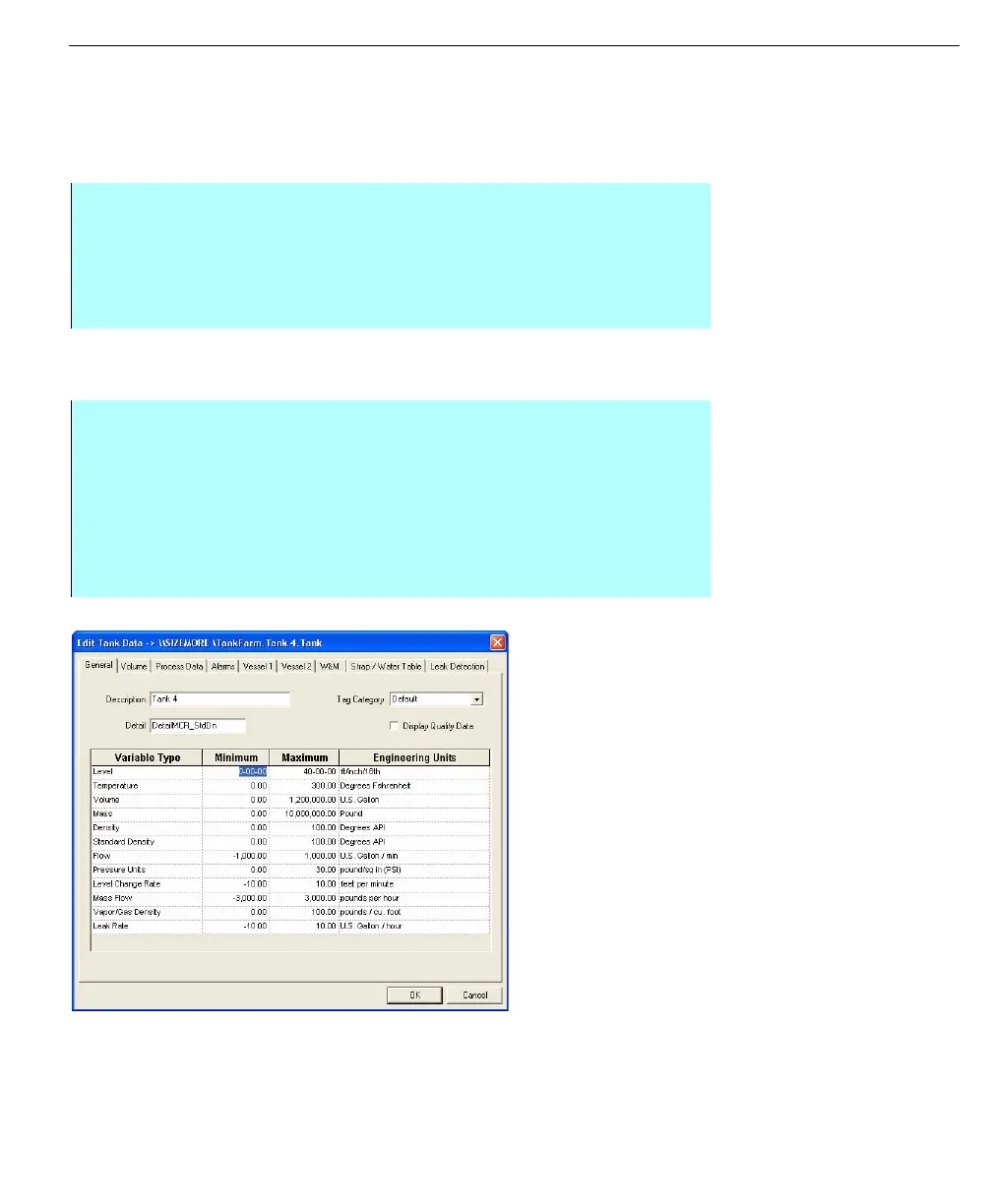
A Tank point includes predefined variables specifically designed for tank gauging
applications, such as tank level, flow, and temperature. The Edit Tank Data dialog
box allows for specification of the Tank point attributes.
General information
Follow the steps below to fill out the General tab
Note! FuelsManager will give you
the option to automatically re-scale
the minimum/maximum, alarm,
strapping tables and all other
values if you change the
engineering units.
Edit Tank Data dialog
box - General tab
Step-by-Step
• Continued from the previous Step-by Step instructions, Creating Database
Points
• To configure each parameter for a tank point, work through the following
sections that correspond to the tab fields within the Edit Tank Data dialog
box
Step-by-Step
• Enter a description for the tank point
• Leave the Detail field empty if you want to use FuelsManager's default tank
detail display, however, if you require an alternate tank detail display for this
tank, enter the name of the tank detail
• Select the required engineering units for all variable types
• If required, enter the minimum and maximum scaling limits for all variable
types



 To Next Page