FuelsManager Defense
154 Administrator Manual
Maintenance
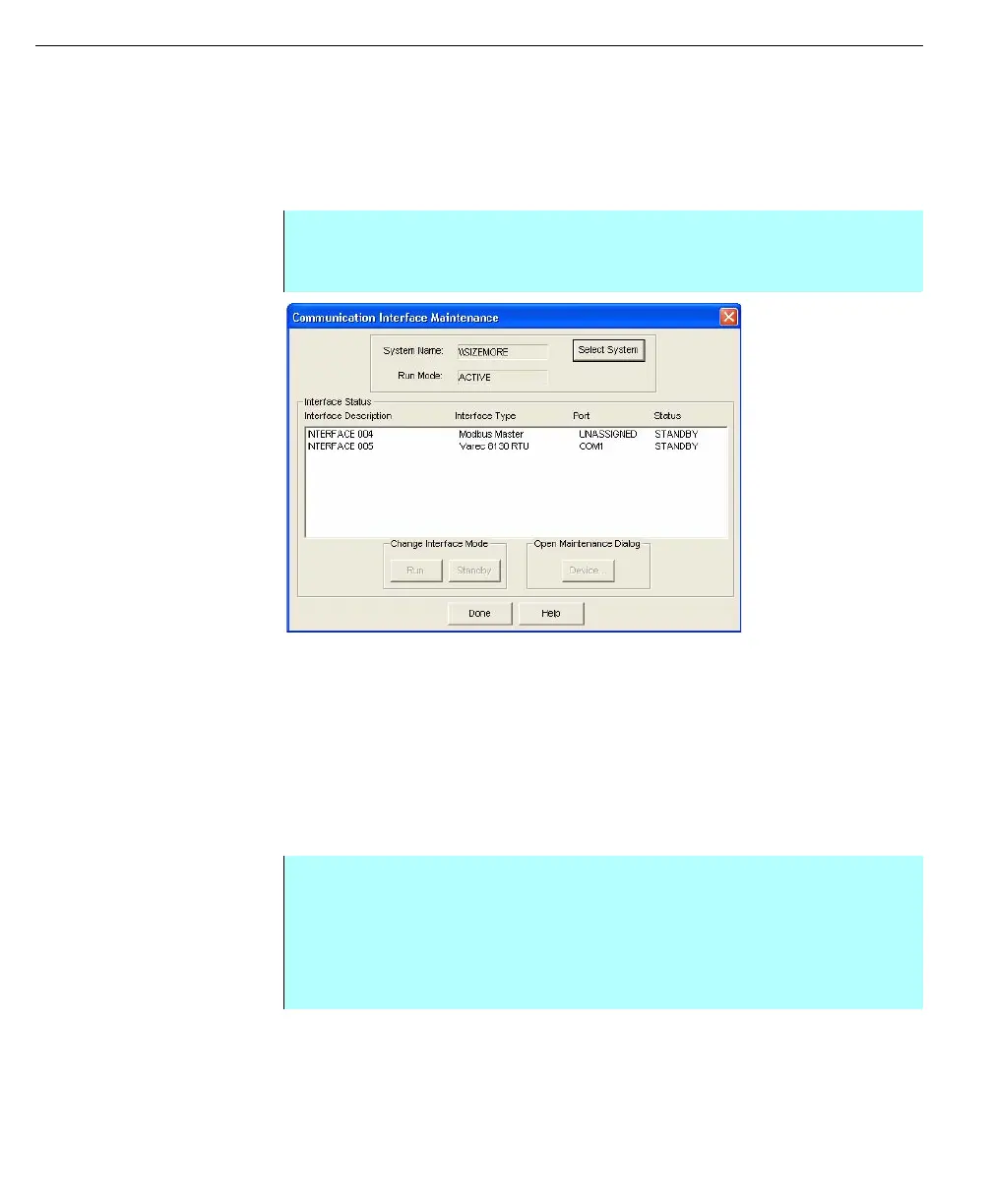
The user can perform maintenance and diagnostics on the interfaces and
corresponding devices. In the Communication Interface Maintenance dialog box,
the user can change an interface’s mode as well as open the device dialog boxes
of that interface to display diagnostic information.
Communication
Interface Maintenance
dialog box
Change interface mode
Each individual interface has a current status, which is either STANDBY or
ACTIVE.
The CommManager does not communicate to the field devices when an interface
is in STANDBY. The port is then available to other non-FuelsManager programs.
When an interface is ACTIVE, the communications port becomes active and
unavailable. Communications then become operational. The data is transferred to
and from the database as defined by the device I/O point configurations.
Step-by-Step
• Select Communications in the Configuration dialog box
• Select Maintenance
Step-by-Step
• Select the Interface description in the dialog box window for the interface
you wish to modify
• Select Run button to change the device from STANDBY to ACTIVE
• Select Standby button to change the device from ACTIVE to STANDBY
• Click Done to finish



 To Next Page