FuelsManager Defense
130 Administrator Manual
Assigning data sources
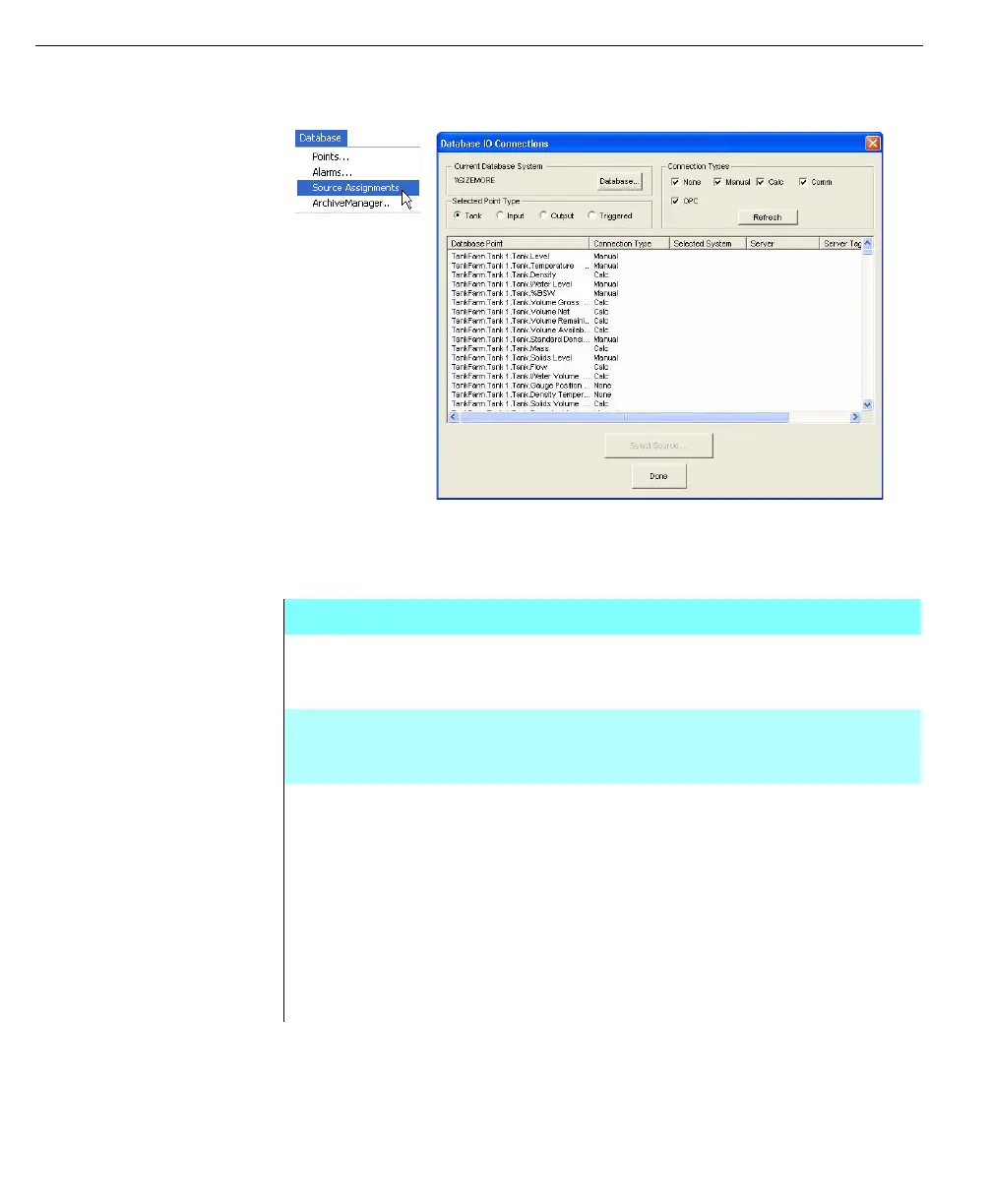
Left - Database menu
select the Source
Assignments
command
Right - Database IO
Connections dialog
box, for descriptions
refer to the table
opposite
FuelsManager provides access to all data point assignments in one dialog box to
simplify management of Points in a database.
Database IO Connections dialog box
CURRENT
DATABASE
SYSTEM
The Current Database System displays the name of the
system that hosts the currently selected database.
DATABASE
BUTTON
Clicking Database displays the Select FMDataManager
Subsystem dialog box to allow selection of another system’s
database
SELECTED
POINT TYPES
This option buttons allows filtering of the point types appear
in the Database Point list
• Tank Points - displays all tank points in the Current
Database System
• Input Points - displays all input points in the Current
Database System
• Output Points - displays all output points in the Current
Database System
• Triggered Points - displays all triggered points in the
Current Database System



 To Next Page