Alarms
ADM003GVAE1005 71
Pre-configured alarms
Tank points contain pre-configured alarms that are integrated in the tank point edit
dialog box. Alarm definition includes “enabling” the alarm and entering a value.
Pre-configured alarms are available for certain parameters.
*Applicable to systems using the optional Leak Detection feature
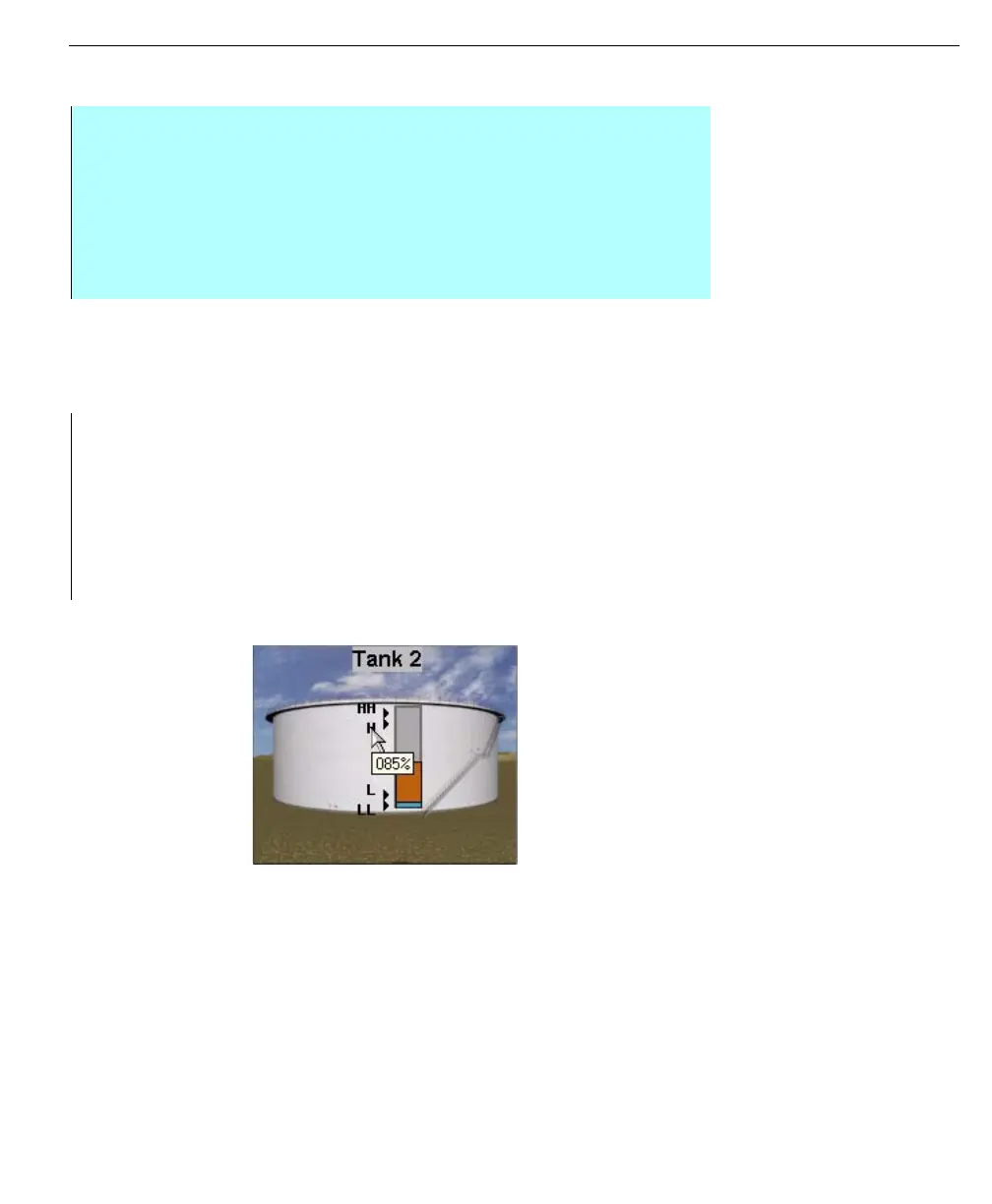
Operate application
provides graphical
representation to the
user for alarms - the
example shows level
alarms
User Defined alarms
If your system requires alarms for additional tank parameters that do not have pre-
configured alarms, the user has the option of creating them. For example, the
water level parameter does not contain an alarm. To compensate, the user first
defines an Input point for water level, and then defines the alarm.
Step-by-Step
• Create the DWORD value ‘LogOPCcommands’ under the following registry
key: HKEY_LOCAL_MACHINE\SOFTWARE\FuelsManager\DataManager
• Set the value to one (1) to allow the logging of events from OPC data
sources
-or-
• Set the value to zero (0) to disable the logging of events from OPC data
sources
• Tank Level
• Temperature
•Density
• Tank Flow
• Level Rate
• Tank Mode
• No Flow
•ETA
• *Leak Rate
• *Leak Data
• Vapor Pressure
• Unauthorized Movement
• Reverse Flow



 To Next Page