ArchiveManager
ADM003GVAE1005 163
Adding point variables to ArchiveManager
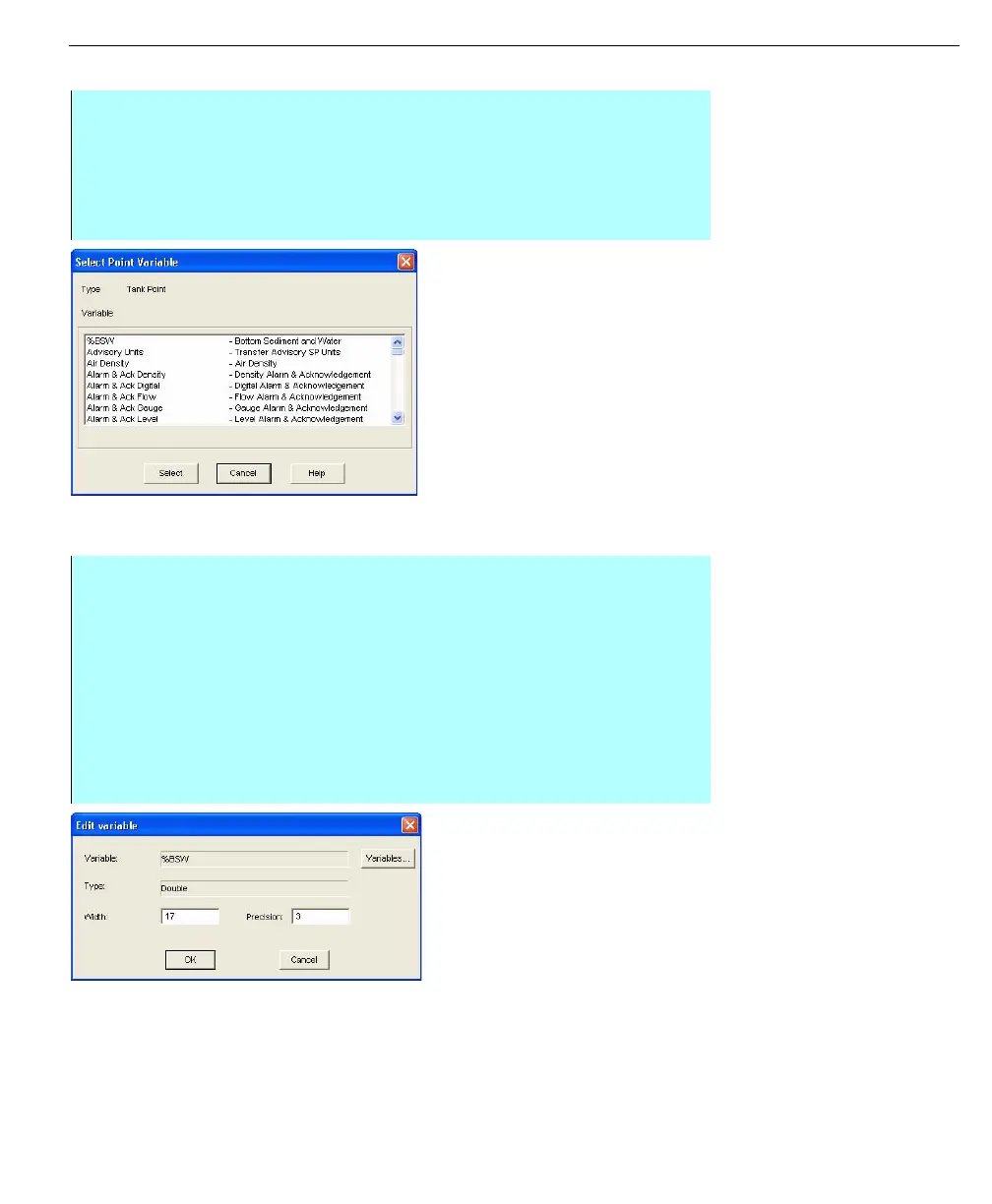
Select Point Variable
dialog box
Editing point variables
Note! When adding numeric
variables to Archive Manager, you
should also add the variables min/
max units and engineering units.
Failure to do so will prevent
FuelsManager from displaying
historical trend plots for the
variable and will make the data
archived less useful to external
systems.
Edit Variable dialog
box
Step-by-Step
• From the Archive Manager Configuration dialog box, click Add. The Select
Point Variable dialog box appears
• Click on the point variable you want to add. The selection is highlighted
• Click OK. The system adds the variable you selected and returns to the
Archive Manager Configuration dialog box
Step-by-Step
• Click on the point variable you want to change. The selection is highlighted
• Click Edit. The Edit Variable dialog box appears
• Click Variables. The Select Point Variable dialog box appears
• Select a point variable and click Select. The system returns you to the Edit
Variables dialog box, showing the Point you selected
• Change the width and precision of the variable by entering them in the
current entries
• When you finish modifying the variable, click OK. The system saves your
changes and returns you to the Archive Manager Configuration dialog box



 To Next Page