FuelsManager Defense
86 Administrator Manual
Point attributes
When creating FuelsManager database points the user must define certain point
attributes. These attributes define how the data is stored; the source of the data;
the range and type of data; any alarm or event processing and who can access
the data.
Engineering units
Engineering units can be configured for all point types. These engineering units
are used to calculate the value and used to represent the value in graphics and
reports. If engineering units are changed, the user is given the option of
automatically recalculating the scale limits.
Scale limits
Scale limits can be defined for all point types. They are only available for numeric
process variables such as level, temperature, volume, density, standard density,
mass and flow.
Scale limits are defined for a couple of reasons. One, they define the ranges used
for bar graphs and trend plots. Second, they define the ranges used by Operator
Commands. Inside the Operate Command dialog box is a scroll bar that is used to
manually set a new value. Scale limits determine the minimum and maximum
values of the scroll bar.
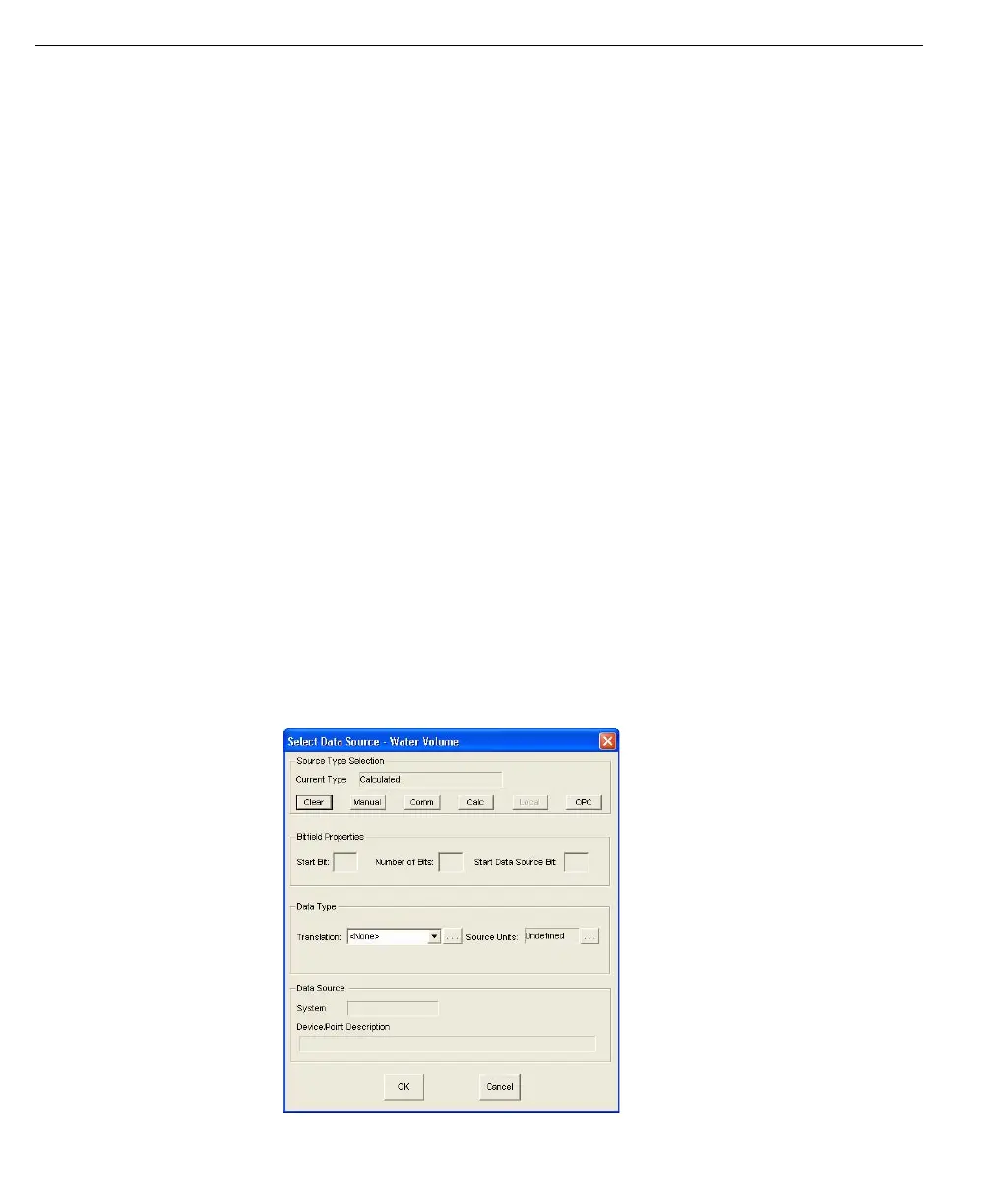
Data source
Each point must be assigned a data source. As the name implies, the data source
defines how data is received in order to update the point’s current value. Input
points are assigned one source: the source of incoming data. Output points are
assigned two sources: one for the source of incoming data and the other for the
output destination. Each process variable in a Tank point is assigned a source.
The available source selections include the following:
Select Data Source -
Water Volume dialog



 To Next Page