FuelsManager Defense
266 Administrator Manual
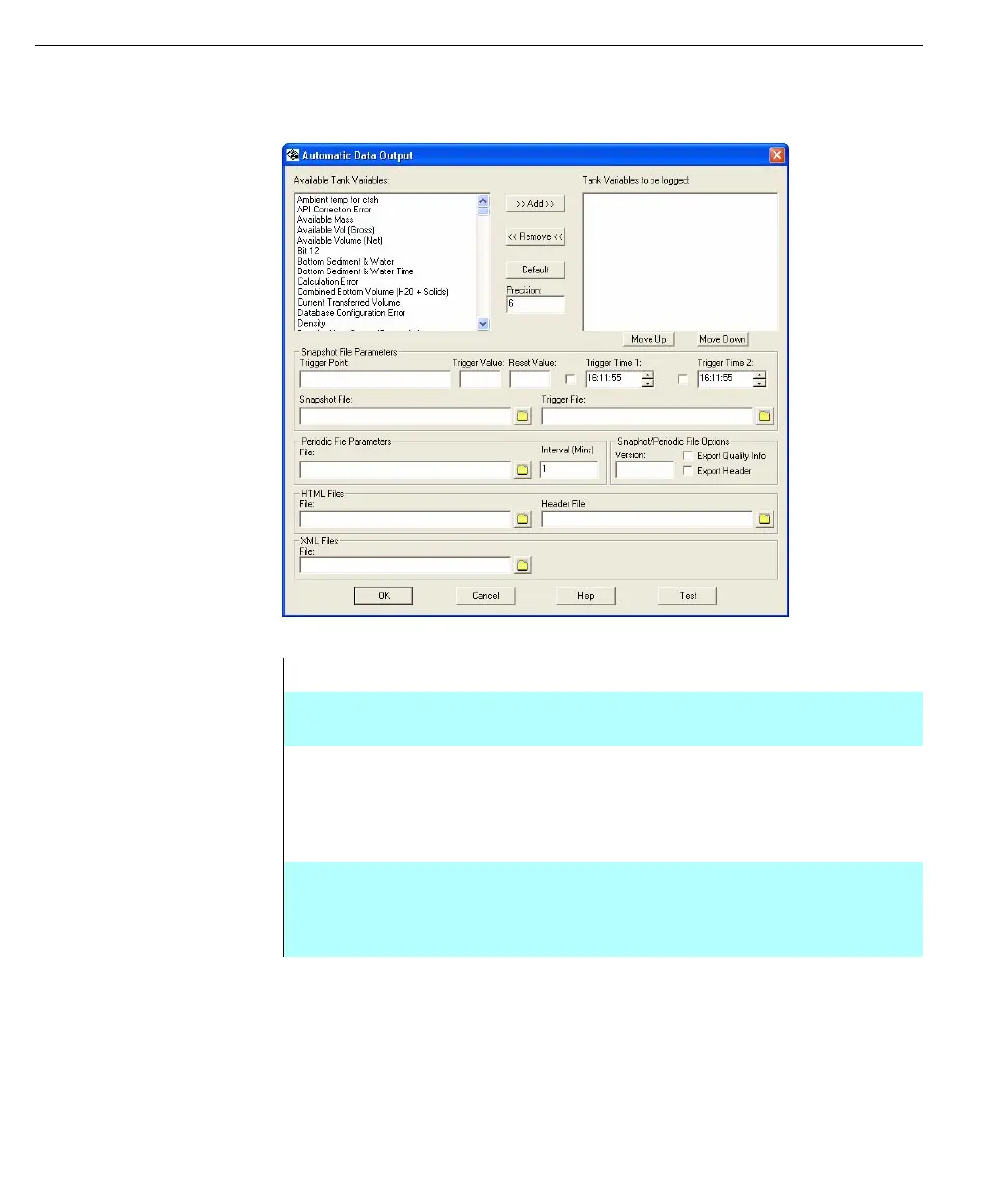
Automated Data Output Configuration Dialog
Automated Data
Output configuration
dialog
Note! If a tank point variable is not
configured (See the Database
section of this manual), the
resulting data written by
Automated Data Output may be
invalid
Available Tank Variables This list includes all possible tank point variables
Tank Variables to be
logged
This field lists all of the tank point variables that are
currently selected to be logged
>> Add >> This button adds the currently selected variable in the
“Available Tank Variables” list box, on the left, to the
“Tank Variables to be logged” list box, on the right.
That variable will then be removed from the “Available
Tank Variables” list box
<< Remove << This button removes the currently selected variable
from the “Tank Variables to be logged” list box, on the
right. That variable will then reappear in the “Available
Tank Variables” list box, on the left



 To Next Page