FuelsManager Defense
76 Administrator Manual
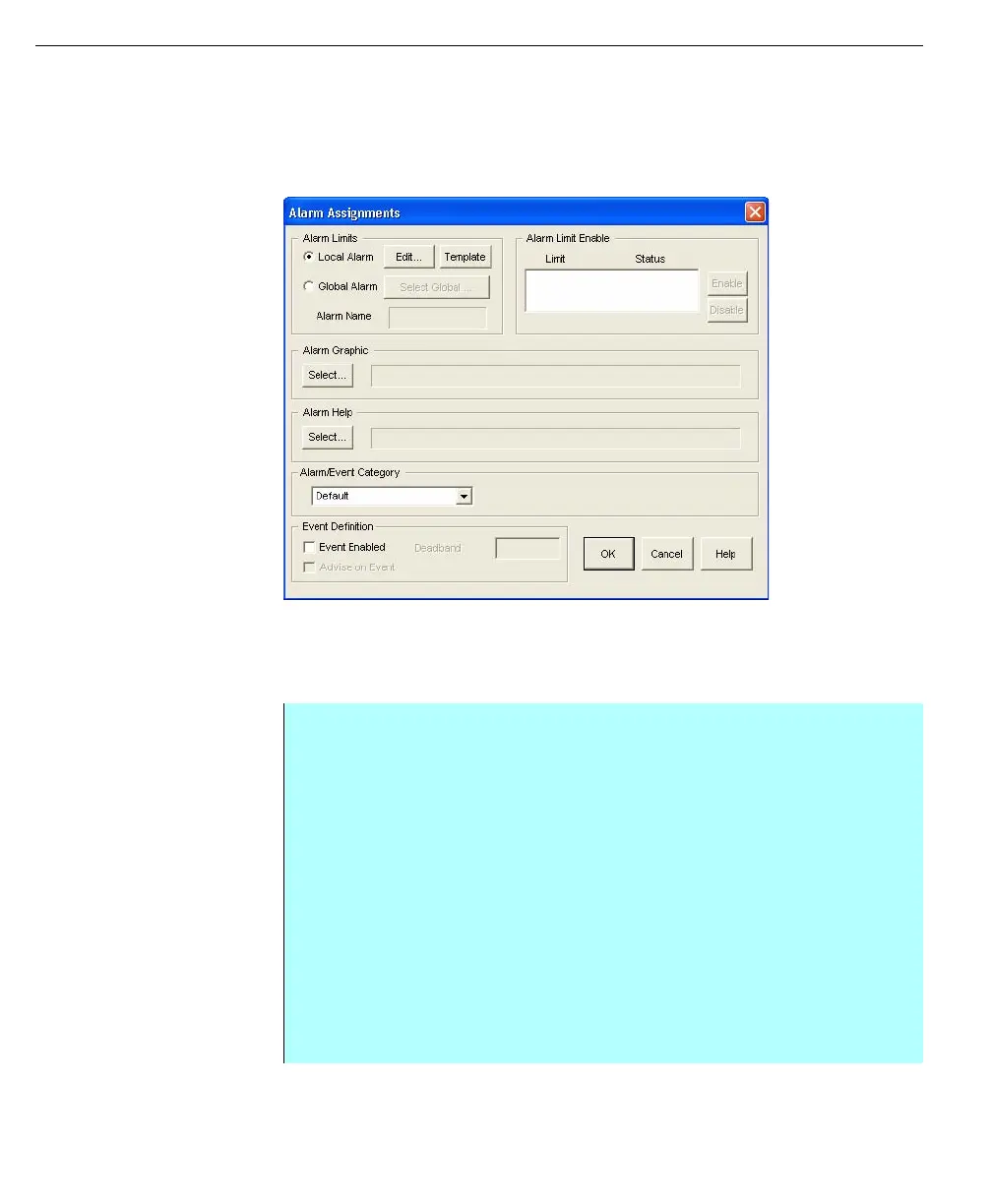
Alarm Assignments dialog box
In the Alarm Assignments dialog box, the user can select the alarm type, select a
graphic file, and select a help file to accompany the alarm, select an alarm/event
category or select an event definition. The user can edit existing alarms and
control the status of each alarm limit. The user can also configure the point for
Event Processing at the bottom of the dialog box.
Alarms Assignments
dialog box
Local Alarm limits
Local alarms are unique to the point to which they are assigned. The creation
process involves only building the alarm limits. Templates can be used to
construct a local alarm for a numerical database point.
Step-by-Step
• From the steps above with the Alarm Assignments dialog box open, select
the option Local Alarm to create a local alarm
• To create or edit the conditions of the alarm, click Edit. The Define Alarm
Process dialog box appears
• Type in a test condition by entering the Test Type, the Test Value, and the
Result or use the Build feature. In the Pri edit box, type in a priority (0-
Lowest through 3-Highest)
• Enter the attributes such as Use Hysteresis and Reset Holdoff value, The
attributes have the functionality and purpose as defined in the Defined
Global Alarm dialog box
• Click Add to enter the test condition into the condition list
• Repeat the build and add process until all alarm test conditions have been
added
• Click OK when all test conditions are entered



 To Next Page