Assigning data sources
ADM003GVAE1005 135
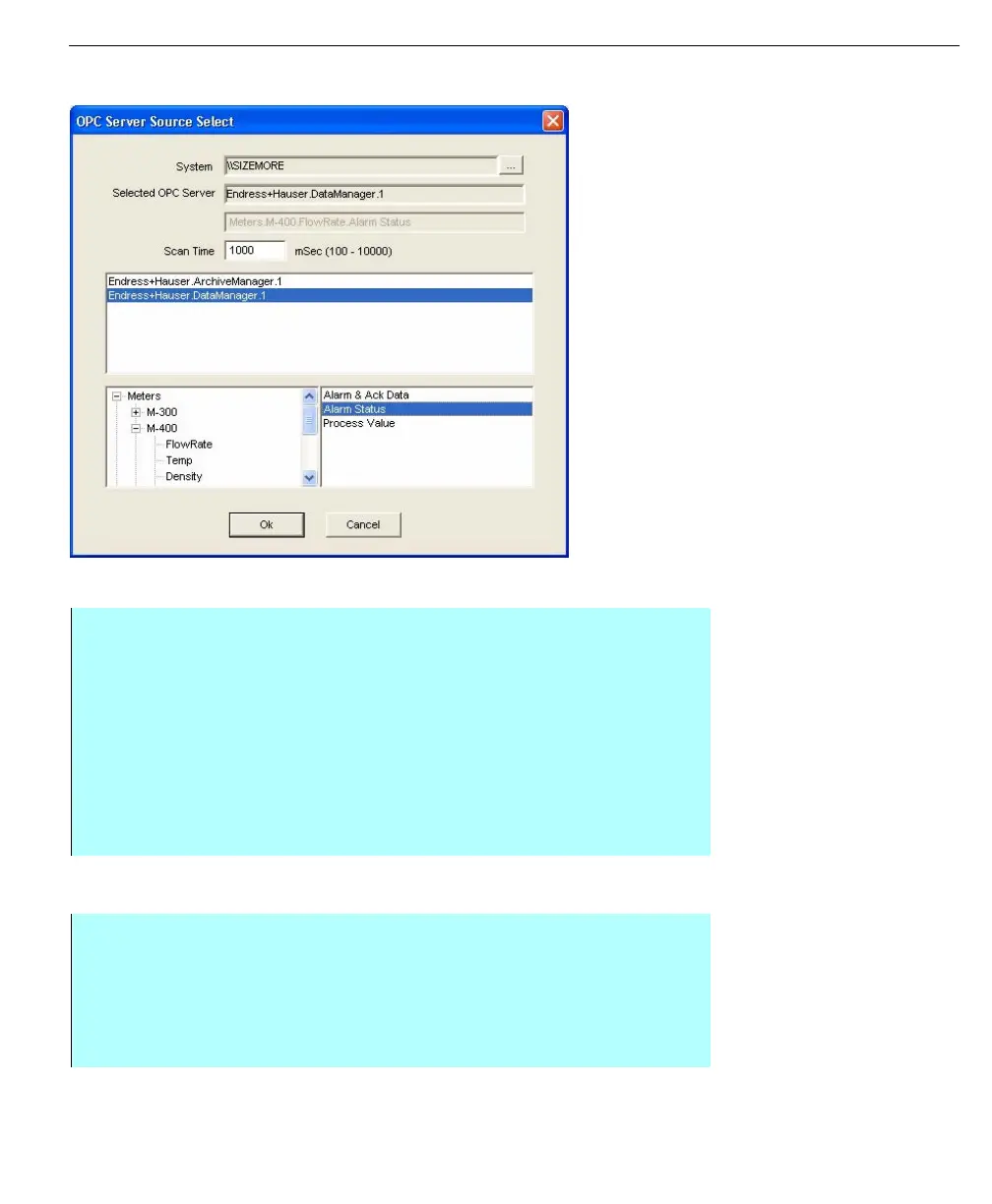
Selecting an OPC data source
OPC Server Source
Select dialog
Selecting a Local data source
Note! The local data source
selection is only available for the
Tank Point Ambient Temperature
parameter
Step-by-Step
• Open the Data Source dialog box for the point you want to assign. See
Opening the Database IO Connections dialog box steps
• Click OPC. The OPC Server Source Select dialog box appears
• From the list, select the OPC server. The list below will display the points
within that OPC source
• Click the + to open levels of the database and navigate to the specific data
source point and select the point when it appears in the lower-right list
• Click OK to close the OPC Server Source Select dialog
• Click OK to close the Select Data Source dialog
Step-by-Step
• Open the Data Source dialog box for the point you want to clear. See
Opening the Database IO Connections dialog box steps
• Click Local, the Database Edit dialog box opens
• Browse to the database point you want to assign and click Select
• Click OK to close the Select Data Source dialog



 To Next Page