FuelsManager Defense
212 Administrator Manual
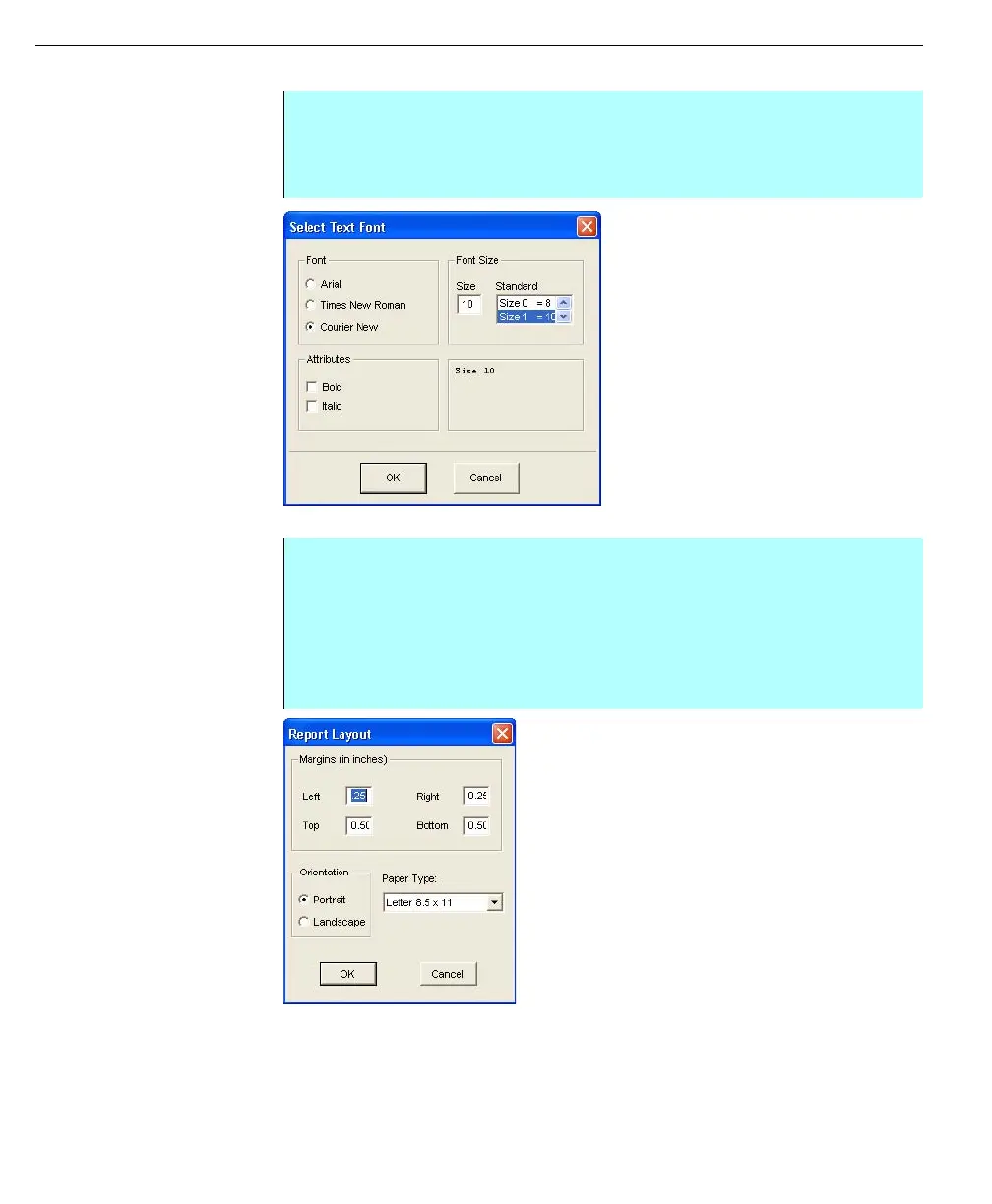
Setting the default font
Select Text Font dialog
box
Setting the report layout
Report Layout dialog
box
Setting the headers and footers
The report header and footer appear on every report page inside the set margins.
The Edit Font button sets the header font appearance. The footer font assumes
the header’s attributes, but the font size remains at a fixed 10-point size. These
attributes are applied before or after the header is entered.
Step-by-Step
• Select Format and click Font. The Select Text Font dialog box appears
• Select the type of font, size, and attributes for the default font setting
• Click OK when completed
Step-by-Step
• Select Format and click Report Layout to display the Report Layout dialog
box
• Set the margins in inches. The report header and footer will adhere to the
top and bottom margins if they are defined
• The Paper Type option allows the user to select either a legal (81/2 x 14
inches) or letter (81/2 x 11 inches) setting



 To Next Page