Defining system resources
ADM003GVAE1005 57
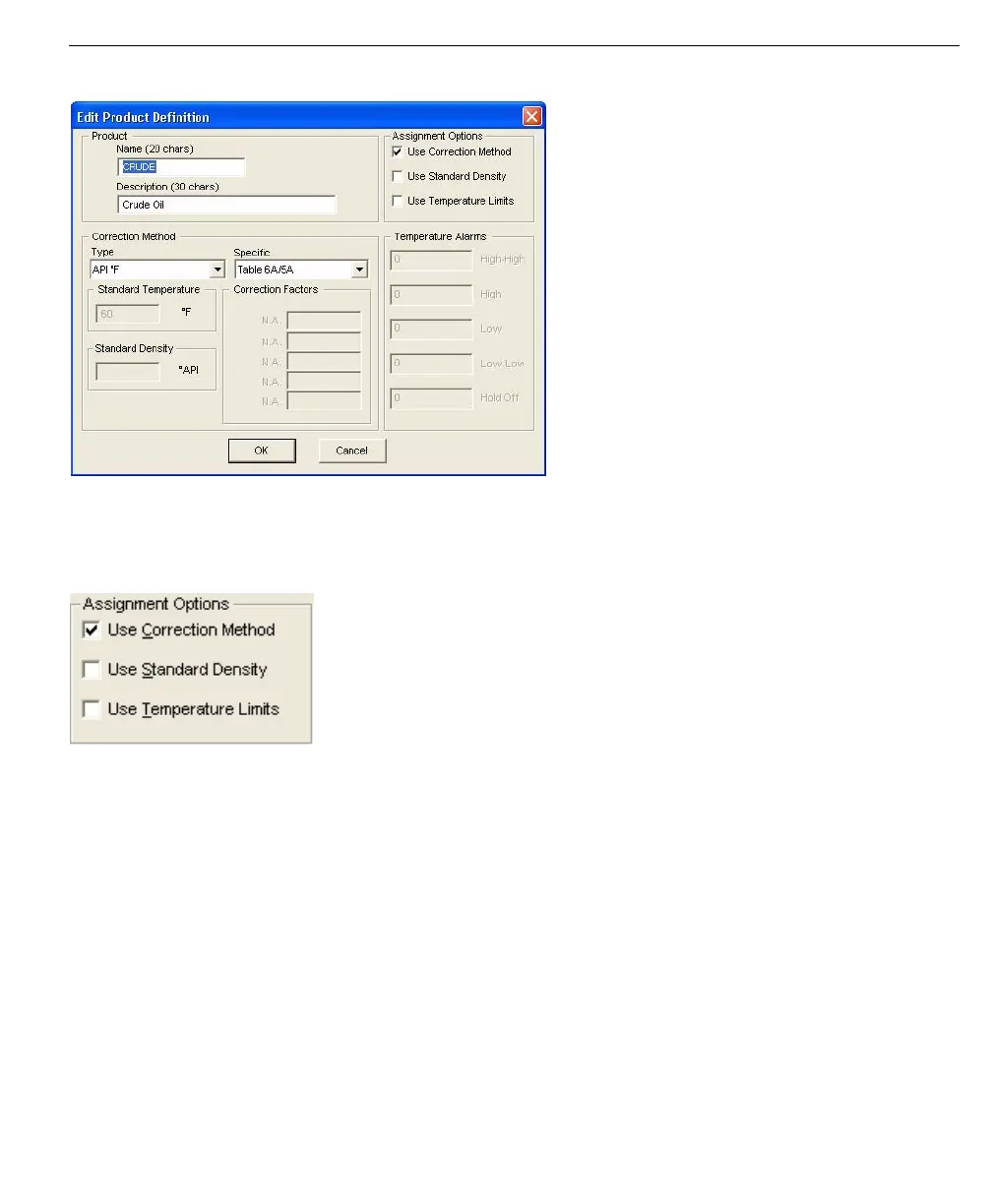
Edit Product Definition
dialog box
Assignment Options (Product)
In addition to the Name and Description of the Product Definitions, you can also
set the product to use a Correction Method, Standard Density, and Temperature
Limits. You can have different options for each Product.
Product Assignment
Options - Edit Product
Definitions dialog
Selecting one or more of the options above ensures that when a Product is
assigned to a tank point, the corresponding parameters are automatically applied
to the tank.
Use Correction Method
Select the Correction Method checkbox when you want to use Correction
Methods. This enables the Type and Specific list boxes. Select the Type of
Correction Method you want to use, then select the Specific method. You may be
required to enter additional data in the Correction Factors fields.
Use Standard Density
Standard Density lets you set the specific density that will be used for the Product.
This enables the Standard Density field so you can enter the appropriate figure.



 To Next Page