FuelsManager Defense
250 Administrator Manual
Vessel 1
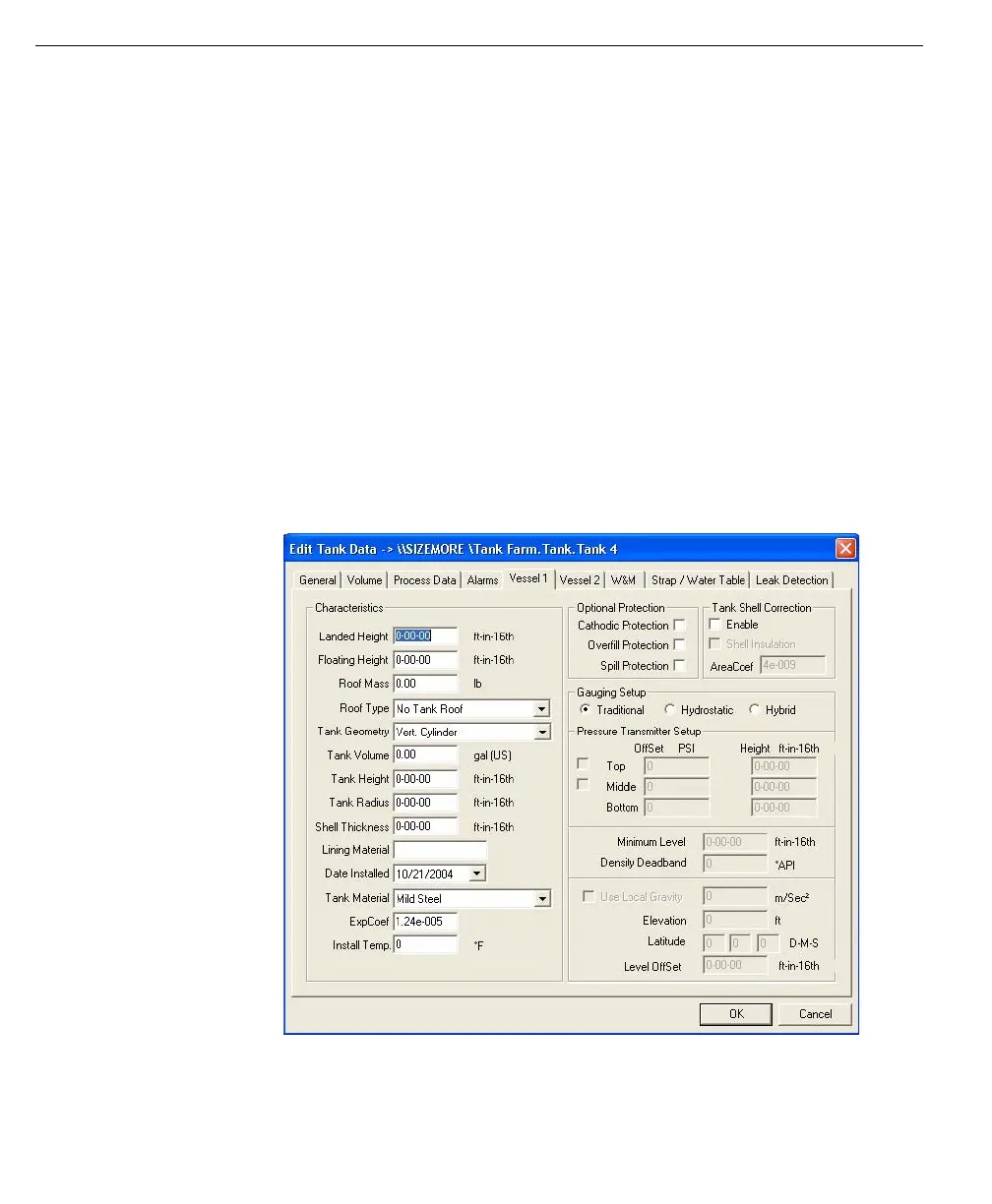
The Vessel 1 page allows the user to enter additional data about the tank, such as
its construction material, inspection date and dimensional data. This data is not
used in any calculations and is only presented as informational data on the Leak
Test Report. The following fields on the Vessel 1 page are important for
informational data:
• Tank Volume
• Tank Height
• Tank Radius
• Tank Material
• Lining Material
• Date Installed
• Cathodic Protection
• Overfill Protection
• Spill Protection
Note! Leak Detection data from
the Vessel 1 page will appear on
the Leak Test Reports
Edit Tank Data dialog -
Vessel 1 page



 To Next Page