FuelsManager Defense
56 Administrator Manual
Defining system resources
Resources utilized by FuelsManager are defined in the system resources within
the FuelsManager Configuration application. Resources that can be defined are:
• Products
•Strings
• Coded Variables
• Modifiers
• Graphic File Names
• Help File Names
• Start Definitions
Products
Product specifications are created, saved, edited and deleted using the resources
command in the FuelsManager Configuration application. They are saved in the
Product Index which can be accessed during database edit and then assigned to
Tank points.
Creating a new product definition
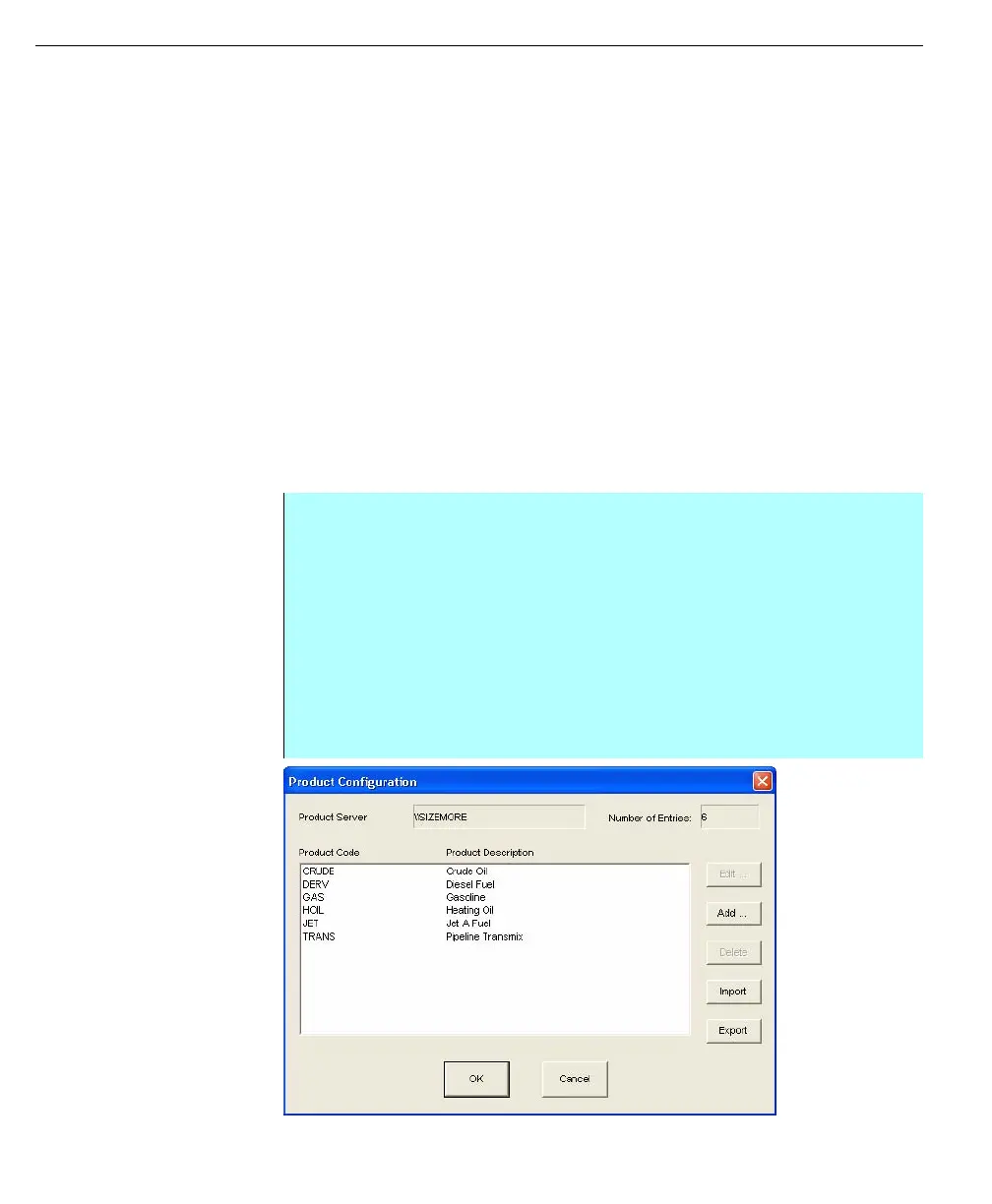
Product Configuration
dialog box
Step-by-Step
• In the Configuration dialog box, select, select the Products command from
the resources menu. The Product Configuration dialog box appears
• Click Add to create a new a product code. The Edit Product Definition dialog
box appears
• Enter in the name of the product, description of the product, assignment
options, correction method (if any), and temperature alarms (if any). The
product name can be up to twenty alphanumeric characters and the
description can be up to thirty alphanumeric characters
• Enter any appropriate Assignment Options for the product definition.
• Click OK to save the product definition



 To Next Page