Networking
ADM003GVAE1005 13
Networking
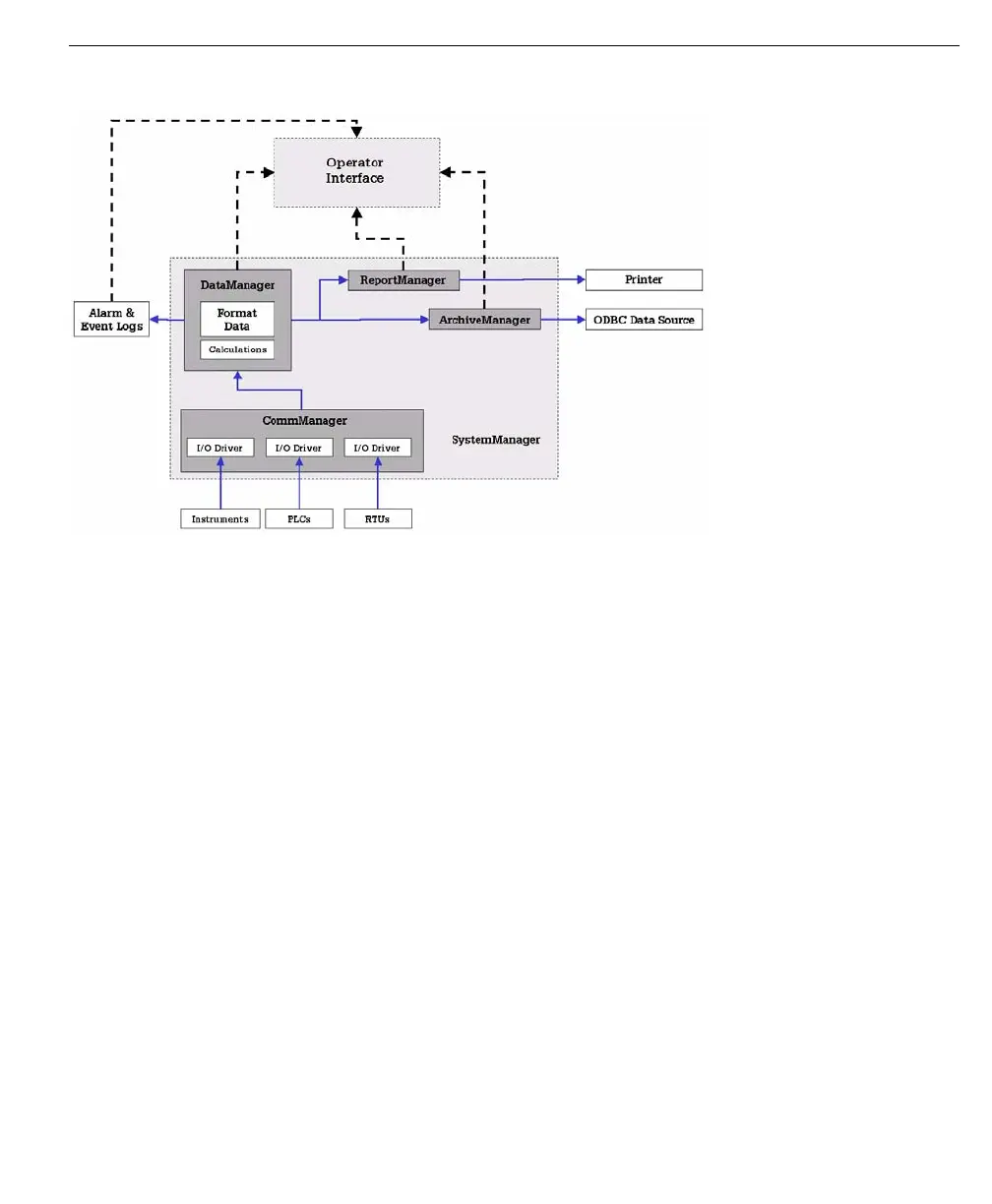
The above figure illustrates a typical FuelsManager System setup. This example
is only one of many configurations, but it provides a general understanding of how
an FuelsManager System is configured.
Network Installation
FuelsManager can be set up a variety of ways to accommodate the needs of any
given site. A typical FuelsManager network setup has all computers reading data
from one source, and is a good reference point to use to describe network
installation.
A typical network installation would require FuelsManager to be installed on the
system designated as the server, and also on each workstation or client machine.
(During the install, the local system should be specified for the program and
project path, as FuelsManager may need access to program indexes as well as
graphic and/or tank group files.)
The Server system does not need to be a Windows Server, as FuelsManager
looks to the system registry for the server location. The system registry on each
individual installation also retains the system name, as well as location of custom
graphics and tank groups.



 To Next Page