Creating and editing tank points
ADM003GVAE1005 123
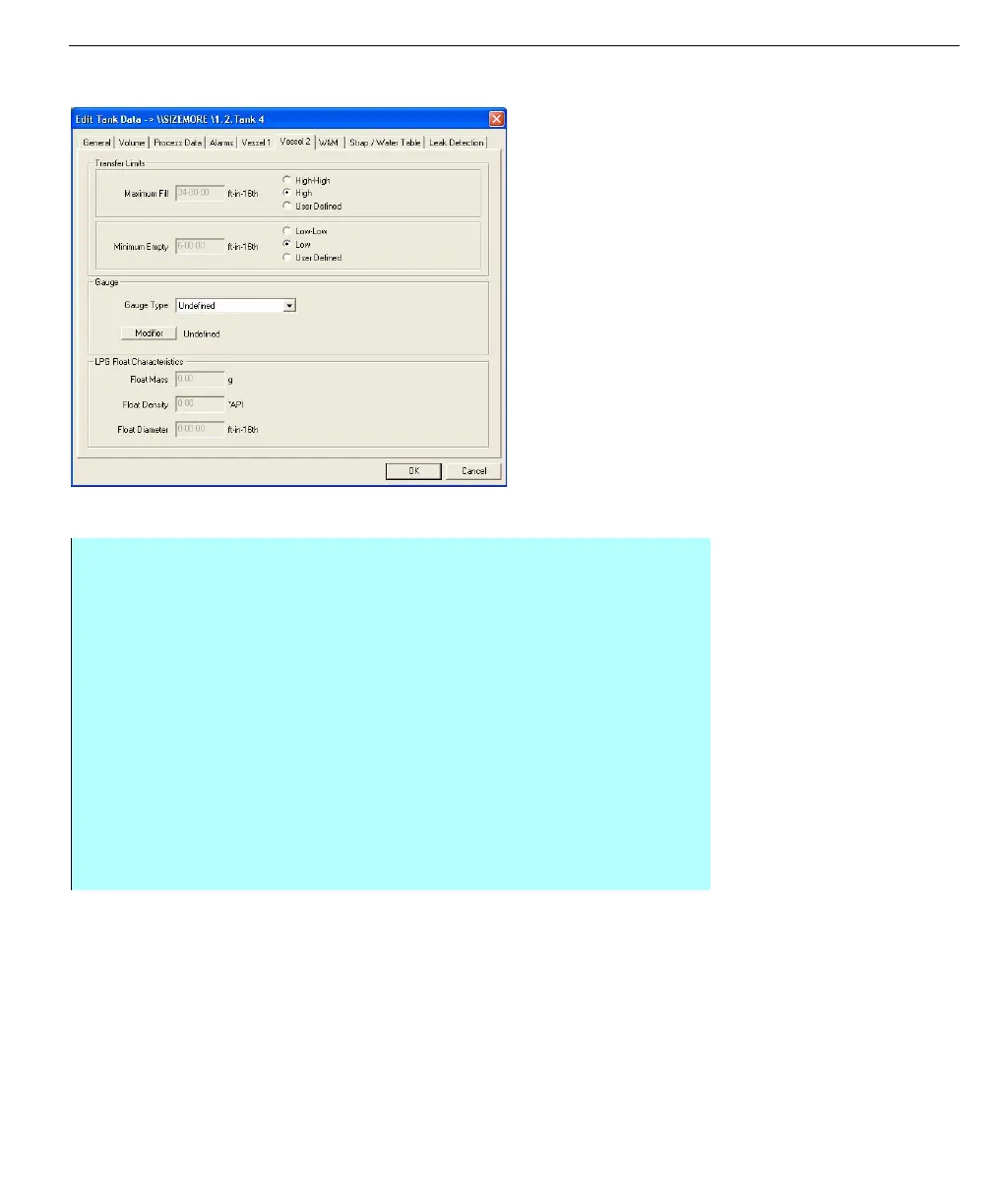
Entering Vessel 2 information
Edit Tank Data dialog
box - Vessel 1 tab
Step-by-Step
• Click the Vessel 2 tab
• Under Transfer Limits, you can set the Maximum Fill volume for the tank.
You can select from the pre-set amounts of High-High or High, or select
User Defined and enter the appropriate amount
• Also under Transfer Limits you can set the Maximum Empty volume for the
tank. You can select from the pre-set amounts of Low-Low and Low, or
select User Defined and enter the appropriate amount
• Under Gauge, you can select from the standard Gauge Type list and enter
the appropriate commands available from the gauge by clicking the Modifier
button and selecting from the list
• Under LPG Float Characteristics, you can enter the Float Mass, Float
Density and Float Diameter so FuelsManager can compensate for the size
of the LPG float. These fields are only available when the LPG volume
correction method is selected on the Volume tab



 To Next Page