FuelsManager Defense
110 Administrator Manual
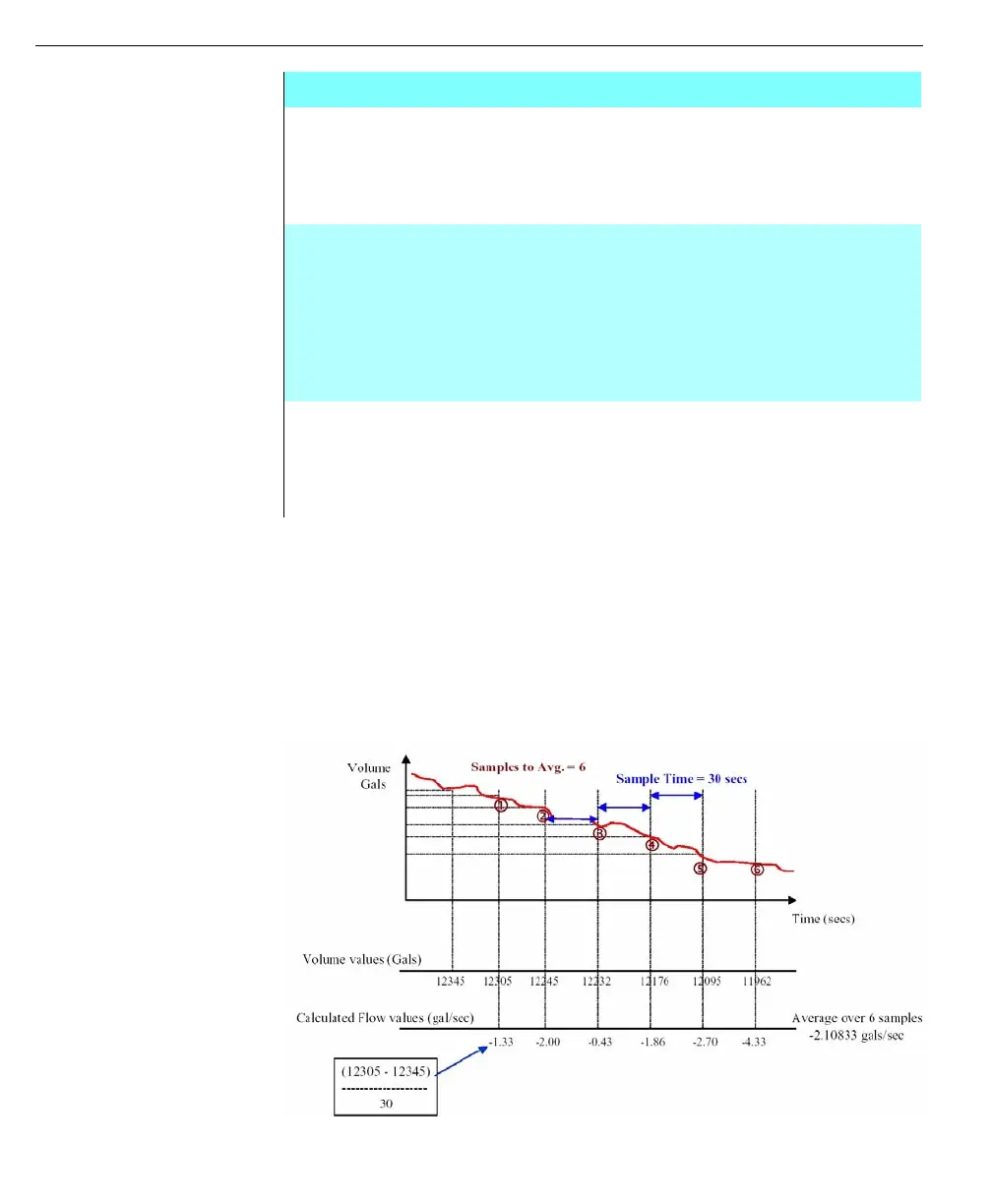
FuelsManager calculates flow by sampling the tank’s volume and then calculating
a rate of change volume (i.e., Gal / hr.). Users can tune how FuelsManager
calculates this flow rate by the Sample Rate, Sample Size, and deadband
parameters on the General tab.
FuelsManager will sample the volume at the rate defined by the sample time
parameter, calculate a flow rate based on this volume change, then average the
individual flow rates over the number of sample defined by the Samples
parameter.
SPECIAL
ROUNDING
GROUP
These parameters are only available when a Japanese
volume correction method is selected in the correction type
lists. These options allow you to define specific data
rounding methods to be used in the volume correction
calculation for VCF, Level and Temperature variables
CALCULATION
OPTIONS
GROUP
These parameters are only available when a Japanese
volume correction method is selected in the correction type
lists. These options allow you to define specific options as to
when the water volume and volume due to%BSW are
subtracted from product volume during the volume
correction calculation. In addition the Mass/Weight option
allows you to define the method to be used for the
calculation of product mass
AVERAGING
FILTER GROUP
This group defines the number of samples, time between
samples and the value below which changes in data are
ignored. The parameters entered control how FuelsManager
calculates the Flow, Level Rate, Mass Flow and Net Flow
process variables
Edit Tank Data dialog box - Volume tab



 To Next Page