Draw application
ADM003GVAE1005 179
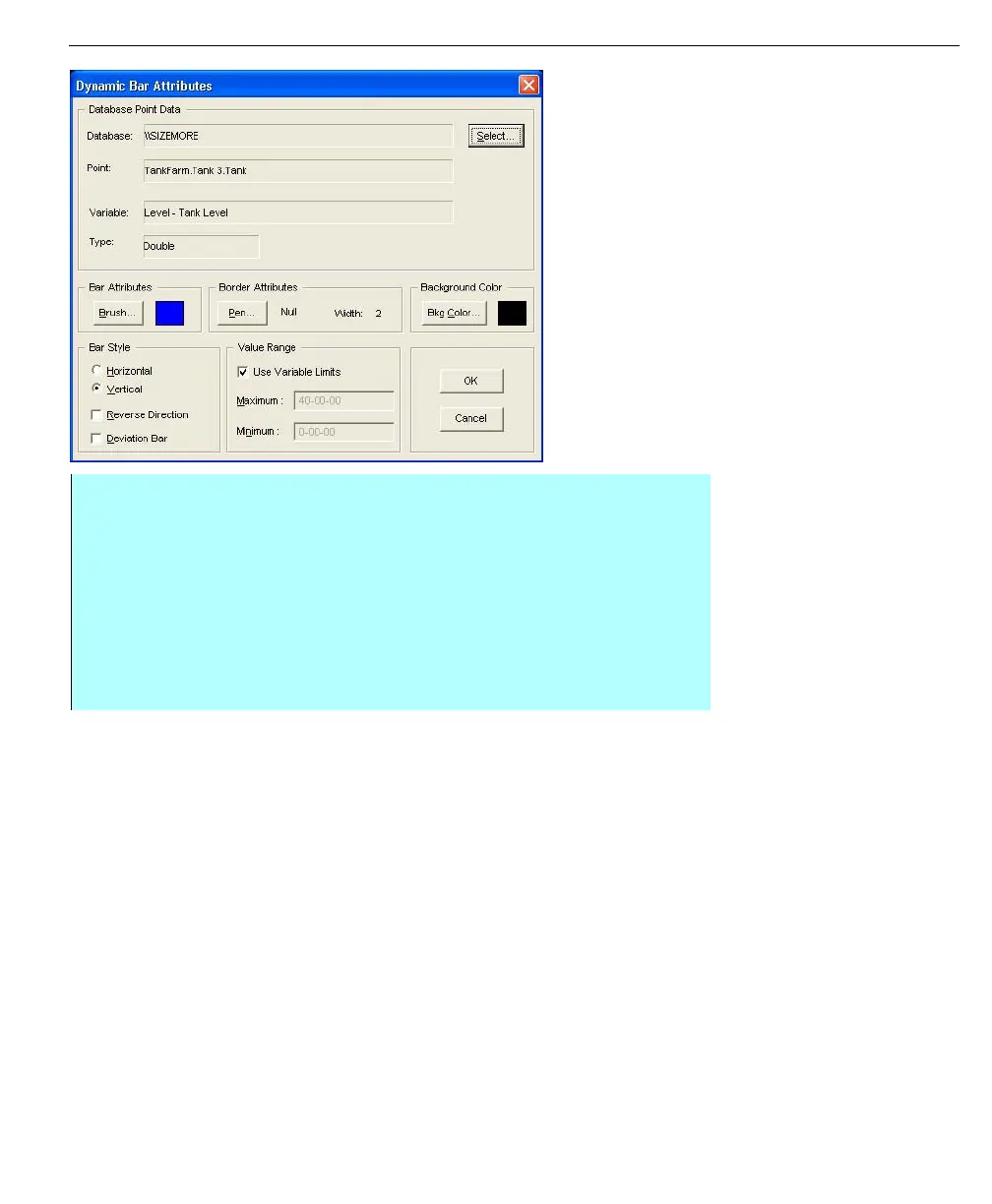
Dynamic Bar Attributes
dialog box
Note! To bring the bar graph
forward over a symbol, click Pull to
Front from the Edit menu.
• Select Brush to select the color, pattern, and style of the bar fill. Select Pen
to select the color, size, and style of the outline. Select Color to select the
background color of the bar graph. Select either the Horizontal or Vertical
option and corresponding Reverse Dir and Deviation option
• Select Use Variable Limits to have the bar graph object automatically track
the minimum and maximum scaling limits of the database point it is linked
to. If you wish to set the bar graph's minimum and maximum limits
independently of the associated database point, clear the Use Variable
Limits check mark



 To Next Page