198 01-6203-01R3, CG Drives & Automation
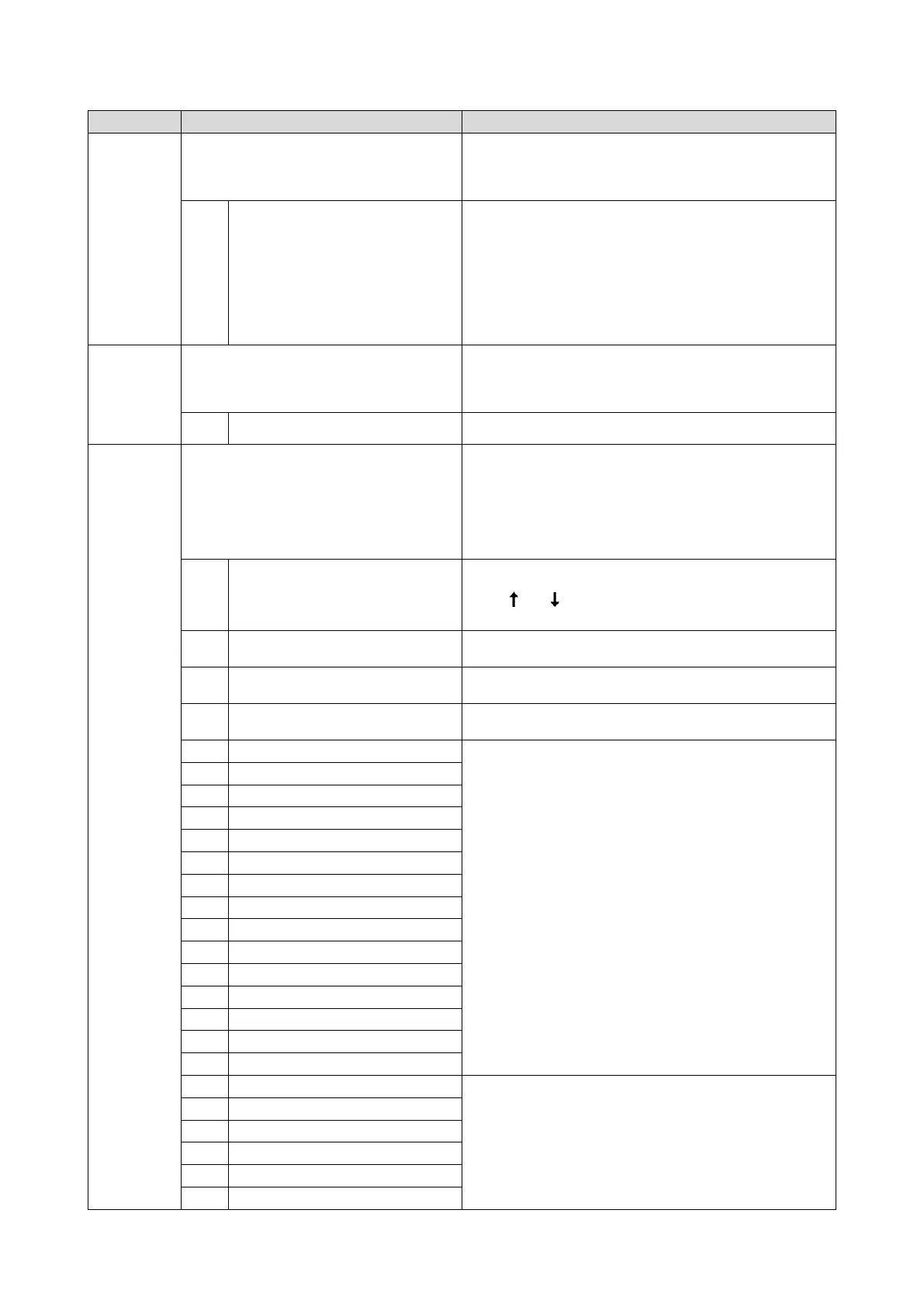
Name / value range / [default setting]
Digital outputs function: NetWordOUT1 bit 14
(Dig.out.function: NetWordOUT1.14)
For further possible settings, see parameter
0x2634:001 (P420.01).
429
Assignment of a trigger to bit 14 of NetWordOUT1.
Trigger = FALSE: bit set to 0.
Trigger = TRUE: bit set to 1.
Trigger signal for releasing the holding brake (TRUE = release holding
brake).
Note!
If this trigger is assigned to the relay or a digital output, the deceleration
times set for the respective output are not effective (are internally set to
"0"). Only the deceleration time set in 0x2820:012 (P712.12) for closing
the holding brake influences in this case the time-dependent behaviour
of the output.
Holding brake control
302
(P420.25)
Digital outputs function: NetWordOUT1 bit 15
(Dig.out.function: NetWordOUT1.15)
For further possible settings, see parameter
0x2634:001 (P420.01).
429
Assignment of a trigger to bit 15 of NetWordOUT1.
Trigger = FALSE: bit set to 0.
Trigger = TRUE: bit set to 1.
Safe torque off (STO) active
TRUE if the integrated safety system has triggered the "Safe torque off
(STO)" function. Otherwise FALSE.
(P201.01)
Frequency control: Default setpoint source
(Stnd. setpoints: Freq. setp. src.)
Selection of the standard setpoint source for operating mode "MS:
Velocity mode".
The selected standard setpoint source is always active in the operat
ing
mode 0x6060 (P301.00) = "MS: Velocity mode [-2]" when no
setpoint change-over to another setpoint source via corresponding
triggers/functions is active.
Setpoint change-over
378
The setpoint is specified locally by the keypad.
•
Default setting: 0x2601:001 (P202.01)
Use the
and
navigation keys to change the keypad setpoint
(also during running operation).
The setpoint is defined as analog signal via the analog input 1.
Analog input 1
423
The setpoint is defined as analog signal via the analog input 2.
Analog input 2
427
The setpoint is defined as process data object via the network.
Configuring the network
166
For the setpoint selection, preset values can be parameterised and
selected.
Setpoint source of preset setpoints
386
14
Frequency preset 4
19
Frequency preset 9
24
Frequency preset 14
(from version 03.00)
For the setpoint selection, the segment presets parameterised for the
"sequencer" function can be selected as well.
Sequencer
327
(from version 03.00)
(from version 03.00)
34
Segment preset 4 (from version 03.00)
(from version 03.00)
(from version 03.00)



 To Next Page