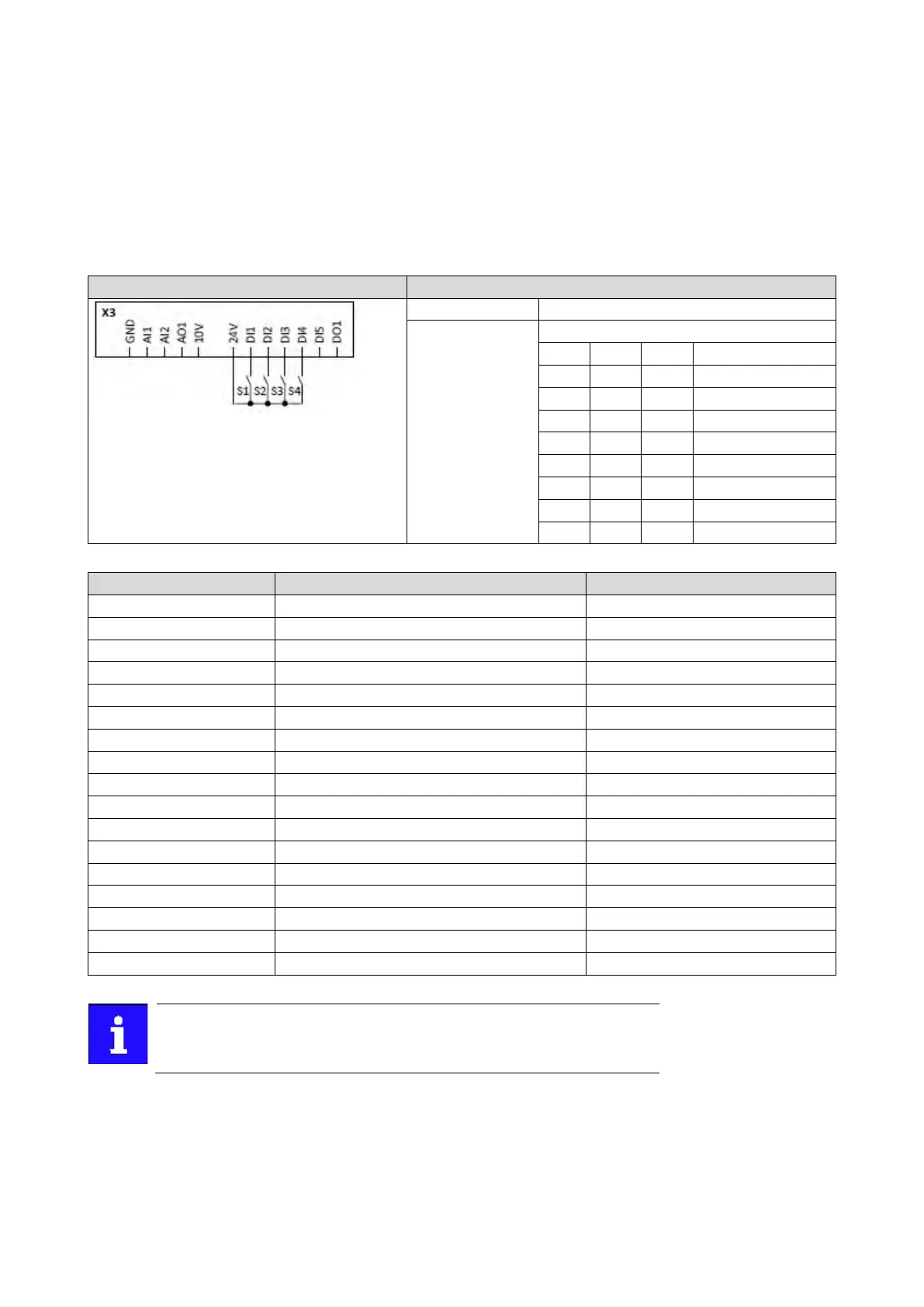
Example for operating mode
• The keypad is set as standard setpoint source.
• Switch S1 starts the motor in forward direction of rotation. Switch S1 in the initial
position
stops the motor again.
• The switches S2 ... S4 serve to switch over to the presets 1 ... 7 (see the following
table).
Switch S1 Run
Off
On
Off
Preset value 2
Off
Off
On
Preset value 4
On
On
On
Preset value 7
0x2631:018 (P400.18)
Activate preset (bit 0)
Digital input 2 [12]
Flexible I/O configuration [0]
0x2860:001 (P201.01)
Frequency control: Default setpoint source
Keypad [1]
Frequency setpoint presets: Preset 1
Frequency setpoint presets: Preset 2
Frequency setpoint presets: Preset 3
Frequency setpoint presets: Preset 4
0x2911:005 (P450.05)
Frequency setpoint presets: Preset 5
30 Hz
Frequency setpoint presets: Preset 6
Frequency setpoint presets: Preset 7
If the frequency presets 8 ... 15 are required as well, the digital input 5 must
be additionally assigned to the "Activate preset (bit 3)" function and the
terminal DI5 must be interconnected accordingly.



 To Next Page