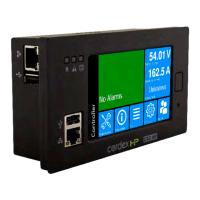
Cordex®CXCHPControllerSoftwareManual
21.1.3.Calibrateanaloginputs.................................................................................................. 224
21.1.4.Calibrateshunts,currenttransducers,andtemperatureprobes....................................228
21.1.5.Testrelays...................................................................................................................... 230
21.1.6.Testcommslostaction.................................................................................................. 230
21.1.7.Enabletemperaturesensorfailurealarms.....................................................................230
21.1.8.Groundfaultdetection....................................................................................................231
21.2.Modulefirmwareupgrades.......................................................................................................231
21.2.1.Modulefirmwareupgrade.............................................................................................. 231
21.2.2.Uploadafirmwarefile....................................................................................................231
21.2.3.Selectthefiletoupgrade...............................................................................................232
21.2.4.Upgradethemodule...................................................................................................... 232
22. Using custom views, data, timers, counters, scheduler, and custom actions...........................234
22.1.Custom views........................................................................................................................... 234
22.1.1.Createcustomviews..................................................................................................... 234
22.1.2.Addcomponentsinthecustomview............................................................................234
22.1.3.Accessandconfigurethedefaultcustomdashboardview............................................236
22.1.4.Accessthecustomdataview........................................................................................ 236
22.1.5.Removeatablefromthecustomview.......................................................................... 236
22.1.6.Addanexistingtabletothecustomview......................................................................237
22.2.Custom data............................................................................................................................. 237
22.2.1.Configurecustomdata...................................................................................................237
22.2.2.Createcustomdata....................................................................................................... 242
22.2.3.Createcustomdata-basicworkflow........................................................................... 243
22.2.4.Createcustomdata-detailedworkflow....................................................................... 243
22.2.5.Customdataexamples.................................................................................................. 244
22.2.6.Customdata-summingloadshunts.............................................................................244
22.2.7.Customdata-ACcoolingtoolowuseralarm...............................................................244
22.3.Using timers............................................................................................................................. 244
22.3.1.Configurethedelaytimer.............................................................................................. 245
22.3.2.Configuretheintervaltimer........................................................................................... 246
22.4.Counters................................................................................................................................... 247
22.4.1.Configuretheupcounter............................................................................................... 247
22.4.2.Configurethedowncounter.......................................................................................... 248
22.5.Scheduler..................................................................................................................................249
0350058-J0 Rev AL Page 11


 To Next Page
 Loading...