4. Getting started
Thissectionexplainshowtonavigatethemenusandbasicconnection,monitoring,andcontrolfunctions
usingtheLCD,thein-shelfdisplay,andthewebinterfaceofthecontroller.
4.1. Apply power
ThecontrollerandmostADIOmodulesaredesignedtorunonbatteryorDCbuspowerfor12,24,and48
voltsystems.Aredundantinputpowermodule(PN:0180045-001)isavailabletosimplifytheconnection
ofpowerfromaboveandbelowabatteryLVDtoboththecontrollerandADIOmodules.
1. Applypowertothecontroller(forexample,closebatterybreakerorrectifierinputandoutput
breakers).
2. TheLEDsstartcycling,andthenafterafewsecondstheCordex®CXCHPlogodisplays.
3. Waitforapproximatelyabout30seconds.TheLEDswillturnoffandthecontrollersoftwarewill
load.
4. Oncethesoftwareisloaded,thegreenLEDturnson(itmayturntoyelloworreddependingonthe
controlleralarmstate).
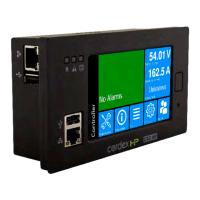
Thefrontpaneldisplayshowsthedashboard.
4.2. Connect to the controller
Therearethreeoptionsforconnectingtothecontrollerwebserverfromawebbrowser
webbrowser
runningonyour
computer:
•
Throughalocalareanetwork(LAN)
•
DirectconnectionwithIPauto-configuration
• DirectconnectionwithstaticIPaddress
Notice: If the Require Login for Sensitive Information setting is enabled, a login will be
required to view the IP settings on the LCD.
Factory default passwords
Obtaintheuseraccountinformationandpasswordsfromthesystemadministrator.Thedefaultvalues
are:
• DefaultUserName:admin
•
DefaultPassword:admin
Notice: When using the in-shelf display, you can view, but not edit the IP settings.
Page 36 0350058-J0 Rev AL


 To Next Page
 Loading...