Cordex®CXCHPControllerSoftwareManual|4-Gettingstarted
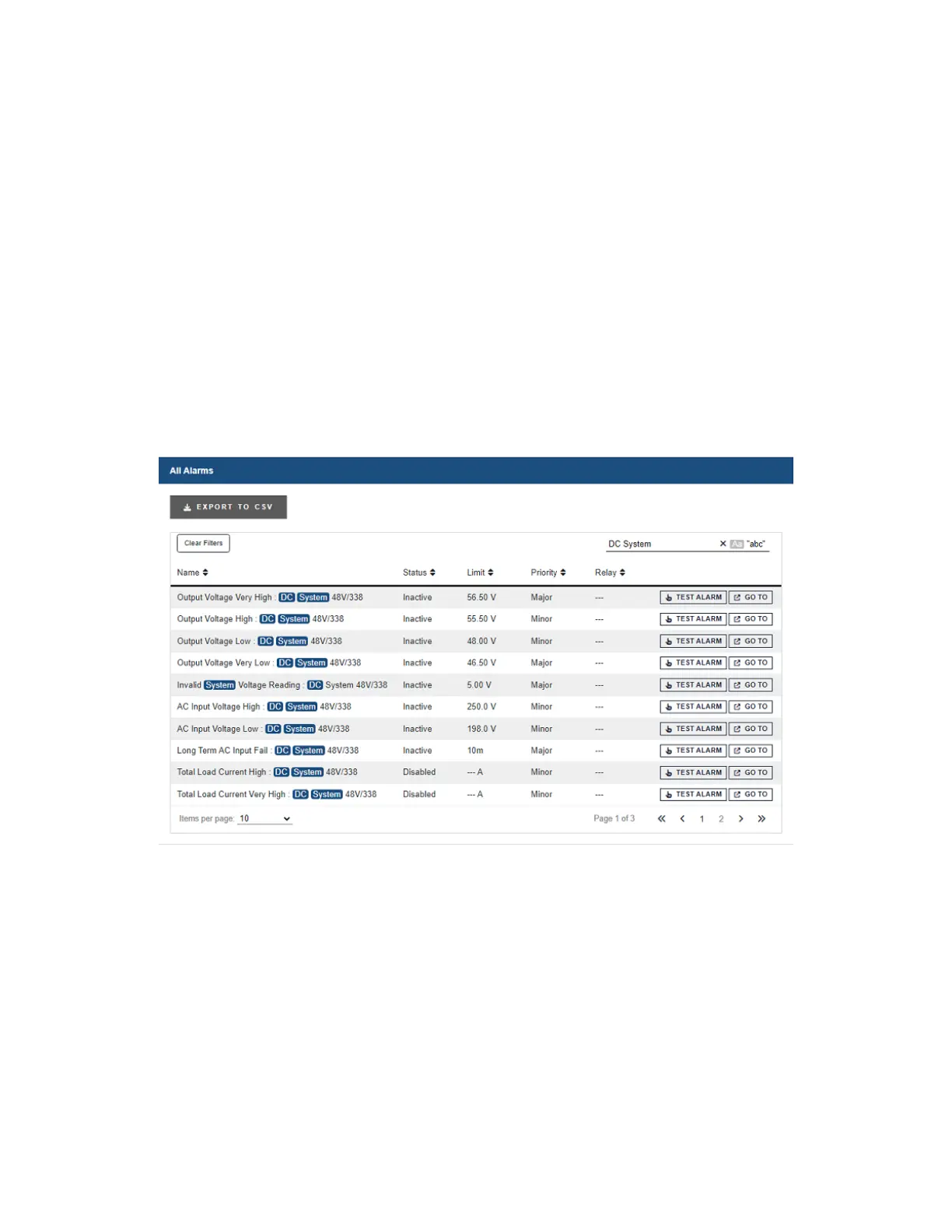
Paging: Displaysmultiplepagetabsontablesthathavealargequantityofinformation.Ifthereistoo
muchinformationforonetablethetable’sloweredgecontainsalistofnumberswhichallowsyoutoscroll
throughtheinformation.
Sorting: Providesawaytosortthetablecolumns,eitherascendingordescendingsimilartoany
standardspreadsheetprogram.
Filtering: Providesaneasywaytorefinetheinformationshowninaparticulartable.
Thesearchbarontheupper-leftsideperformsasearchoneachofthespace-separatedtermsinall
columnsofthetable.The“Aa”togglecanbeusedtomakethesearchcase-sensitive,andthe“abc”
togglecanbeusedtoonlymatchwholewords.Forexample,typing“dcsystemmajor”willdisplayall
alarmsofpriorityMajorontheDCSystem.
ThefollowingexampleshowsthesefeaturesontheAll Alarms table.
Figure 4-20 Webinterfacetablefeatures
4.3.4.3. Controller menu
ThissectionprovidesanoverviewoftheController menu.Thecontrollerareahasatotalofsixsub-
menus:Status,Settings,Communication,Files & Upgrade,User & Security,andProgrammability.
About: Providesaccesstosub-menusprovidingvariousstatusinformationaboutthecontroller,including:
Page 52 0350058-J0 Rev AL


 To Next Page
 Loading...