
 Need help?
Do you have a question about the EnerSys Alpha Cordex CXC HP and is the answer not in the manual?
Explains the purpose and intended audience of the manual.
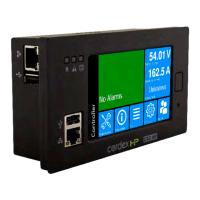
Introduces the controller, its features, and how it works.
Details the initial steps for powering up the controller and modules.
Explains methods for connecting to the controller via network or direct connection.
Describes how to use the LCD dashboard and web interface navigation.
Provides basic guidelines for DC power system inspection, battery inspection, and testing.
Explains key functions like battery charging, runtime estimation, and voltage regulation.
Guides users through creating a DC system, including inventory and functions.
Provides an overview of DC-DC converters, their function, and applications.
Explains how to create a converter system using a wizard or configuration file.
Details settings for converters, including start delay and over-voltage protection.
Provides an overview of inverter operation modes and components.
Explains how to create an inverter system via wizard or configuration file.
Details the process of assigning a T2S module to an inverter system.
Overviews line power converters and their types.
Guides creating line power systems via wizard or configuration file.
Explains settings for input voltage low shutdown and restart thresholds.
Describes auxiliary systems for monitoring current or other transducers.
Guides creating an auxiliary system via wizard or configuration file.
Explains types of current transducers and their connection requirements.
Overviews distribution systems, subsystems, panels, and breakers.
Explains creating distribution systems via wizard or configuration file.
Details adding and configuring smart or user-defined subsystems.
Guides creating DC source systems via wizard or configuration file.
Explains creating and configuring specific DC sources like PV arrays or generators.
Guides creating AC source systems via wizard or configuration file.
Explains creating and configuring AC sources like AC Mains or generators.
Provides an overview of Hyperboost converters and their capabilities.
Explains creating Hyperboost systems via wizard or configuration file.
Details settings for Hyperboost converters, including voltage and protection.
Guides creating AC generators, including their source and alarm settings.
Explains creating DC generators and their configuration options.
Details generator control relay, status signals, and start/stop conditions.
Provides an overview of thermal systems and their components.
Guides creating new thermal systems via wizard.
Explains single-cabinet and multi-cabinet setup configurations.
Provides an overview of the Power Flow feature for monitoring systems.
Explains how to access Power Flow via the web interface menu.
Highlights interactive elements and navigation within the Power Flow diagram.
Covers rectifier alarms, rediscovering CAN devices, and inserting unassigned modules.
Details maintenance for inverters, including replacing and identifying them.
Covers powering loads off/on and replacing line power modules.
Discusses battery alarms, charging, and general maintenance procedures.
Explains the maintenance and configuration of Low Voltage Disconnects.
Details how to view and configure IP addresses for Ethernet ports.
Explains how to view and manage system alarms, alerts, and hints.
Covers restarting, powering down, and changing controller settings.
Explains how to access and manage various system logs like events, battery, and datalogs.
Covers managing configuration files, software upgrades, and backups.
Details managing user accounts, permissions, and passwords for system access.
Explains configuring RADIUS or TACACS+ for remote user authentication.
Covers memory status and performing flash refreshes for system stability.
Explains configuring HTTPS for secure web access and certificate management.
Details configuring VLAN tagging for network operation.
Details significant changes in application release 8.00.
Details significant changes in application release 7.40.
Details significant changes in application release 7.30.
Details significant changes in application release 7.20.
Lists known issues and incompatibilities with specific software versions.
Covers configuring and replacing ADIO peripherals, including calibration.
Explains how to upgrade firmware on CAN devices attached to the controller.
Allows users to create and customize unique views and dashboard components.
Enables creating complex expressions for monitoring, control, and custom alarms.
Describes configuring delay timers and interval timers for event-driven actions.
Explains creating Up Counters or Down Counters to track events and usage.
Allows scheduling single or recurring actions based on time or date.
Covers issues related to controller communication, responsiveness, and failure.
Addresses issues with rectifier relays, alarms, communication, and replacement.
Covers common inverter system issues like wrong input groups and phase saturation.
Addresses line power system alarms, overloads, transient events, and import errors.
Provides information on supported CAN modules and their controller software versions.
Details the controller's Ethernet, USB, and CAN ports and their specifications.
Lists default values and ranges for 12, 24, 48, 125, and 220 volt systems.
 General
| Brand | EnerSys |
|---|---|
| Model | Alpha Cordex CXC HP |
| Category | Controller |
| Language | English |

 To Next Page
