214323 108 Revision A
Calibrating Auto Header Height Control (AHHC) (Case IH 2300/2500 and 5088/6088/7088)
NOTE:
Changes may have been made to combine controls or display since this document was published. Refer to
combine operator’s manual for updates.
To calibrate the AHHC system, follow these steps:
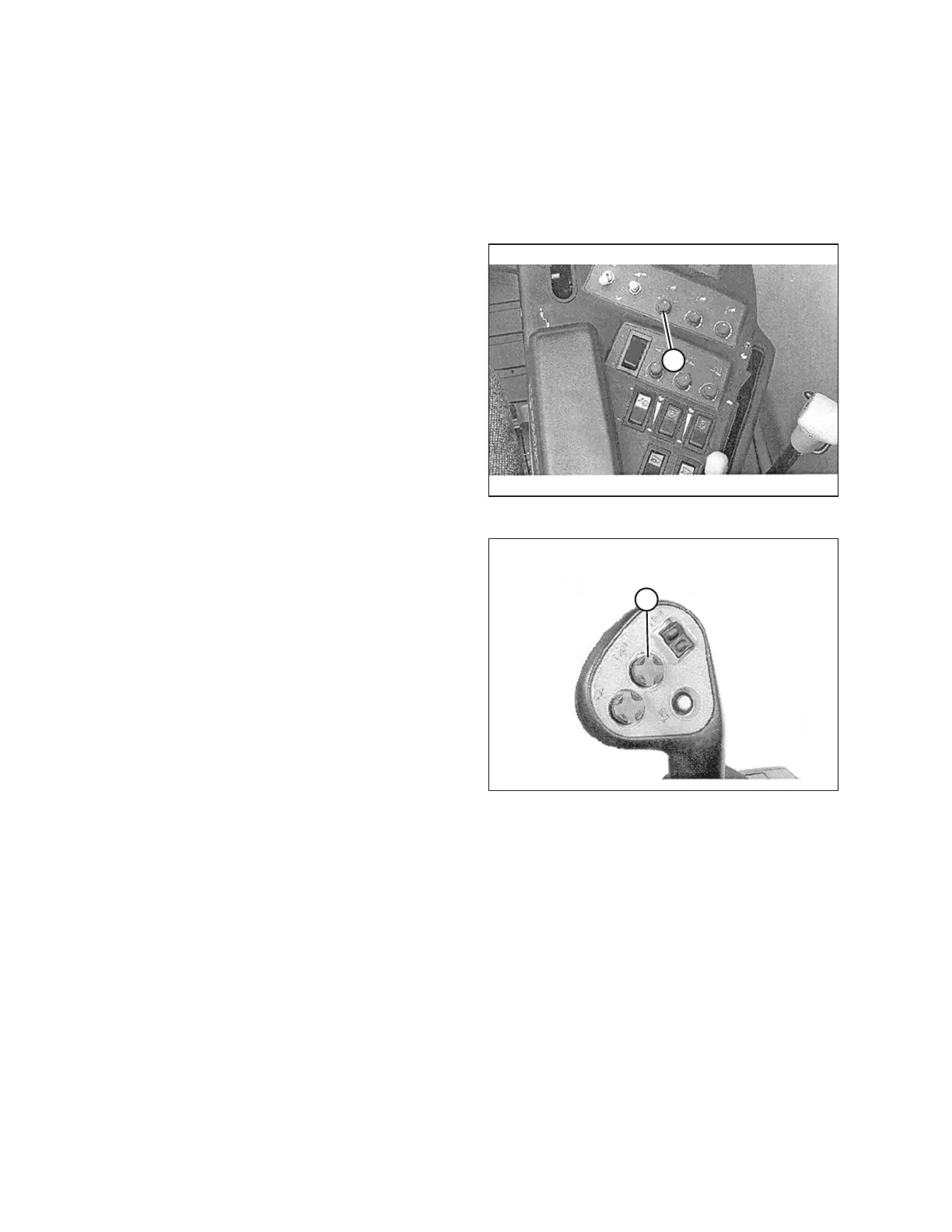
Figure 3.135: Right Console
1. Set float on header and adapter package (refer to
operator’s manual for instructions). Position fore-aft and
center-link in midspan.
2. Start combine engine, but do NOT engage separator or
feeder house.
3. Locate header control switch (A) on right console, and
set to HT (this is AHHC mode).
Figure 3.136: Joystick Lever (Case IH
2300/2500)
4. Press header lower switch (A) on joystick lever until
adapter and header are fully lowered. You may need to
hold switch for several seconds.
5. Press header raise switch (A) on joystick lever. The
header should stop at about halfway point. Continue
holding header raise switch, and header will rise until
feeder house reaches its upper limit. The AHHC system
is now calibrated.
NOTE:
If float was set heavier to complete ground calibration
procedure, adjust to recommended operating float after
calibration is complete.
OPERATION









 To Next Page