214323 117 Revision A
Calibrating Auto Header Height Control (Case IH 5130/6130/7130, 7010/8010;
7120/8120/9120; 7230/8230/9230)
For best performance from the auto header height control (AHHC), perform these procedures with center-link set to
D. When setup and calibration are complete, adjust center-link back to desired header angle. Refer to 3.7.4 Header
Angle, page 76.
NOTE:
This procedure applies to combines with a software version below 28.00. For instructions on calibrating the AHHC
for combines with software version 28.00 or above, refer to Calibrating Auto Header Height Control (Case
Combines with Version 28.00 or Higher Software), page 119.
NOTE:
Changes may have been made to combine controls or display since this document was published. Refer to
combine operator’s manual for updates.
1. Ensure center-link is set to D.
2. Ensure all header and adapter electrical and hydraulic connections are made.
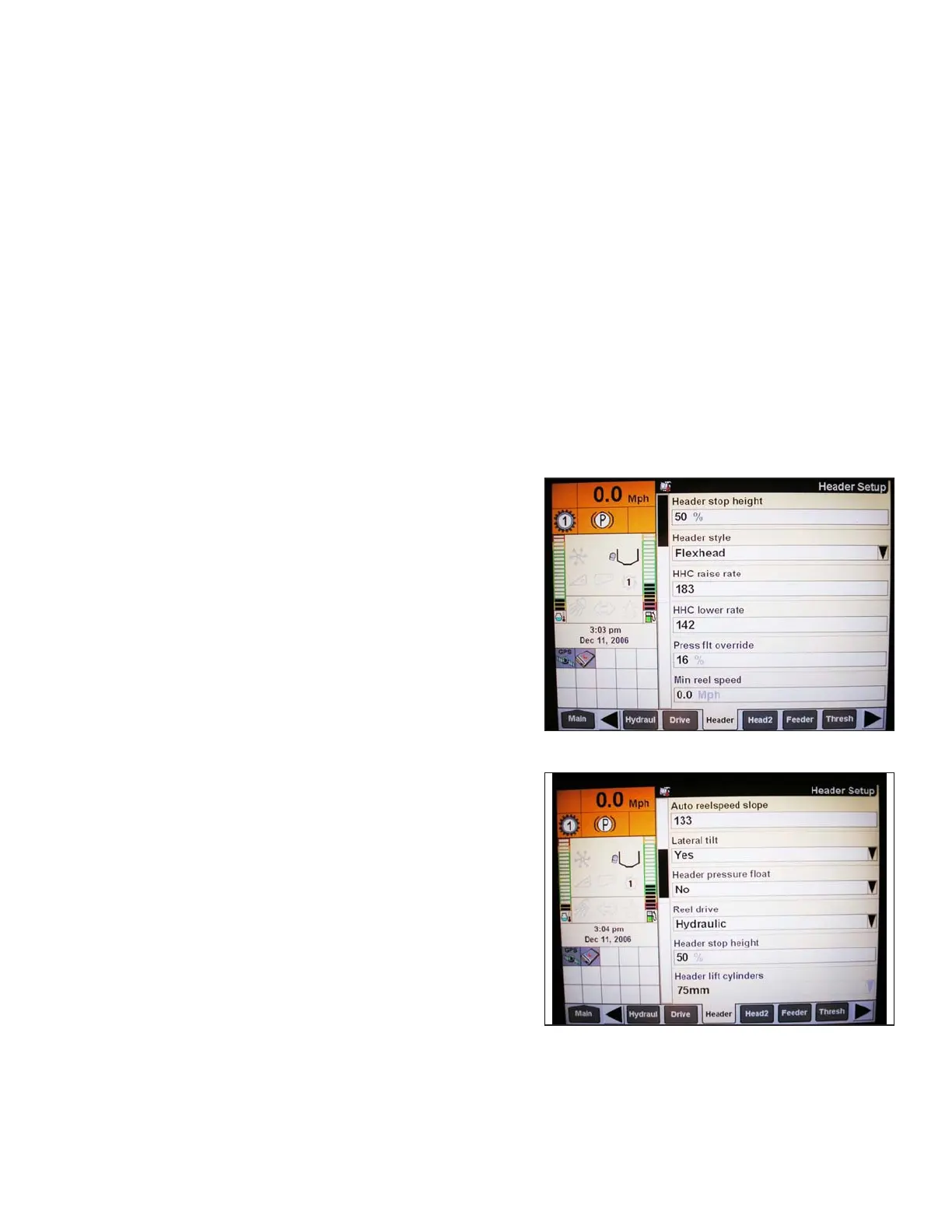
3. Select TOOLBOX on MAIN page, and then select HEADER.
Figure 3.157: Case IH Combine Display
4. Set appropriate HEADER STYLE.
Figure 3.158: Case IH Combine Display
5. Set AUTO REEL SPEED SLOPE.
6. Set HEADER PRESSURE FLOAT to NO if equipped,
and ensure REEL DRIVE is HYDRAULIC.
OPERATION









 To Next Page