214323 64 Revision A
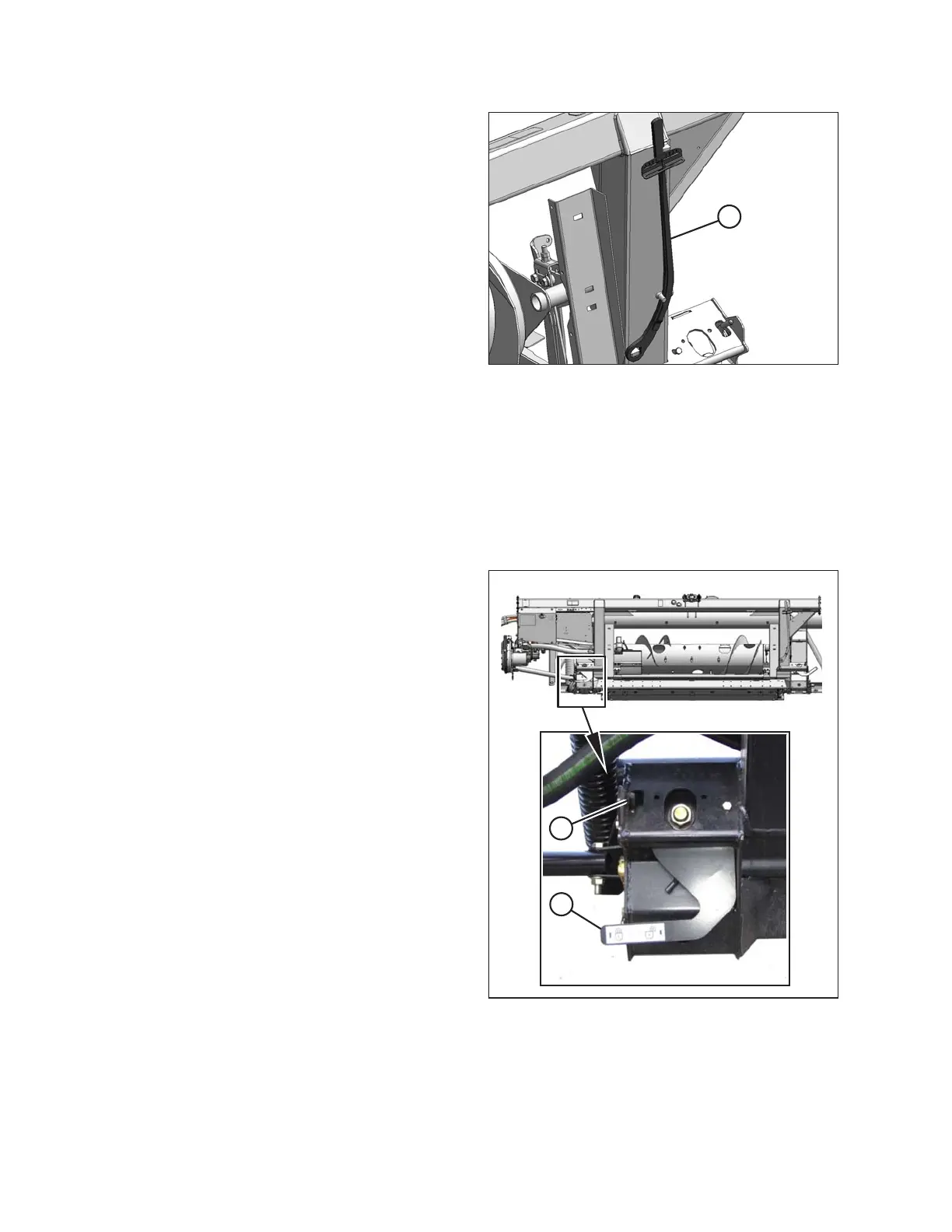
Figure 3.45: Torque Wrench
17. Return torque wrench (A) to its storage location at right
side of adapter frame.
Locking/Unlocking Header Float
Two header float locks—one on each side of the adapter—lock and unlock the header float system.
IMPORTANT:
The float locks must be engaged when the header is being transported with the adapter attached so there is no
relative movement between the adapter and the header. The float locks also must be locked when detaching from
the combine to enable the feeder house to release the adapter.
Figure 3.46: Float Lock
1. Disengage each float lock (unlock) by moving latch (A)
downwards and moving lever (B) down to its lowest
position. In this position, the header is unlocked and
can float with respect to the adapter.
2. Engage each float lock (lock) by moving lever (B)
upwards to its highest position. In this position, the
header cannot move with respect to the adapter.
OPERATION









 To Next Page