214323 162 Revision A
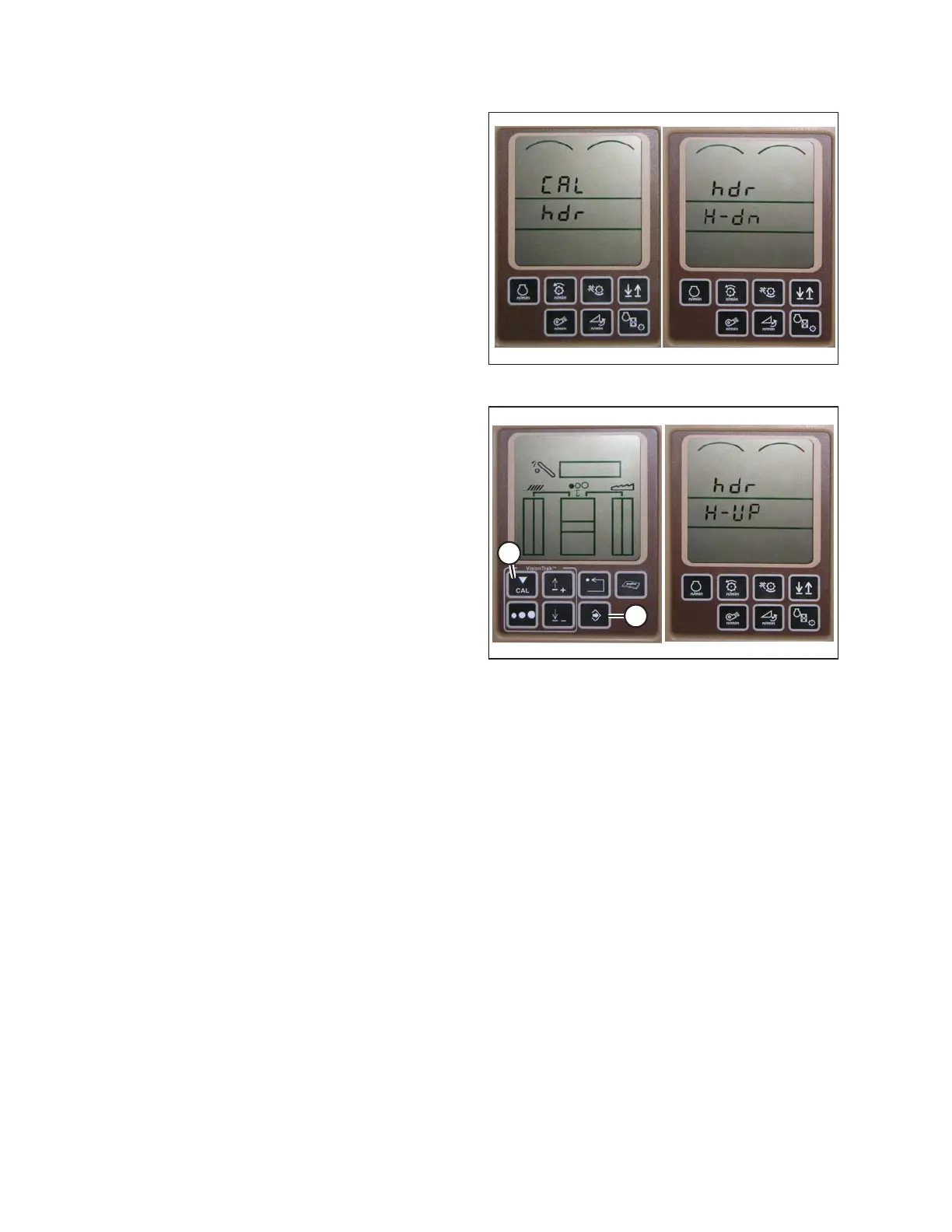
Figure 3.249: Combine Display
6. Press UP or DOWN buttons until hdr appears on the
monitor.
7. Press ENTER button—hdr H-dn appears on the
monitor.
8. Fully lower feeder house to ground.
NOTE:
Hold HEADER DOWN switch for 5–8 seconds to
ensure feeder house is fully lowered.
Figure 3.250: Combine Display
9. Press CAL button (A) to save lower calibration of
header—hdr H-UP appears on monitor.
10. Raise header three feet off ground, and press CAL (A)
button—EOC appears on monitor.
11. Press ENTER button (B) to save calibration of header.
Your AHHC is now calibrated.
NOTE:
If an error code appears on screen, sensor is not in
correct working range. Refer to Output Voltage Range,
page 156 to check and adjust range.
12. After calibration is complete, specific combine operation settings need to be made to ensure proper field
operation.
Setting Sensitivity of Auto Header Height Control
This is also known as dead band adjustment.
NOTE:
Changes may have been made to combine controls or display since this document was published. Refer to
combine operator’s manual for updates.
To increase sensitivity of auto header height, follow these steps:
OPERATION









 To Next Page