214323 472 Revision A
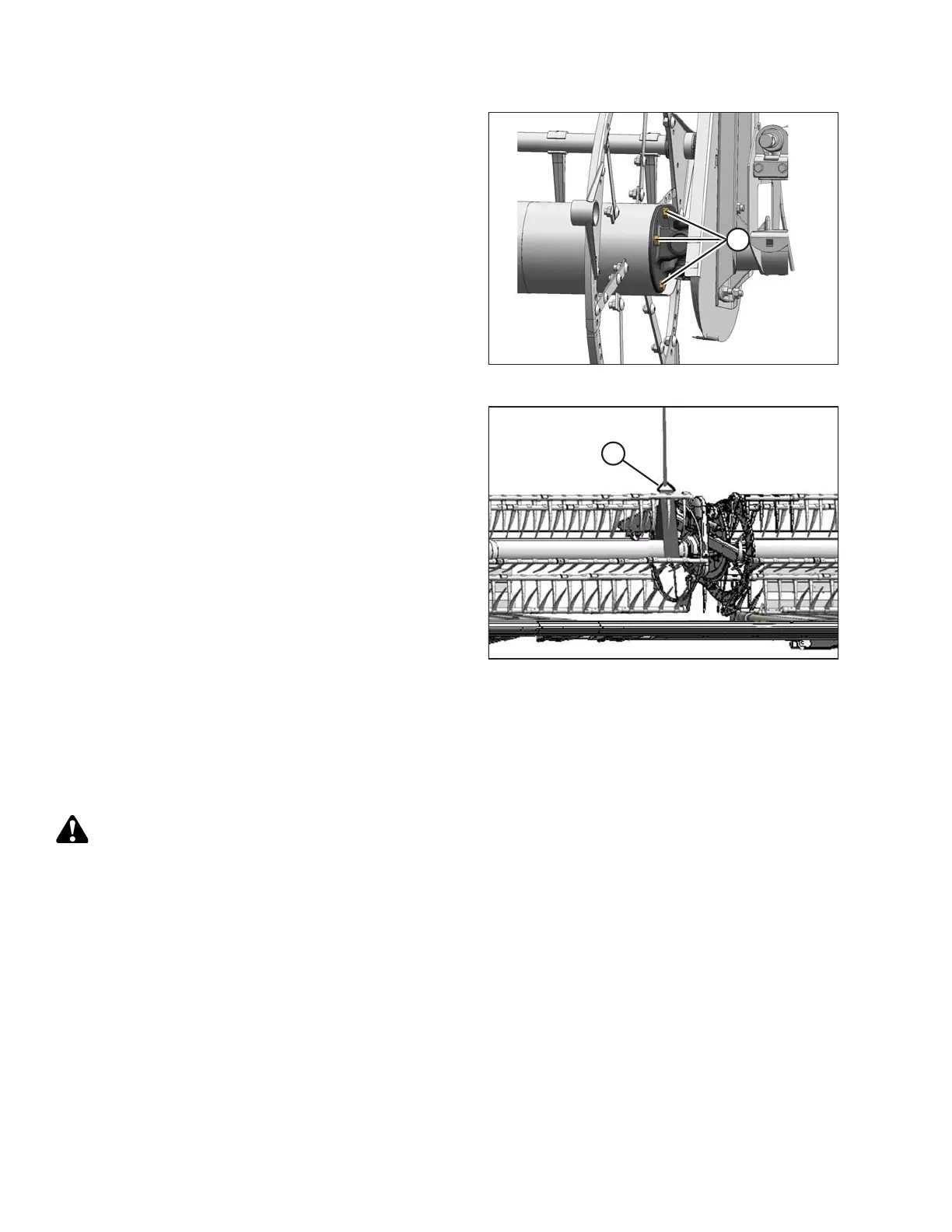
Figure 5.305: U-Joint
8. Position right reel tube (A) against the reel drive and
engage the stub shaft into the U-joint pilot hole.
9. Rotate the reel until the holes in end of the reel tube and
U-joint flange line up.
10. Apply Loctite
®
#243 (or equivalent) to four 1/2 in.
bolts (A) and secure with lock washers.
11. Torque to 102–115 Nm (75–85 lbf∙ft).
Figure 5.306: Supporting Reel
12. Remove temporary reel support (A).
5.14.7 Replacing Reel Speed Sensor
The reel speed sensor system is located inside the reel drive cover.
Replacing AGCO Sensor
DANGER
To avoid bodily injury or death from unexpected start-up or fall of raised machine, always stop engine,
remove key, and engage safety props before going under header for any reason.
1. Shut down the combine, and remove the key from the ignition.
2. Remove the drive cover. Refer to Removing Reel Drive Cover, page 461.
MAINTENANCE AND SERVICING









 To Next Page