214323 177 Revision A
NOTE:
If an error code appears on page, sensor is not in correct working range. Refer to Checking Voltage Range
from Combine Cab (John Deere 70 Series), page 172 to check and adjust range.
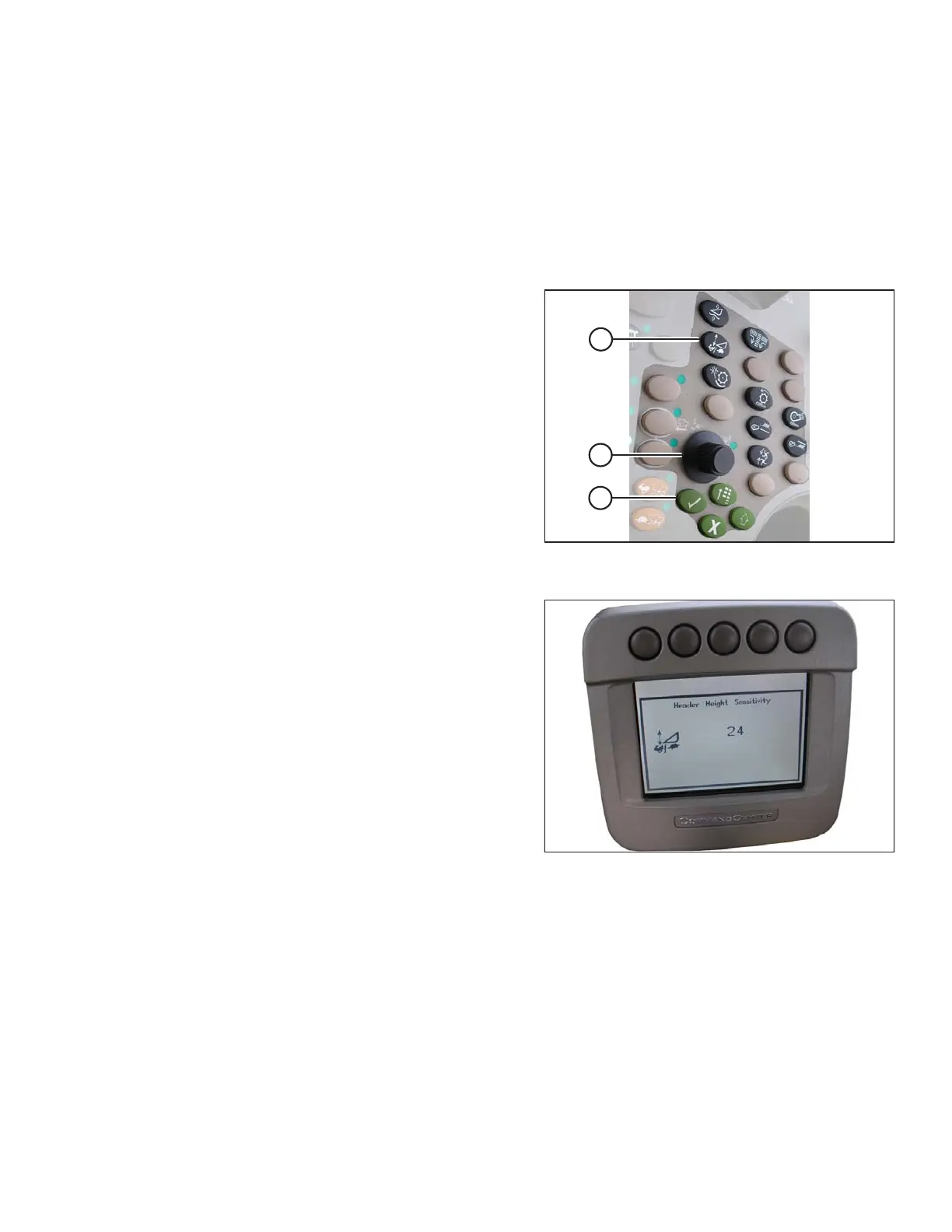
Setting Sensitivity of Auto Header Height Control (John Deere 70 Series)
NOTE:
Changes may have been made to combine controls or display since this document was published. Refer to
combine operator’s manual for updates.
Figure 3.280: John Deere Combine Control
Console
1. Press button (A) twice and current sensitivity setting will
appear on combine display (the lower the reading, the
lower the sensitivity).
2. Use scroll knob (B) to adjust sensitivity setting. The
adjustment will be saved automatically.
NOTE:
If page remains idle for a short period of time, it will
automatically return to previous page. Pressing check
mark button (C) also will return combine display to
previous page.
Figure 3.281: John Deere Combine Display
NOTE:
The numbers depicted on displays in these illustrations
are for reference purposes only; they are not intended to
represent specific settings for your equipment.
Adjusting Manual Header Raise/Lower Rate (John Deere 70 Series)
NOTE:
Changes may have been made to combine controls or display since this document was published. Refer to
combine operator’s manual for updates.
OPERATION









 To Next Page