214323 170 Revision A
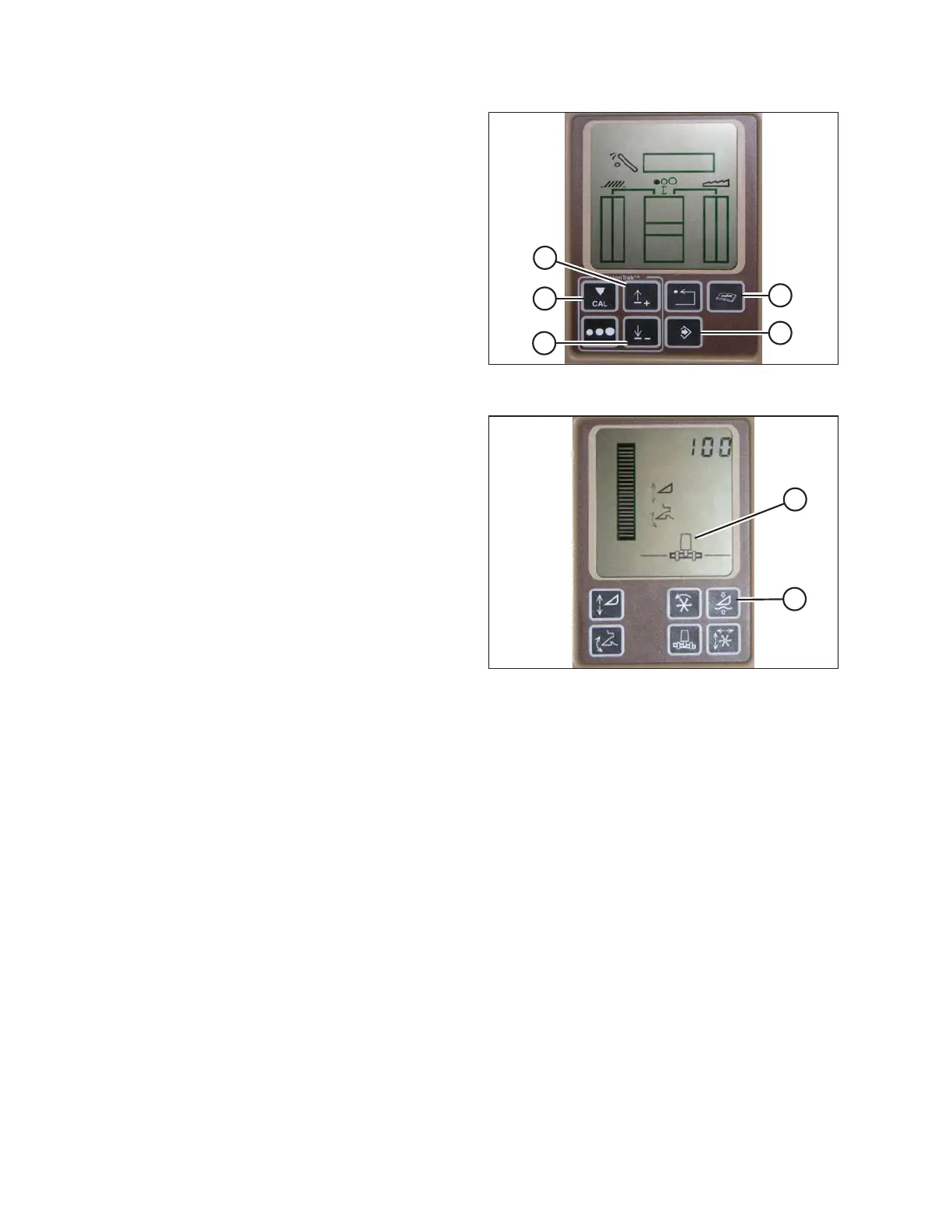
Figure 3.265: John Deere Combine Display
1. Press DIAGNOSTIC button (A) on monitor. DIA
appears on the monitor.
2. Press UP button (B) until EO1 appears on monitor, and
press ENTER (D). This is header adjustment.
3. Press UP (B) or DOWN (C) button until 128 is displayed
on top portion of monitor. This is reading for the sensor.
4. Press ENTER (D) to select 128 as sensor reading (this
will allow you to change display to a three-digit number
so it has a 50 in it).
5. Press UP (B) or DOWN (C) button until desired number
is displayed, and press CAL (E) button.
6. Press ENTER (D) to save the changes. The height is
now set.
Figure 3.266: John Deere Combine Display
NOTE:
Do NOT use active header float function (A) in
combination with MacDon auto header height control
(AHHC)—the two systems will counteract one another.
The header symbol (B) on display should NOT have a
wavy line under it and should appear exactly as shown
on Active Header Control Display in Figure 3.266, page
170.
Setting Sensitivity of Auto Header Height Control (John Deere 60 Series)
This is also known as dead band adjustment.
NOTE:
Changes may have been made to combine controls or display since this document was published. Refer to
combine operator’s manual for updates.
OPERATION









 To Next Page