214323 59 Revision A
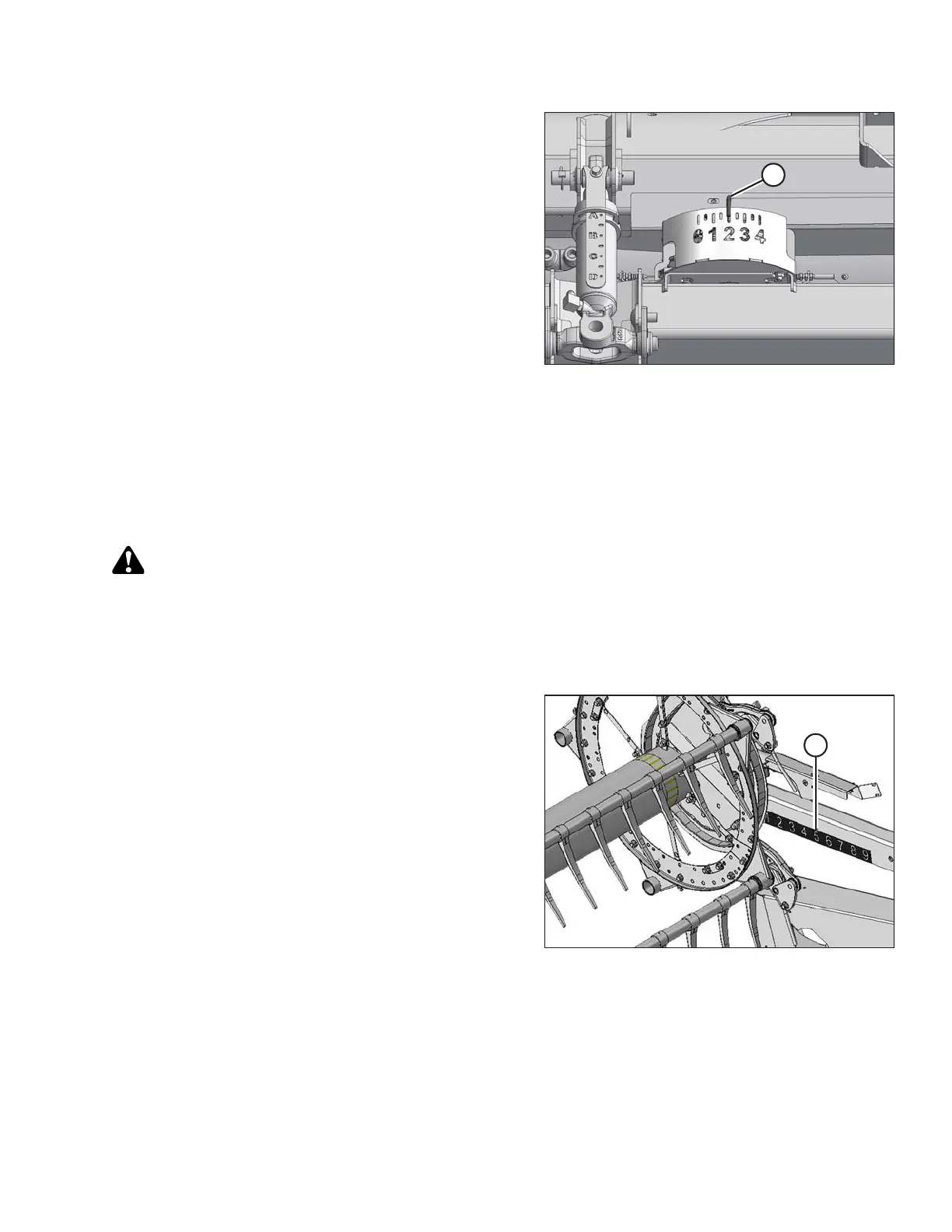
Figure 3.34: Cutting on the Ground
1. Set the float for cutting on the ground as follows:
a. Ensure the header float locks are disengaged.
Refer to Locking/Unlocking Header Float, page 64.
b. Lower feeder house using the combine header
controls until float indicator (A) reaches the desired
float value (cutterbar ground force). Set the float
indicator to 2 initially and adjust as necessary.
2. Set the float for cutting off the ground as follows:
a. Set up the stabilizer wheels. Refer to Cutting off the Ground, page 53.
b. Note the float value on the float indicator and maintain this value during operation (disregard minor
fluctuations on the indicator).
Checking and Adjusting Header Float
DANGER
To avoid bodily injury or death from unexpected start-up of machine, always stop engine and remove key
from ignition before leaving operator’s seat for any reason.
NOTE:
Ensure all header options are installed before adjusting float.
Figure 3.35: Fore-Aft Position
1. Park combine on level surface and lower reel fully.
2. Adjust fore-aft position to between 5 and 6 on position
indicator decal (A) located on right reel arm.
OPERATION









 To Next Page