214323 243 Revision A
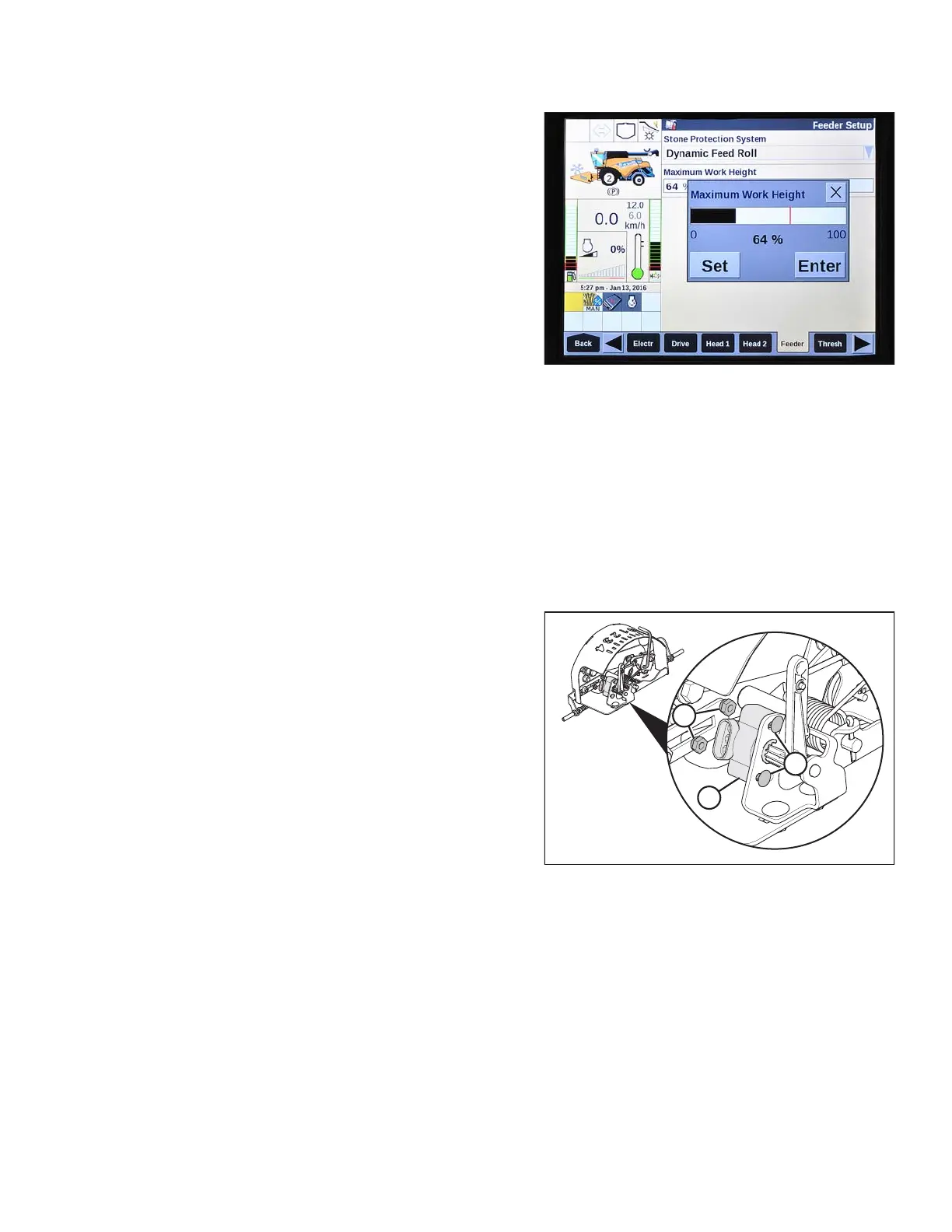
Figure 3.434: New Holland Combine Display
4. Set MAXIMUM WORK HEIGHT to desired value.
5. Press SET and then press ENTER.
3.8.17 Replacing Auto Header Height Control (AHHC) Sensor
The auto header height control (AHHC) sensor/potentiometer sends a signal to combine allowing it to maintain a
cutting height and optimize float as header follows ground contours. To replace AHHC sensor, follow these steps:
IMPORTANT:
Replace sensor as follows to avoid damaging the new sensor.
NOTE:
The most commonly used 5 Volt sensor is shown.
Figure 3.435: AHHC Sensor
1. Disconnect wiring harness from existing sensor (A).
2. Remove two nuts and bolts (B) that secure sensor to
bracket and remove sensor (A).
OPERATION









 To Next Page