214323 229 Revision A
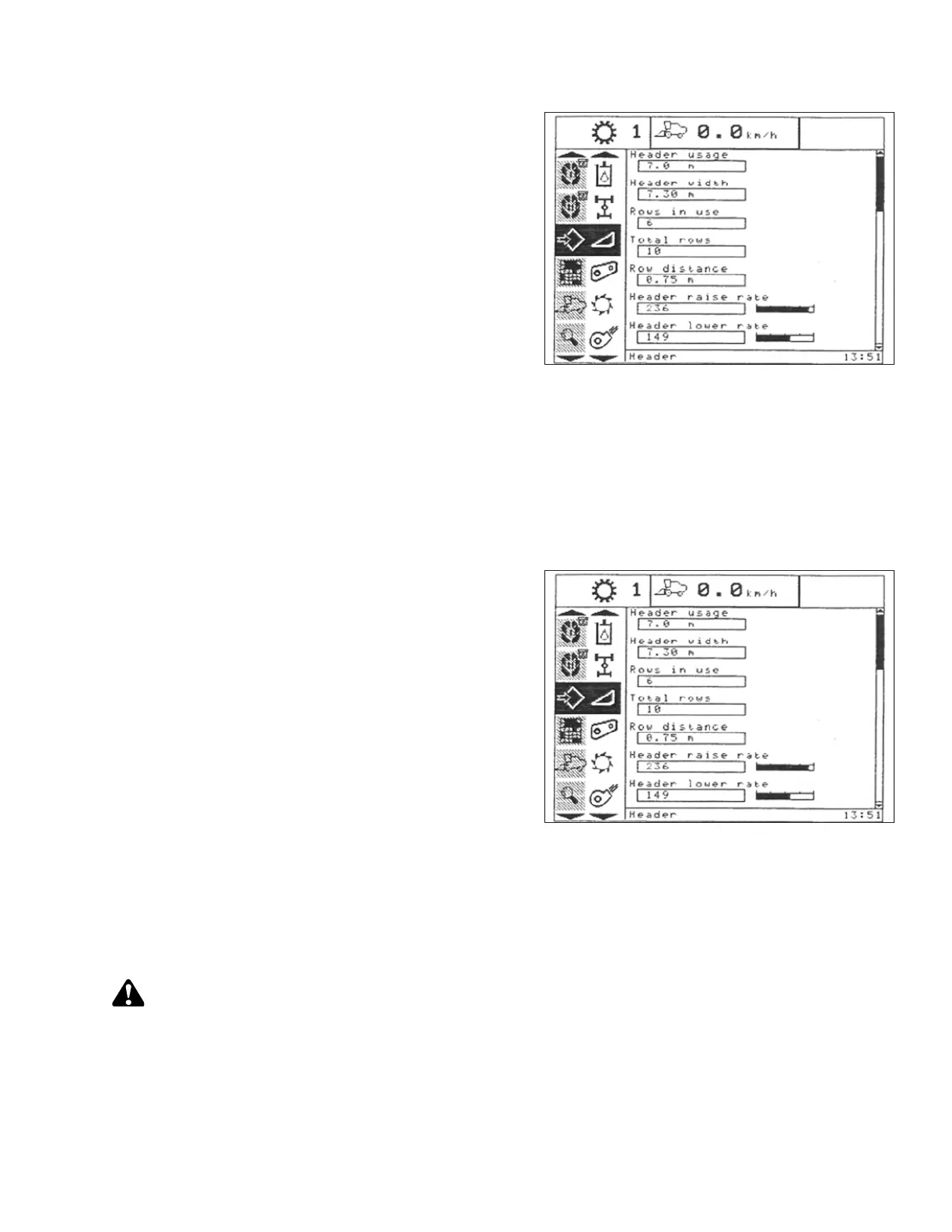
Figure 3.400: New Holland Combine Display
1. Select HEADER RAISE RATE on combine display.
2. Use + or – buttons to change setting.
3. Press ENTER to save new setting.
NOTE:
The raise rate can be changed from 32 to 236 in steps
of 34. The factory setting is 100.
Setting Header Lower Rate to 50 (New Holland CR/CX Series)
If necessary, header lower rate (the automatic header height control button or second speed on header height
rocker switch of multifunction handle) can be adjusted.
NOTE:
Changes may have been made to the combine controls or display since this document was published. Refer to
combine operator’s manual for updates.
Figure 3.401: New Holland Combine Display
1. Select HEADER LOWER RATE on combine display.
2. Use + or – buttons to change setting to 50.
3. Press ENTER to save new setting.
NOTE:
The lower rate can be changed from 2 to 247 in steps
of 7. It is factory-set to 100.
Setting Sensitivity of Auto Header Height Control to 200 (New Holland CR/CX Series)
NOTE:
Changes may have been made to the combine controls or display since this document was published. Refer to
combine operator’s manual for updates.
CAUTION
Check to be sure all bystanders have cleared the area.
OPERATION









 To Next Page