214323 396 Revision A
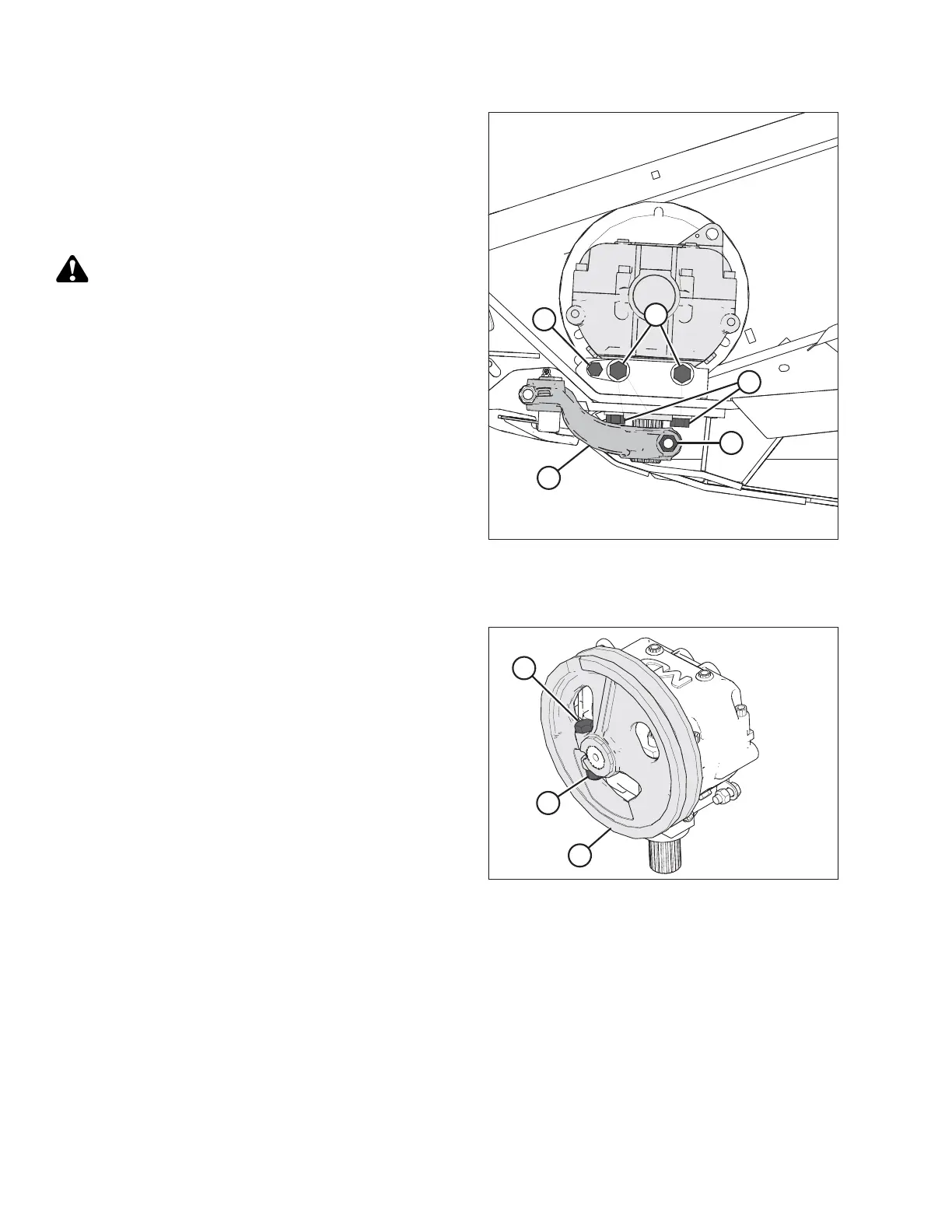
Figure 5.135: Knife Drive Box
15. Remove bolt (A) that clamps the knife drive arm to the
knife drive box output shaft.
16. Remove knife drive arm (B) from the knife drive box
output shaft.
17. Remove the four knife drive box mounting bolts (C)
and (D).
CAUTION
Extension may shift when supports are removed. Use
care when removing fasteners and supports.
18. Remove the knife drive box and place it on a bench for
disassembly.
19. Repeat procedure for the opposite end of the header.
Removing Knife Drive Box Pulley
Figure 5.136: Knife Drive Box and Pulley
1. Loosen and remove the knife drive box pulley clamping
bolt (A) and nut (B).
2. Remove knife drive box pulley (C) using a
three-jaw puller.
MAINTENANCE AND SERVICING









 To Next Page