214323 376 Revision A
5.8 Knife
WARNING
Keep hands clear of the area between guards and knife at all times.
Figure 5.99: Cutterbar Hazard
CAUTION
To avoid personal injury, before servicing machine or
opening drive covers, refer to 5.1 Preparing Machine for
Servicing, page 321.
CAUTION
Wear heavy gloves when working around or handling
knives.
5.8.1 Replacing Knife Section
Inspect the knife sections daily and ensure they are firmly bolted to the knife back and are not worn or damaged
(worn or damaged sections leave behind uncut plants). Worn or damaged sections can be replaced without
removing the knife from the cutterbar.
NOTE:
Coarse serrated sections last longer than fine serrated sections in dirty or sandy conditions. Fine serrated sections
perform better in fine stemmed grasses and plants that contain more fibrous stems.
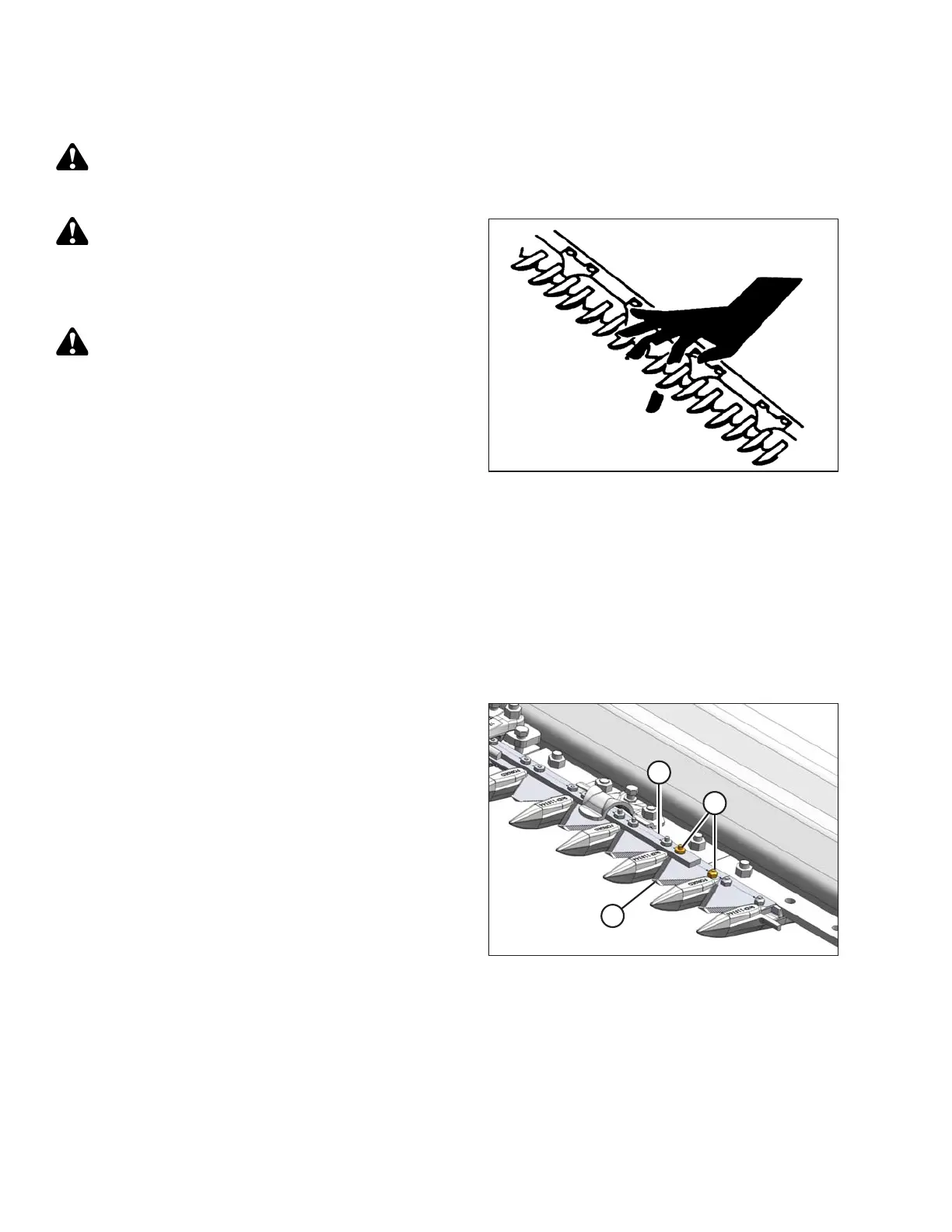
Figure 5.100: Knife Bar
1. Shut down the combine, and remove the key from
the ignition.
2. Stroke the knife as required to center the knife
section (A) between the guards.
3. Remove nuts (B).
4. Remove bars and lift the knife section off the knife bar.
5. Remove the splice bar (D) if knife section is under
the bar.
6. Clean any dirt off the knife back and position the new
knife section onto the knife.
IMPORTANT:
Do NOT mix fine and coarse sections on the
same knife.
MAINTENANCE AND SERVICING









 To Next Page