214323 202 Revision A
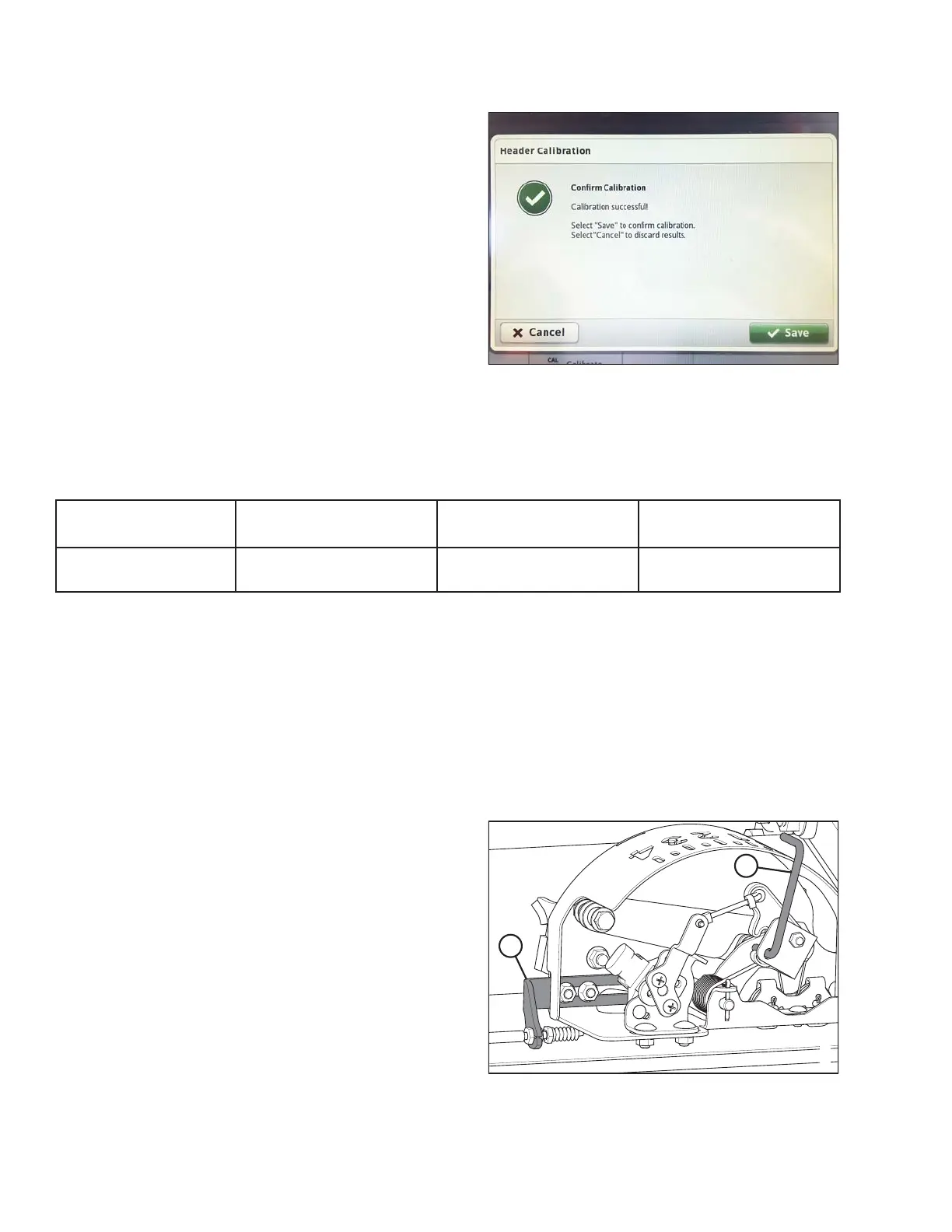
13. When calibration is complete, select SAVE to confirm
calibration.
3.8.13 CLAAS 500 Series Combines
Auto Header Height Sensor Voltage Requirements
The auto header height sensor output must be within a specific voltage range for the feature to work properly.
Combine
Lower Voltage Limit
(+/- 0.2)
Upper Voltage Limit
(+/- 0.2)
Minimum Range
Difference
CLAAS 500/600/700
Series
0.7 V 4.3 V 2.5 V
Check sensor’s output voltage range at float indicator according to the instructions that follow.
Checking Sensor’s Output Voltage Range
The auto header height sensor output must be within a specific range for feature to work properly. To check
sensor’s output voltage range, follow these steps:
1. Position header 150 mm (6 in.) above ground, and rest it on safety props. Unlock adapter float.
NOTE:
If header is not on down stops during next two steps, voltage may go out of range during operation causing a
malfunction of auto header height control (AHHC) system.
Figure 3.344: Float Indicator with Auto Header
Height Sensor
2. The pointer (A) on float indicator should point at 0.Ifit
does not, adjust cable bracket (B) until pointer (A) on
float indicator points to 0.
OPERATION









 To Next Page